mirror of
https://github.com/apache/zeppelin
synced 2026-05-24 09:38:26 +00:00
 32517c9d9f
### What is this PR for? This is the first step for implement IPython Interpreter in Zeppelin. I just use the jupyter_client to create and manage the ipython kernel. We don't need to care about python compilation and execution, all the things are delegated to ipython kernel. Ideally all the features of ipython should be available in Zeppelin as well. For now, user can use %python.ipython for IPython Interpreter. And if ipython is available, the default python interpreter will use ipython. But user can still set `zeppelin.python.useIPython` as false to enforce to use the old implementation of python interpreter. Main features: * IPython interpreter support ** All the ipython features are available, including visualization, ipython magics. * ZeppelinContext support * Streaming output support * Support Ipython in PySpark Regarding the visualization, ideally all the visualization libraries work in jupyter should also work here. In unit test, I only verify the following 3 popular visualization library. could add more later. * matplotlib * bokeh * ggplot ### What type of PR is it? [Feature ] ### Todos * [ ] - Task ### What is the Jira issue? * https://issues.apache.org/jira/browse/ZEPPELIN-2753 ### How should this be tested? Unit test is added. ### Screenshots (if appropriate) Verify bokeh in IPython Interpreter 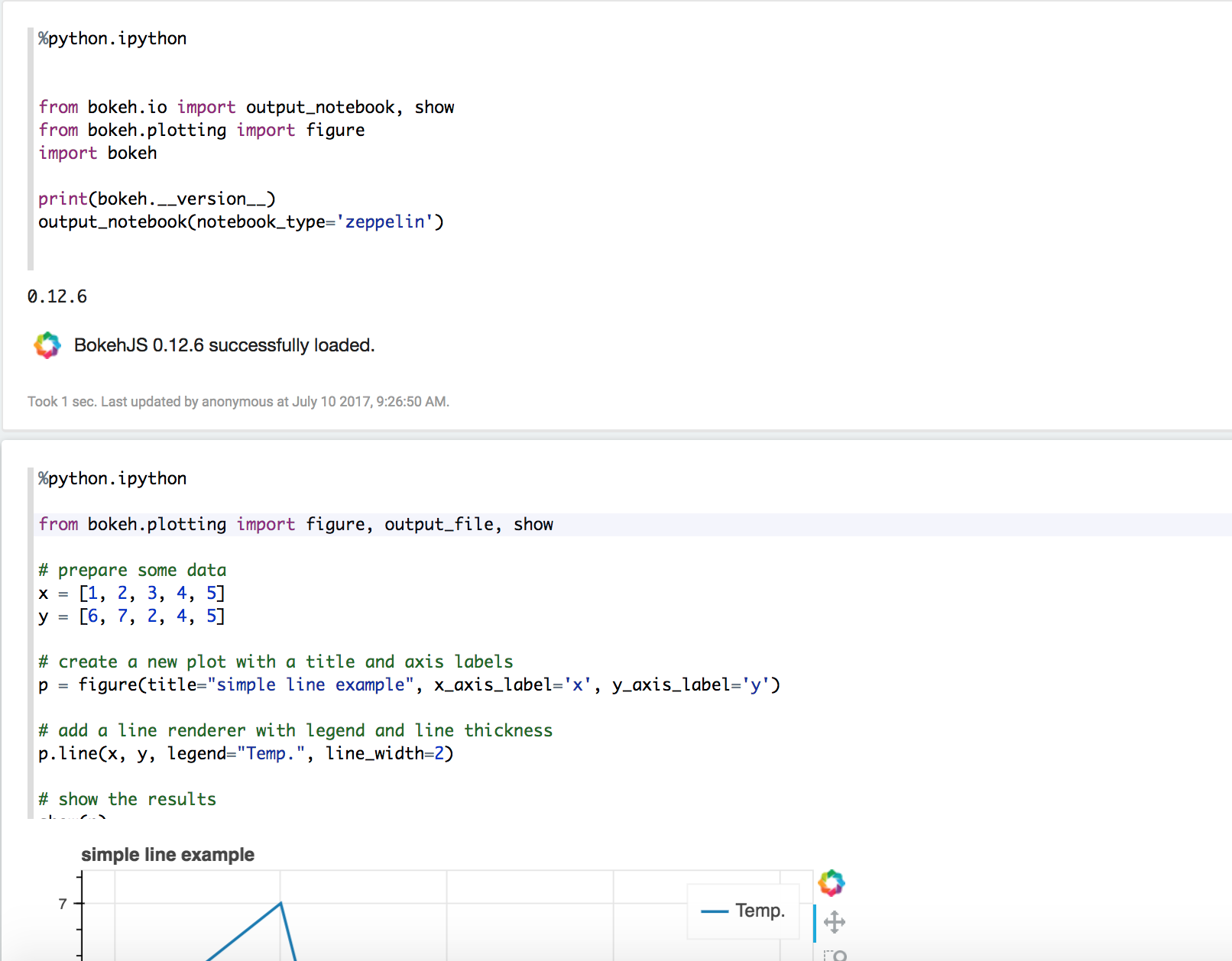 Verify matplotlib  Verify ZeppelinContext  Verify Streaming 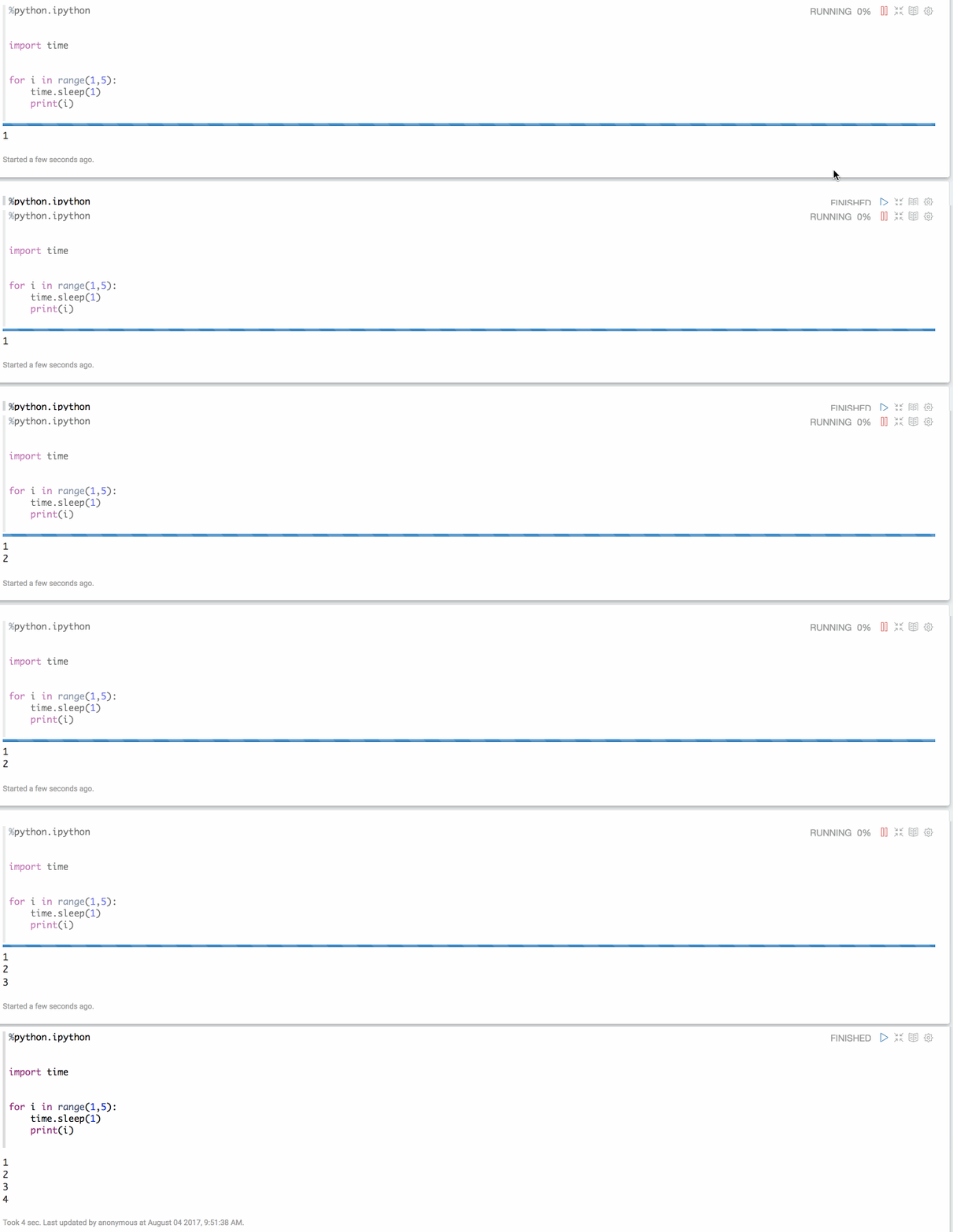 ### Questions: * Does the licenses files need update? No * Is there breaking changes for older versions? No * Does this needs documentation? No Author: Jeff Zhang <zjffdu@apache.org> Closes #2474 from zjffdu/ZEPPELIN-2753 and squashes the following commits:e869f31[Jeff Zhang] address commentsb0b5c95[Jeff Zhang] [ZEPPELIN-2753] Basic Implementation of IPython Interpreter




311 lines
9 KiB
Markdown
311 lines
9 KiB
Markdown
---
|
|
layout: page
|
|
title: "Python 2 & 3 Interpreter for Apache Zeppelin"
|
|
description: "Python is a programming language that lets you work quickly and integrate systems more effectively."
|
|
group: interpreter
|
|
---
|
|
<!--
|
|
Licensed under the Apache License, Version 2.0 (the "License");
|
|
you may not use this file except in compliance with the License.
|
|
You may obtain a copy of the License at
|
|
|
|
http://www.apache.org/licenses/LICENSE-2.0
|
|
|
|
Unless required by applicable law or agreed to in writing, software
|
|
distributed under the License is distributed on an "AS IS" BASIS,
|
|
WITHOUT WARRANTIES OR CONDITIONS OF ANY KIND, either express or implied.
|
|
See the License for the specific language governing permissions and
|
|
limitations under the License.
|
|
-->
|
|
{% include JB/setup %}
|
|
|
|
# Python 2 & 3 Interpreter for Apache Zeppelin
|
|
|
|
<div id="toc"></div>
|
|
|
|
## Configuration
|
|
<table class="table-configuration">
|
|
<tr>
|
|
<th>Property</th>
|
|
<th>Default</th>
|
|
<th>Description</th>
|
|
</tr>
|
|
<tr>
|
|
<td>zeppelin.python</td>
|
|
<td>python</td>
|
|
<td>Path of the already installed Python binary (could be python2 or python3).
|
|
If python is not in your $PATH you can set the absolute directory (example : /usr/bin/python)
|
|
</td>
|
|
</tr>
|
|
<tr>
|
|
<td>zeppelin.python.maxResult</td>
|
|
<td>1000</td>
|
|
<td>Max number of dataframe rows to display.</td>
|
|
</tr>
|
|
</table>
|
|
|
|
## Enabling Python Interpreter
|
|
|
|
In a notebook, to enable the **Python** interpreter, click on the **Gear** icon and select **Python**
|
|
|
|
## Using the Python Interpreter
|
|
|
|
In a paragraph, use **_%python_** to select the **Python** interpreter and then input all commands.
|
|
|
|
The interpreter can only work if you already have python installed (the interpreter doesn't bring it own python binaries).
|
|
|
|
To access the help, type **help()**
|
|
|
|
## Python environments
|
|
|
|
### Default
|
|
By default, PythonInterpreter will use python command defined in `zeppelin.python` property to run python process.
|
|
The interpreter can use all modules already installed (with pip, easy_install...)
|
|
|
|
### Conda
|
|
[Conda](http://conda.pydata.org/) is an package management system and environment management system for python.
|
|
`%python.conda` interpreter lets you change between environments.
|
|
|
|
#### Usage
|
|
|
|
- get the Conda Infomation:
|
|
|
|
```%python.conda info```
|
|
|
|
- list the Conda environments:
|
|
|
|
```%python.conda env list```
|
|
|
|
- create a conda enviornment:
|
|
```%python.conda create --name [ENV NAME]```
|
|
|
|
- activate an environment (python interpreter will be restarted):
|
|
|
|
```%python.conda activate [ENV NAME]```
|
|
|
|
- deactivate
|
|
|
|
```%python.conda deactivate```
|
|
|
|
- get installed package list inside the current environment
|
|
|
|
```%python.conda list```
|
|
|
|
- install package
|
|
|
|
```%python.conda install [PACKAGE NAME]```
|
|
|
|
- uninstall package
|
|
|
|
```%python.conda uninstall [PACKAGE NAME]```
|
|
|
|
### Docker
|
|
|
|
`%python.docker` interpreter allows PythonInterpreter creates python process in a specified docker container.
|
|
|
|
#### Usage
|
|
|
|
- activate an environment
|
|
|
|
```
|
|
%python.docker activate [Repository]
|
|
%python.docker activate [Repository:Tag]
|
|
%python.docker activate [Image Id]
|
|
```
|
|
|
|
- deactivate
|
|
|
|
```
|
|
%python.docker deactivate
|
|
```
|
|
|
|
<br/>
|
|
Here is an example
|
|
|
|
```
|
|
# activate latest tensorflow image as a python environment
|
|
%python.docker activate gcr.io/tensorflow/tensorflow:latest
|
|
```
|
|
|
|
## Using Zeppelin Dynamic Forms
|
|
You can leverage [Zeppelin Dynamic Form]({{BASE_PATH}}/usage/dynamic_form/intro.html) inside your Python code.
|
|
|
|
**Zeppelin Dynamic Form can only be used if py4j Python library is installed in your system. If not, you can install it with `pip install py4j`.**
|
|
|
|
Example :
|
|
|
|
```python
|
|
%python
|
|
### Input form
|
|
print (z.input("f1","defaultValue"))
|
|
|
|
### Select form
|
|
print (z.select("f1",[("o1","1"),("o2","2")],"2"))
|
|
|
|
### Checkbox form
|
|
print("".join(z.checkbox("f3", [("o1","1"), ("o2","2")],["1"])))
|
|
```
|
|
|
|
## Matplotlib integration
|
|
|
|
The python interpreter can display matplotlib figures inline automatically using the `pyplot` module:
|
|
|
|
```python
|
|
%python
|
|
import matplotlib.pyplot as plt
|
|
plt.plot([1, 2, 3])
|
|
```
|
|
This is the recommended method for using matplotlib from within a Zeppelin notebook. The output of this command will by default be converted to HTML by implicitly making use of the `%html` magic. Additional configuration can be achieved using the builtin `z.configure_mpl()` method. For example,
|
|
|
|
```python
|
|
z.configure_mpl(width=400, height=300, fmt='svg')
|
|
plt.plot([1, 2, 3])
|
|
```
|
|
|
|
Will produce a 400x300 image in SVG format, which by default are normally 600x400 and PNG respectively.
|
|
In the future, another option called `angular` can be used to make it possible to update a plot produced from one paragraph directly from another
|
|
(the output will be `%angular` instead of `%html`). However, this feature is already available in the `pyspark` interpreter.
|
|
More details can be found in the included "Zeppelin Tutorial: Python - matplotlib basic" tutorial notebook.
|
|
|
|
If Zeppelin cannot find the matplotlib backend files (which should usually be found in `$ZEPPELIN_HOME/interpreter/lib/python`) in your `PYTHONPATH`,
|
|
then the backend will automatically be set to agg, and the (otherwise deprecated) instructions below can be used for more limited inline plotting.
|
|
|
|
If you are unable to load the inline backend, use `z.show(plt)`:
|
|
```python
|
|
%python
|
|
import matplotlib.pyplot as plt
|
|
plt.figure()
|
|
(.. ..)
|
|
z.show(plt)
|
|
plt.close()
|
|
```
|
|
The `z.show()` function can take optional parameters to adapt graph dimensions (width and height) as well as output format (png or optionally svg).
|
|
|
|
```python
|
|
%python
|
|
z.show(plt, width='50px')
|
|
z.show(plt, height='150px', fmt='svg')
|
|
```
|
|
<img class="img-responsive" src="{{BASE_PATH}}/assets/themes/zeppelin/img/docs-img/pythonMatplotlib.png" />
|
|
|
|
|
|
## Pandas integration
|
|
Apache Zeppelin [Table Display System](../usage/display_system/basic.html#table) provides built-in data visualization capabilities.
|
|
Python interpreter leverages it to visualize Pandas DataFrames though similar `z.show()` API,
|
|
same as with [Matplotlib integration](#matplotlib-integration).
|
|
|
|
Example:
|
|
|
|
```python
|
|
import pandas as pd
|
|
rates = pd.read_csv("bank.csv", sep=";")
|
|
z.show(rates)
|
|
```
|
|
|
|
## SQL over Pandas DataFrames
|
|
|
|
There is a convenience `%python.sql` interpreter that matches Apache Spark experience in Zeppelin and
|
|
enables usage of SQL language to query [Pandas DataFrames](http://pandas.pydata.org/pandas-docs/stable/generated/pandas.DataFrame.html) and
|
|
visualization of results though built-in [Table Display System](../usage/display_system/basic.html#table).
|
|
|
|
**Pre-requests**
|
|
|
|
- Pandas `pip install pandas`
|
|
- PandaSQL `pip install -U pandasql`
|
|
|
|
In case default binded interpreter is Python (first in the interpreter list, under the _Gear Icon_), you can just use it as `%sql` i.e
|
|
|
|
- first paragraph
|
|
|
|
```python
|
|
import pandas as pd
|
|
rates = pd.read_csv("bank.csv", sep=";")
|
|
```
|
|
|
|
- next paragraph
|
|
|
|
```sql
|
|
%sql
|
|
SELECT * FROM rates WHERE age < 40
|
|
```
|
|
|
|
Otherwise it can be referred to as `%python.sql`
|
|
|
|
|
|
## IPython Support
|
|
|
|
IPython is more powerful than the default python interpreter with extra functionality. You can use IPython with Python2 or Python3 which depends on which python you set `zeppelin.python`.
|
|
|
|
**Pre-requests**
|
|
|
|
- Jupyter `pip install jupyter`
|
|
- grpcio `pip install grpcio`
|
|
|
|
If you already install anaconda, then you just need to install `grpcio` as Jupyter is already included in anaconda.
|
|
|
|
In addition to all basic functions of the python interpreter, you can use all the IPython advanced features as you use it in Jupyter Notebook.
|
|
|
|
e.g.
|
|
|
|
Use IPython magic
|
|
|
|
```
|
|
%python.ipython
|
|
|
|
#python help
|
|
range?
|
|
|
|
#timeit
|
|
%timeit range(100)
|
|
```
|
|
|
|
Use matplotlib
|
|
|
|
```
|
|
%python.ipython
|
|
|
|
|
|
%matplotlib inline
|
|
import matplotlib.pyplot as plt
|
|
|
|
print("hello world")
|
|
data=[1,2,3,4]
|
|
plt.figure()
|
|
plt.plot(data)
|
|
```
|
|
|
|
We also make `ZeppelinContext` available in IPython Interpreter. You can use `ZeppelinContext` to create dynamic forms and display pandas DataFrame.
|
|
|
|
e.g.
|
|
|
|
Create dynamic form
|
|
|
|
```
|
|
z.input(name='my_name', defaultValue='hello')
|
|
```
|
|
|
|
Show pandas dataframe
|
|
|
|
```
|
|
import pandas as pd
|
|
df = pd.DataFrame({'id':[1,2,3], 'name':['a','b','c']})
|
|
z.show(df)
|
|
|
|
```
|
|
|
|
By default, we would use IPython in `%python.python` if IPython is available. Otherwise it would fall back to the original Python implementation.
|
|
If you don't want to use IPython, then you can set `zeppelin.python.useIPython` as `false` in interpreter setting.
|
|
|
|
## Technical description
|
|
|
|
For in-depth technical details on current implementation please refer to [python/README.md](https://github.com/apache/zeppelin/blob/master/python/README.md).
|
|
|
|
|
|
### Some features not yet implemented in the Python Interpreter
|
|
|
|
* Interrupt a paragraph execution (`cancel()` method) is currently only supported in Linux and MacOs.
|
|
If interpreter runs in another operating system (for instance MS Windows) , interrupt a paragraph will close the whole interpreter.
|
|
A JIRA ticket ([ZEPPELIN-893](https://issues.apache.org/jira/browse/ZEPPELIN-893)) is opened to implement this feature in a next release of the interpreter.
|
|
* Progression bar in webUI (`getProgress()` method) is currently not implemented.
|
|
* Code-completion is currently not implemented.
|
|
|