 85d4df4f0c
### What is this PR for? As more and more document pages are added, it's really hard to find specific pages. So I added searching feature to Zeppelin documentation site([jekyll](https://jekyllrb.com/) based site) using [lunr.js](http://lunrjs.com/). - **How does it work?** I created [`search_data.json`](6e02423f54/docs/search_data.json) which is used for docs info template. `lunr.js` combines all of the text from all of the docs in `docs/` into `_site/search_data.json`. It looks like below.  All the info are comes from [Jekyll YAML front matter](https://jekyllrb.com/docs/frontmatter/) variables. (i.e. title, group, description.. that's why I rewrote all docs' title and description.) [search.js](6e02423f54/docs/assets/themes/zeppelin/js/search.js) will do this job using this data! ### What type of PR is it? Improvement & Feature ### Todos * [x] - Keep consistency for all docs pages' `Title` * [x] - Add some overview sentences to all docs pages' `Description` section (this will be used as the result preview) * [x] - Add apache license header to all docs page (some pages are missing the license header currently) * [x] - Add LICENSE for `lunr.min.js` ### What is the Jira issue? [ZEPPELIN-1219](https://issues.apache.org/jira/browse/ZEPPELIN-1219) ### How should this be tested? 1. Apply this patch and build `ZEPPELIN_HOME/docs` dir -> please see [docs/README.md#build-documentation](https://github.com/apache/zeppelin/tree/master/docs#build-documentation) 2. Click `search` icon in navbar and go to `search.html` page 3. Type anything you want to search in the search bar (i.e. type `python`, `spark`, `dynamic` ... ) ### Screenshots (if appropriate)   ### Questions: * Does the licenses files need update? Yes, for `lunr.min.js` * Is there breaking changes for older versions? no * Does this needs documentation? no Author: AhyoungRyu <fbdkdud93@hanmail.net> Closes #1266 from AhyoungRyu/ZEPPELIN-1219 and squashes the following commits:7ec8854[AhyoungRyu] Modify 'no result' sentence91b71a7[AhyoungRyu] Remove Apache license header since JSON doesn't allow comment34afd5d[AhyoungRyu] Add Apache license header to search_data.json6784282[AhyoungRyu] Minor search page UI update0389d28[AhyoungRyu] Make index.md not to be searched9f1ba42[AhyoungRyu] Disable enterkey press & change iconbd4956a[AhyoungRyu] Add docs.js & search.js to exclude list in pom.xml624b051[AhyoungRyu] Add Apache license header to search.js1381152[AhyoungRyu] Fix search result skipping issue6e775f5[AhyoungRyu] Make pleasecontribute.md not to be searchedee11136[AhyoungRyu] Fix some typosfa01299[AhyoungRyu] Refine 'description' in some docs as @bzz suggestedda0cff9[AhyoungRyu] Exclude lunr.min.js36ba7f1[AhyoungRyu] Add lunr.min.js license infof6a05a6[AhyoungRyu] Apply css style for the search results68eb997[AhyoungRyu] Attach 'Apache Zeppelin ZEPPELIN_VERSION Documentation: ' to titled908c37[AhyoungRyu] Add searching pagea951fa6[AhyoungRyu] Add search icon to navbar0688a79[AhyoungRyu] Keep consistency all docs' front matter for the right search result040f532[AhyoungRyu] Add template for storing docs info based on jekyll front matter0705bd6[AhyoungRyu] Add js files: lunr.min.js & search.js


7.4 KiB
| layout | title | description | group |
|---|---|---|---|
| page | PostgreSQL, Apache HAWQ (incubating) Interpreter for Apache Zeppelin | Apache Zeppelin supports PostgreSQL, Apache HAWQ(incubating) and Greenplum SQL data processing engines. | interpreter |
{% include JB/setup %}
PostgreSQL, Apache HAWQ (incubating) Interpreter for Apache Zeppelin
Important Notice
Postgresql Interpreter will be deprecated and merged into JDBC Interpreter. You can use Postgresql by using JDBC Interpreter with same functionality. See the example below of settings and dependencies.
Properties
| Property | Value |
|---|---|
| psql.driver | org.postgresql.Driver |
| psql.url | jdbc:postgresql://localhost:5432/ |
| psql.user | psqlUser |
| psql.password | psqlPassword |
Dependencies
| Artifact | Exclude |
|---|---|
| org.postgresql:postgresql:9.4-1201-jdbc41 |
Overview
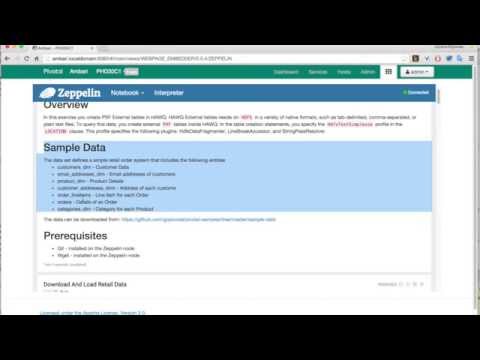
This interpreter seamlessly supports the following SQL data processing engines:
- PostgreSQL - OSS, Object-relational database management system (ORDBMS)
- pache HAWQ (incubating) - Powerful open source SQL-On-Hadoop engine.
- Greenplum - MPP database built on open source PostgreSQL.
This Video Tutorial illustrates some of the features provided by the Postgresql Interpreter.
| Name | Class | Description |
|---|---|---|
| %psql.sql | PostgreSqlInterpreter | Provides SQL environment for PostgreSQL, HAWQ and Greenplum |
Create Interpreter
By default Zeppelin creates one PSQL instance. You can remove it or create new instances.
Multiple PSQL instances can be created, each configured to the same or different backend databases. But over time a Notebook can have only one PSQL interpreter instance bound. That means you cannot connect to different databases in the same Notebook. This is a known Zeppelin limitation.
To create new PSQL instance open the Interpreter section and click the +Create button. Pick a Name of your choice and from the Interpreter drop-down select psql. Then follow the configuration instructions and Save the new instance.
Note: The
Nameof the instance is used only to distinct the instances while binding them to theNotebook. TheNameis irrelevant inside theNotebook. In theNotebookyou must use%psql.sqltag.
Bind to Notebook
In the Notebook click on the settings icon in the top right corner. The select/deselect the interpreters to be bound with the Notebook.
Configuration
You can modify the configuration of the PSQL from the Interpreter section. The PSQL interpreter expenses the following properties:
| Property Name | Description | Default Value |
|---|---|---|
| postgresql.url | JDBC URL to connect to | jdbc:postgresql://localhost:5432 |
| postgresql.user | JDBC user name | gpadmin |
| postgresql.password | JDBC password | |
| postgresql.driver.name | JDBC driver name. In this version the driver name is fixed and should not be changed | org.postgresql.Driver |
| postgresql.max.result | Max number of SQL result to display to prevent the browser overload | 1000 |
How to use
Tip: Use (CTRL + .) for SQL auto-completion.
DDL and SQL commands
Start the paragraphs with the full %psql.sql prefix tag! The short notation: %psql would still be able run the queries but the syntax highlighting and the auto-completions will be disabled.
You can use the standard CREATE / DROP / INSERT commands to create or modify the data model:
%psql.sql
drop table if exists mytable;
create table mytable (i int);
insert into mytable select generate_series(1, 100);
Then in a separate paragraph run the query.
%psql.sql
select * from mytable;
Note: You can have multiple queries in the same paragraph but only the result from the first is displayed. [1], [2].
For example, this will execute both queries but only the count result will be displayed. If you revert the order of the queries the mytable content will be shown instead.
%psql.sql
select count(*) from mytable;
select * from mytable;
PSQL command line tools
Use the Shell Interpreter (%sh) to access the command line PSQL interactively:
%sh
psql -h phd3.localdomain -U gpadmin -p 5432 <<EOF
 \dn
 \q
EOF
This will produce output like this:
        Name        |  Owner
--------------------+---------
 hawq_toolkit       | gpadmin
 information_schema | gpadmin
 madlib             | gpadmin
 pg_catalog         | gpadmin
 pg_toast           | gpadmin
 public             | gpadmin
 retail_demo        | gpadmin
Apply Zeppelin Dynamic Forms
You can leverage Zeppelin Dynamic Form inside your queries. You can use both the text input and select form parametrization features
%psql.sql
SELECT ${group_by}, count(*) as count
FROM retail_demo.order_lineitems_pxf
GROUP BY ${group_by=product_id,product_id|product_name|customer_id|store_id}
ORDER BY count ${order=DESC,DESC|ASC}
LIMIT ${limit=10};
Example HAWQ PXF/HDFS Tables
Create HAWQ external table that read data from tab-separated-value data in HDFS.
%psql.sql
CREATE EXTERNAL TABLE retail_demo.payment_methods_pxf (
  payment_method_id smallint,
  payment_method_code character varying(20)
) LOCATION ('pxf://${NAME_NODE_HOST}:50070/retail_demo/payment_methods.tsv.gz?profile=HdfsTextSimple') FORMAT 'TEXT' (DELIMITER = E'\t');
And retrieve content
%psql.sql
select * from retail_demo.payment_methods_pxf
Auto-completion
The PSQL Interpreter provides a basic auto-completion functionality. On (Ctrl+.) it list the most relevant suggestions in a pop-up window. In addition to the SQL keyword the interpreter provides suggestions for the Schema, Table, Column names as well.