| Property Name |
Description |
Default Value |
| postgresql.url |
JDBC URL to connect to |
jdbc:postgresql://localhost:5432 |
| postgresql.user |
JDBC user name |
gpadmin |
| postgresql.password |
JDBC password |
|
| postgresql.driver.name |
JDBC driver name. In this version the driver name is fixed and should not be changed |
org.postgresql.Driver |
| postgresql.max.result |
Max number of SQL result to display to prevent the browser overload |
1000 |
## How to use
```
Tip: Use (CTRL + .) for SQL auto-completion.
```
### DDL and SQL commands
Start the paragraphs with the full `%psql.sql` prefix tag! The short notation: `%psql` would still be able run the queries but the syntax highlighting and the auto-completions will be disabled.
You can use the standard CREATE / DROP / INSERT commands to create or modify the data model:
```sql
%psql.sql
drop table if exists mytable;
create table mytable (i int);
insert into mytable select generate_series(1, 100);
```
Then in a separate paragraph run the query.
```sql
%psql.sql
select * from mytable;
```
> Note: You can have multiple queries in the same paragraph but only the result from the first is displayed. [[1](https://issues.apache.org/jira/browse/ZEPPELIN-178)], [[2](https://issues.apache.org/jira/browse/ZEPPELIN-212)].
For example, this will execute both queries but only the count result will be displayed. If you revert the order of the queries the mytable content will be shown instead.
```sql
%psql.sql
select count(*) from mytable;
select * from mytable;
```
### PSQL command line tools
Use the Shell Interpreter (`%sh`) to access the command line [PSQL](http://www.postgresql.org/docs/9.4/static/app-psql.html) interactively:
```bash
%sh
psql -h phd3.localdomain -U gpadmin -p 5432 <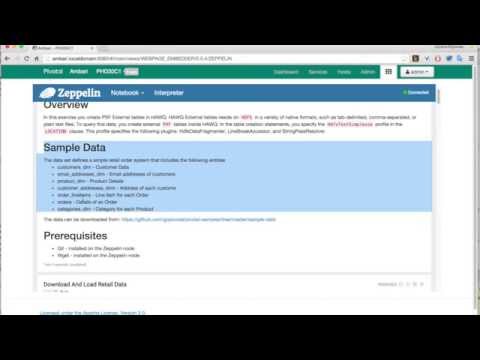 ](https://www.youtube.com/watch?v=wqXXQhJ5Uk8)
This interpreter seamlessly supports the following SQL data processing engines:
* [PostgreSQL](http://www.postgresql.org/) - OSS, Object-relational database management system (ORDBMS)
* [pache HAWQ (incubating)](http://hawq.incubator.apache.org/) - Powerful open source SQL-On-Hadoop engine.
* [Greenplum](http://pivotal.io/big-data/pivotal-greenplum-database) - MPP database built on open source PostgreSQL.
This [Video Tutorial](https://www.youtube.com/watch?v=wqXXQhJ5Uk8) illustrates some of the features provided by the `Postgresql Interpreter`.
](https://www.youtube.com/watch?v=wqXXQhJ5Uk8)
This interpreter seamlessly supports the following SQL data processing engines:
* [PostgreSQL](http://www.postgresql.org/) - OSS, Object-relational database management system (ORDBMS)
* [pache HAWQ (incubating)](http://hawq.incubator.apache.org/) - Powerful open source SQL-On-Hadoop engine.
* [Greenplum](http://pivotal.io/big-data/pivotal-greenplum-database) - MPP database built on open source PostgreSQL.
This [Video Tutorial](https://www.youtube.com/watch?v=wqXXQhJ5Uk8) illustrates some of the features provided by the `Postgresql Interpreter`.