mirror of
https://github.com/fleetdm/fleet
synced 2026-05-22 00:18:27 +00:00
 f11a905a09
- Add new "Mobile device management (MDM)" page to "Using Fleet" section
- Adds docs for OS updates
31 lines
No EOL
1.4 KiB
Markdown
31 lines
No EOL
1.4 KiB
Markdown
# Mobile device management (MDM)
|
||
|
||
MDM features are not ready for production and are currently in development. These features are disabled by default.
|
||
|
||
MDM features allow you to mange macOS updates and macOS settings on your hosts.
|
||
|
||
To use MDM features you have to connect Fleet to Apple Push Certificates Portal:
|
||
|
||
1. In the Fleet UI, head to the **Settings > Integrations > Mobile device management (MDM)** page. Users with the admin role can access the settings pages.
|
||
|
||
2. Follow the instructions under **Apple Push Certificates Portal**.
|
||
|
||
## Controls
|
||
|
||
### macOS updates
|
||
|
||
Fleet uses [Nudge](https://github.com/macadmins/nudge) to encourage the installation of macOS updates.
|
||
|
||
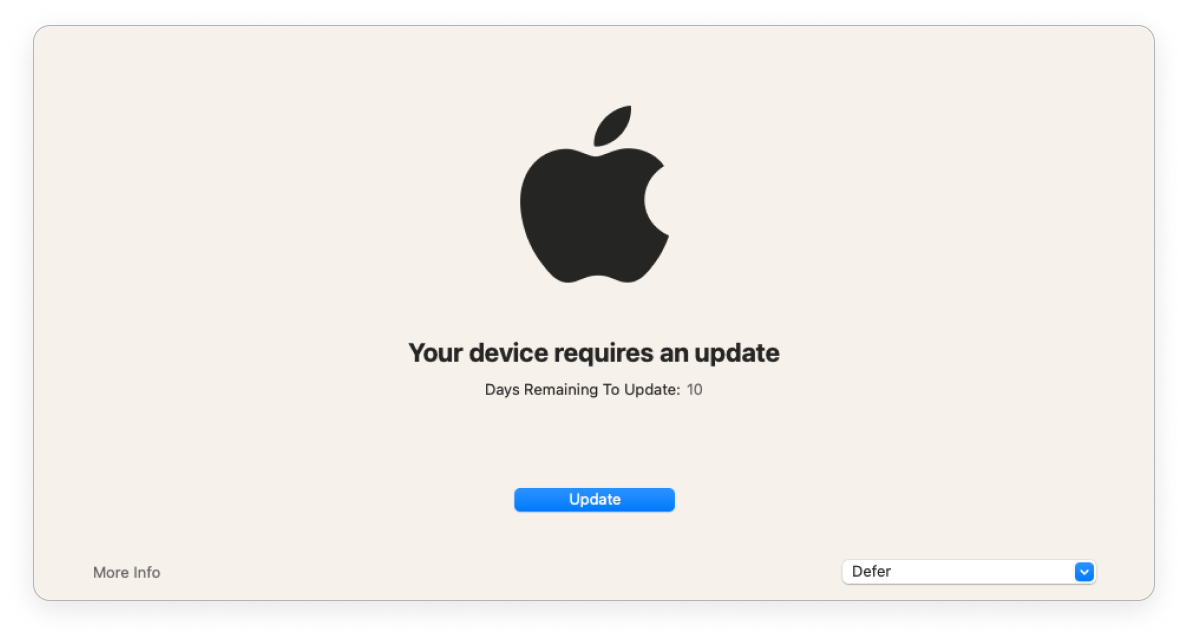
When a minimum version and deadline is saved in Fleet, the end user sees the below window until their macOS version is at or above the minimum version.
|
||
|
||
|
||
|
||
As the deadline gets closer, Fleet provides stronger encouragement.
|
||
|
||
If the end user has more than 1 day until the deadline, the window is shown everyday. The end user can defer the update and close the window. They’ll see the window again the next day.
|
||
|
||
If there is less than 1 day, the window is shown every 2 hours. The end user can defer and they'll see the window again in 2 hours.
|
||
|
||
If the end user is past the deadline, Fleet opens the window. The end user can't close the window.
|
||
|
||
<meta name="pageOrderInSection" value="1500"> |