 f11a905a09
- Add new "Mobile device management (MDM)" page to "Using Fleet" section
- Adds docs for OS updates
1.4 KiB
Mobile device management (MDM)
MDM features are not ready for production and are currently in development. These features are disabled by default.
MDM features allow you to mange macOS updates and macOS settings on your hosts.
To use MDM features you have to connect Fleet to Apple Push Certificates Portal:
-
In the Fleet UI, head to the Settings > Integrations > Mobile device management (MDM) page. Users with the admin role can access the settings pages.
-
Follow the instructions under Apple Push Certificates Portal.
Controls
macOS updates
Fleet uses Nudge to encourage the installation of macOS updates.
When a minimum version and deadline is saved in Fleet, the end user sees the below window until their macOS version is at or above the minimum version.
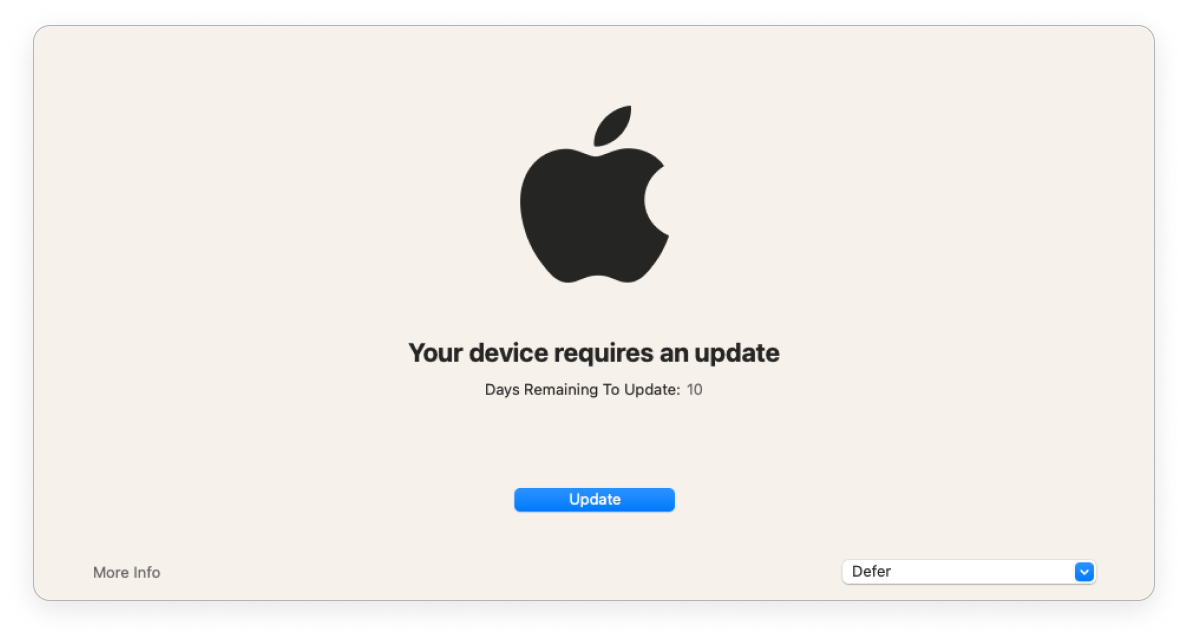
As the deadline gets closer, Fleet provides stronger encouragement.
If the end user has more than 1 day until the deadline, the window is shown everyday. The end user can defer the update and close the window. They’ll see the window again the next day.
If there is less than 1 day, the window is shown every 2 hours. The end user can defer and they'll see the window again in 2 hours.
If the end user is past the deadline, Fleet opens the window. The end user can't close the window.