mirror of
https://github.com/fleetdm/fleet
synced 2026-04-21 13:37:30 +00:00

172 lines
6.2 KiB
Markdown
172 lines
6.2 KiB
Markdown
# Fleet MCP Server 🚀
|
|
|
|
A [Model Context Protocol (MCP)](https://modelcontextprotocol.io/) server for the [Fleet](https://fleetdm.com) endpoint security platform.
|
|
|
|
**Transform how you interact with your endpoint data. Query OSQuery, check compliance, and investigate CVEs natively from Claude, Cursor, and any MCP-compatible AI agent.**
|
|
|
|
🔗 **GitHub Repo:** [https://github.com/karmine05/fleet-mcp](https://github.com/karmine05/fleet-mcp)
|
|
🔗 **Learn about MCP:** [https://modelcontextprotocol.io/](https://modelcontextprotocol.io/)
|
|
🔗 **Learn about Fleet:** [https://fleetdm.com/](https://fleetdm.com/)
|
|
|
|
---
|
|
|
|
## 📺 See it in Action
|
|
|
|
Watch 1 hr long walkthrough demonstrating how to use Claude Desktop to instantly write and run live OSQueries across your fleet.
|
|
|
|
[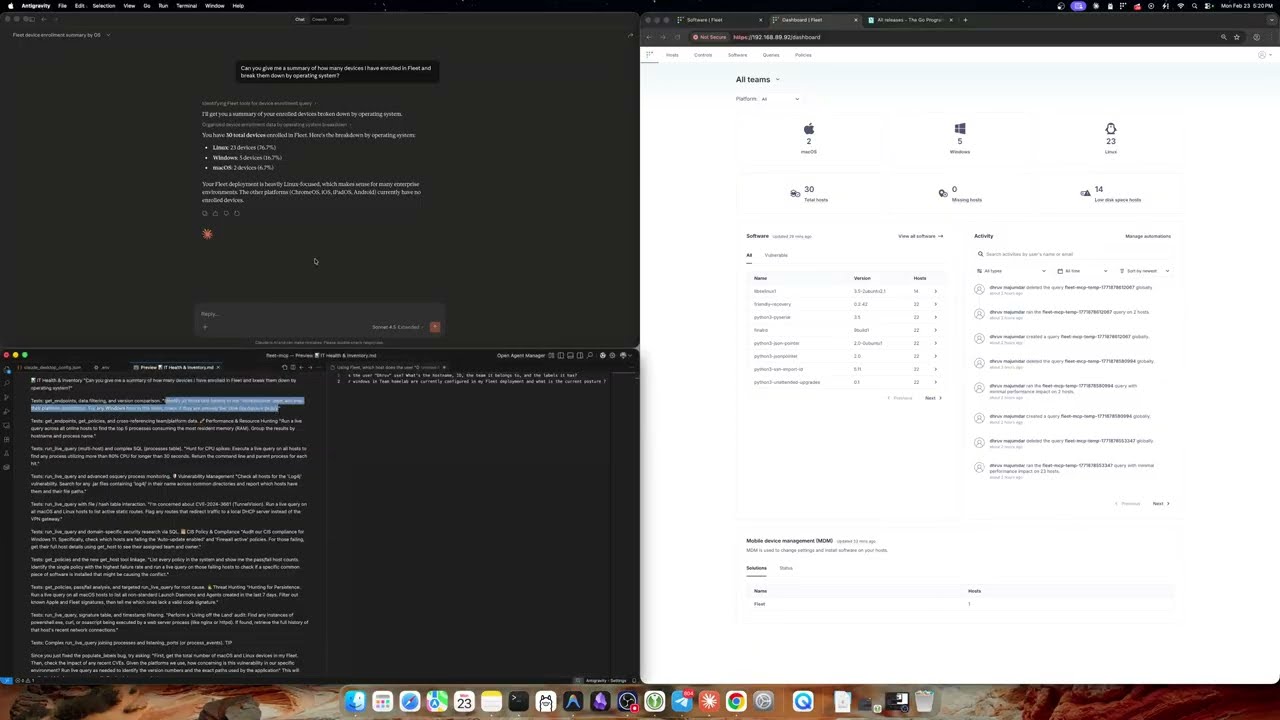](https://www.youtube.com/watch?v=8K77litllPk)
|
|
|
|
## Overview
|
|
|
|
This server provides an MCP interface to Fleet, enabling AI systems (Claude Desktop, Claude Code, Cursor, and any MCP-compatible client) to natively interact with your Fleet deployment. Instead of raw API endpoints, it exposes typed **Tools** that AI agents can call directly — querying endpoints, running live OSQuery, checking compliance policies, and more.
|
|
|
|
Both **SSE** (Server-Sent Events) and **stdio** transports are supported.
|
|
|
|
## Tools
|
|
|
|
| Tool | Description |
|
|
|------|-------------|
|
|
| `get_endpoints` | List all hosts/endpoints enrolled in Fleet |
|
|
| `get_host` | Get full details for a single host including labels, team, and platform info |
|
|
| `get_fleets` | Get all fleets (teams) with their IDs and names |
|
|
| `get_queries` | List all saved Fleet queries |
|
|
| `get_policies` | List all policies with pass/fail host counts |
|
|
| `get_labels` | List all endpoint labels |
|
|
| `get_aggregate_platforms` | Get system count broken down by OS platform (macOS/Windows/Linux) |
|
|
| `get_total_system_count` | Get total count of active enrolled systems |
|
|
| `get_policy_compliance` | Check compliance stats for a specific policy ID |
|
|
| `get_vulnerability_impact` | Check how many systems are impacted by a CVE |
|
|
| `prepare_live_query` | Step 1 of 2: Validate targets and get OSQuery schema before running a query |
|
|
| `run_live_query` | Step 2 of 2: Execute an OSQuery SQL statement against live Fleet devices |
|
|
| `create_saved_query` | Create a new saved query in Fleet |
|
|
| `get_osquery_schema` | Get the OSQuery table schema for a given platform |
|
|
| `get_vetted_queries` | Get a library of vetted CIS-8.1 compliance policy queries |
|
|
|
|
## Configuration
|
|
|
|
Configure the server using environment variables or a `.env` file.
|
|
|
|
| Variable | Default | Description |
|
|
|----------|---------|-------------|
|
|
| `PORT` | `8080` | HTTP port for SSE transport |
|
|
| `FLEET_BASE_URL` | `https://localhost:8080` | Base URL of your Fleet instance |
|
|
| `FLEET_API_KEY` | *(required)* | Fleet API token — see [Fleet docs](https://fleetdm.com/docs/using-fleet/rest-api#authentication) |
|
|
| `LOG_LEVEL` | `info` | Log verbosity: `debug`, `info`, `warn`, `error` |
|
|
| `FLEET_TLS_SKIP_VERIFY` | `false` | Skip TLS certificate verification. **Dev/test only — do not use in production.** |
|
|
| `FLEET_CA_FILE` | *(optional)* | Path to a PEM CA certificate for self-signed Fleet instances |
|
|
| `MCP_AUTH_TOKEN` | *(required)* | Bearer token for authenticating MCP clients. Generate with `openssl rand -hex 32`. The server will refuse to start without it. In SSE mode, clients must include this token in the `Authorization` header on every request, and the server validates it each time. In stdio mode the token is not checked at runtime (the client launches the binary as a local subprocess) but must still be set. |
|
|
|
|
Copy the provided example to get started:
|
|
|
|
```bash
|
|
cp .env.example .env
|
|
# Edit .env with your Fleet URL and API key
|
|
```
|
|
|
|
## Installation
|
|
|
|
### Prerequisites
|
|
- Go 1.25.7+
|
|
- A running [Fleet](https://fleetdm.com) instance
|
|
- A Fleet API key with appropriate permissions
|
|
|
|
### Build
|
|
|
|
```bash
|
|
git clone https://github.com/fleetdm/fleet
|
|
cd tools/fleet-mcp
|
|
go mod tidy
|
|
go build -o fleet-mcp .
|
|
```
|
|
|
|
## Usage
|
|
|
|
### SSE Transport (Claude Code, Cursor, web clients)
|
|
|
|
Start the server — it will listen for SSE connections:
|
|
|
|
```bash
|
|
./fleet-mcp
|
|
# Listening on :8080/sse
|
|
```
|
|
|
|
Configure your MCP client to connect to `http://localhost:8080/sse`.
|
|
|
|
For **Claude Code**, add to your project's `.mcp.json` or global MCP config:
|
|
|
|
```json
|
|
{
|
|
"mcpServers": {
|
|
"fleet": {
|
|
"type": "sse",
|
|
"url": "http://localhost:8080/sse"
|
|
}
|
|
}
|
|
}
|
|
```
|
|
|
|
If `MCP_AUTH_TOKEN` is set, include it in the client config:
|
|
|
|
```json
|
|
{
|
|
"mcpServers": {
|
|
"fleet": {
|
|
"type": "sse",
|
|
"url": "https://your-fleet-mcp.onrender.com/sse",
|
|
"headers": {
|
|
"Authorization": "Bearer <your-token>"
|
|
}
|
|
}
|
|
}
|
|
}
|
|
```
|
|
|
|
### Stdio Transport (Claude Desktop)
|
|
|
|
Stdio mode runs the binary directly as a subprocess with no network port needed.
|
|
|
|
1. Build the binary: `go build -o fleet-mcp .`
|
|
2. Edit `~/Library/Application Support/Claude/claude_desktop_config.json` (macOS):
|
|
|
|
```json
|
|
{
|
|
"mcpServers": {
|
|
"fleet": {
|
|
"command": "/path/to/fleet-mcp",
|
|
"args": ["-transport", "stdio"],
|
|
"env": {
|
|
"FLEET_BASE_URL": "https://your-fleet.example.com",
|
|
"FLEET_API_KEY": "YOUR_FLEET_API_KEY",
|
|
"MCP_AUTH_TOKEN": "YOUR_MCP_AUTH_TOKEN",
|
|
"LOG_LEVEL": "info"
|
|
}
|
|
}
|
|
}
|
|
}
|
|
```
|
|
|
|
3. Relaunch Claude Desktop. The Fleet tools will appear in your context.
|
|
|
|
## Deploying to Render
|
|
|
|
`tools/fleet-mcp/render.yaml` is a standalone Render Blueprint, separate from the root `render.yaml` used by the main Fleet service.
|
|
|
|
1. Push `tools/fleet-mcp/render.yaml` to your repo
|
|
2. In the Render dashboard go to **New → Blueprint**
|
|
3. Connect your repo and set the **Blueprint file path** to `tools/fleet-mcp/render.yaml`
|
|
4. During setup, fill in the following environment variables:
|
|
- `FLEET_BASE_URL` — URL of your Fleet instance
|
|
- `FLEET_API_KEY` — Fleet API token
|
|
- `MCP_AUTH_TOKEN` — generate with `openssl rand -hex 32`
|
|
5. `PORT` is injected automatically by Render — no action needed
|
|
|
|
## Development
|
|
|
|
### Adding a New Tool
|
|
|
|
1. Add a method to `FleetClient` in `fleet_integration.go`
|
|
2. Register the tool via `mcp.NewTool` in `SetupMCPServer` in `mcp_server.go`
|
|
|
|
## License
|
|
|
|
MIT
|