mirror of
https://github.com/apache/zeppelin
synced 2026-05-24 09:38:26 +00:00
 1c23f21388
### What is this PR for?
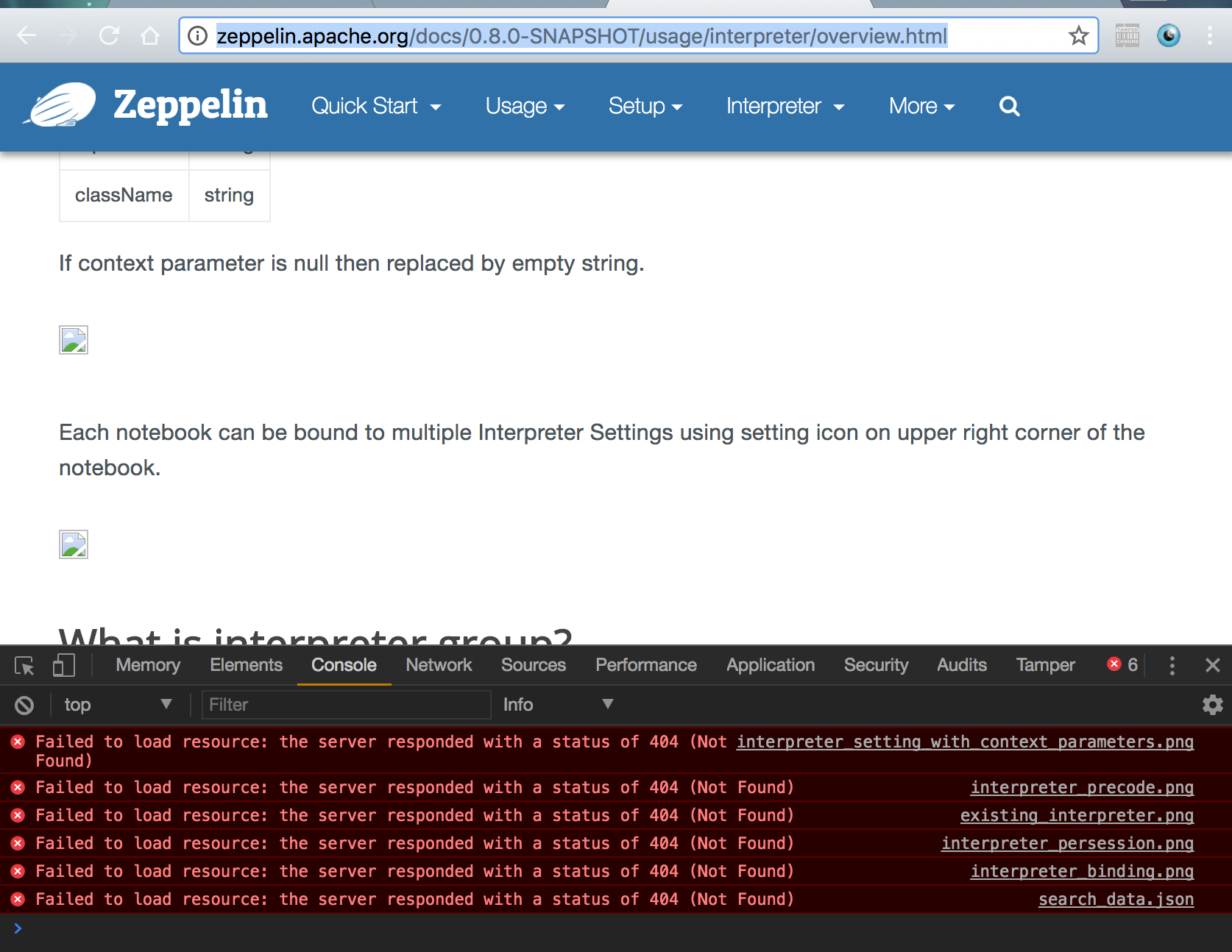
fix: broken image URLs in 0.8.0-SNAPSHOT doc
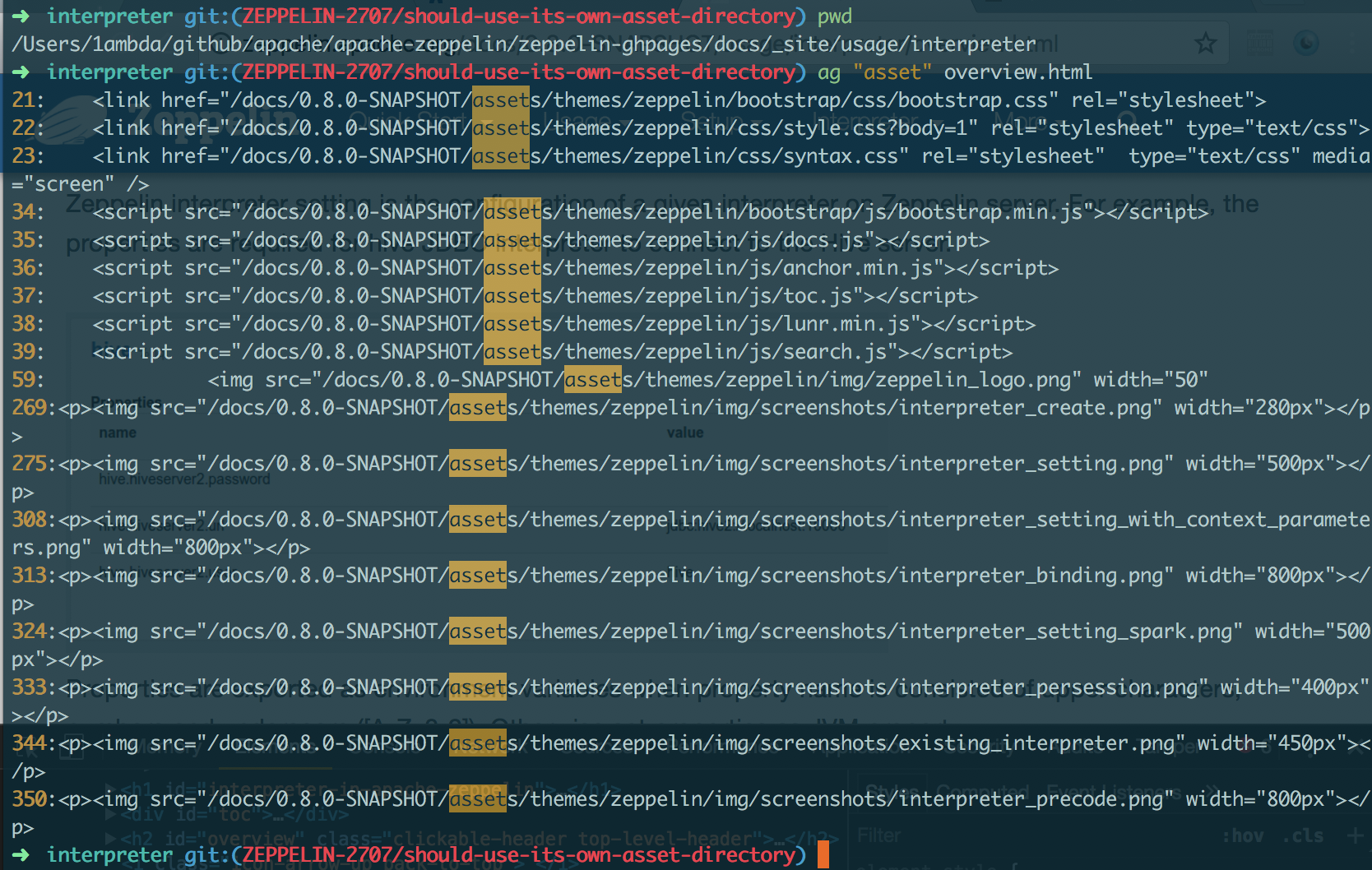
using the path `/asset` (the absolute path) for image URLs is actually invalid. That's because each version has its own image directory. So they should use the relative path. `{{BASE_PATH}}`
```
➜ asf-zeppelin tree site | grep asset
├── assets # root asset, we shouldn't use it in versioned doc.
│ │ ├── assets
│ │ ├── assets
│ │ ├── assets
│ │ ├── assets
│ │ ├── assets
│ │ ├── assets
│ │ ├── assets
│ │ ├── assets
│ │ ├── assets
│ ├── assets
```
### What type of PR is it?
[Bug Fix]
### Todos
DONE
### What is the Jira issue?
[ZEPPELIN-2707](https://issues.apache.org/jira/browse/ZEPPELIN-2707)
### How should this be tested?
1. cd `docs/`
2. build: `bundle exec jekyll build --safe`
3. check whether links in `_site` include `/docs/0.8.0-SNAPSHOT` as prefix or not
### Screenshots (if appropriate)
#### Current
http://zeppelin.apache.org/docs/0.8.0-SNAPSHOT/usage/interpreter/overview.html
#### After
### Questions:
* Does the licenses files need update? - NO
* Is there breaking changes for older versions? - NO
* Does this needs documentation? - NO
Author: 1ambda <1amb4a@gmail.com>
Closes #2450 from 1ambda/ZEPPELIN-2707/should-use-its-own-asset-directory and squashes the following commits:
fb70214a [1ambda] fix: Use its own asset dir


100 lines
2.9 KiB
Markdown
100 lines
2.9 KiB
Markdown
---
|
|
layout: page
|
|
title: "Apache Zeppelin on CDH"
|
|
description: "This document will guide you how you can build and configure the environment on CDH with Apache Zeppelin using docker scripts."
|
|
group: setup/deployment
|
|
---
|
|
<!--
|
|
Licensed under the Apache License, Version 2.0 (the "License");
|
|
you may not use this file except in compliance with the License.
|
|
You may obtain a copy of the License at
|
|
|
|
http://www.apache.org/licenses/LICENSE-2.0
|
|
|
|
Unless required by applicable law or agreed to in writing, software
|
|
distributed under the License is distributed on an "AS IS" BASIS,
|
|
WITHOUT WARRANTIES OR CONDITIONS OF ANY KIND, either express or implied.
|
|
See the License for the specific language governing permissions and
|
|
limitations under the License.
|
|
-->
|
|
{% include JB/setup %}
|
|
|
|
# Apache Zeppelin on CDH
|
|
|
|
<div id="toc"></div>
|
|
|
|
### 1. Import Cloudera QuickStart Docker image
|
|
|
|
>[Cloudera](http://www.cloudera.com/) has officially provided CDH Docker Hub in their own container. Please check [this guide page](http://www.cloudera.com/documentation/enterprise/latest/topics/quickstart_docker_container.html#cloudera_docker_container) for more information.
|
|
|
|
You can import the Docker image by pulling it from Cloudera Docker Hub.
|
|
|
|
```
|
|
docker pull cloudera/quickstart:latest
|
|
```
|
|
|
|
|
|
### 2. Run docker
|
|
|
|
```
|
|
docker run -it \
|
|
-p 80:80 \
|
|
-p 4040:4040 \
|
|
-p 8020:8020 \
|
|
-p 8022:8022 \
|
|
-p 8030:8030 \
|
|
-p 8032:8032 \
|
|
-p 8033:8033 \
|
|
-p 8040:8040 \
|
|
-p 8042:8042 \
|
|
-p 8088:8088 \
|
|
-p 8480:8480 \
|
|
-p 8485:8485 \
|
|
-p 8888:8888 \
|
|
-p 9083:9083 \
|
|
-p 10020:10020 \
|
|
-p 10033:10033 \
|
|
-p 18088:18088 \
|
|
-p 19888:19888 \
|
|
-p 25000:25000 \
|
|
-p 25010:25010 \
|
|
-p 25020:25020 \
|
|
-p 50010:50010 \
|
|
-p 50020:50020 \
|
|
-p 50070:50070 \
|
|
-p 50075:50075 \
|
|
-h quickstart.cloudera --privileged=true \
|
|
agitated_payne_backup /usr/bin/docker-quickstart;
|
|
```
|
|
|
|
### 3. Verify running CDH
|
|
|
|
To verify the application is running well, check the web UI for HDFS on `http://<hostname>:50070/` and YARN on `http://<hostname>:8088/cluster`.
|
|
|
|
|
|
### 4. Configure Spark interpreter in Zeppelin
|
|
Set following configurations to `conf/zeppelin-env.sh`.
|
|
|
|
```
|
|
export MASTER=yarn-client
|
|
export HADOOP_CONF_DIR=[your_hadoop_conf_path]
|
|
export SPARK_HOME=[your_spark_home_path]
|
|
```
|
|
|
|
`HADOOP_CONF_DIR`(Hadoop configuration path) is defined in `/scripts/docker/spark-cluster-managers/cdh/hdfs_conf`.
|
|
|
|
Don't forget to set Spark `master` as `yarn-client` in Zeppelin **Interpreters** setting page like below.
|
|
|
|
<img src="{{BASE_PATH}}/assets/themes/zeppelin/img/docs-img/zeppelin_yarn_conf.png" />
|
|
|
|
### 5. Run Zeppelin with Spark interpreter
|
|
After running a single paragraph with Spark interpreter in Zeppelin,
|
|
|
|
<img src="{{BASE_PATH}}/assets/themes/zeppelin/img/docs-img/zeppelin_with_cdh.png" />
|
|
|
|
<br/>
|
|
|
|
browse `http://<hostname>:8088/cluster/apps` to check Zeppelin application is running well or not.
|
|
|
|
<img src="{{BASE_PATH}}/assets/themes/zeppelin/img/docs-img/cdh_yarn_applications.png" />
|
|
|