 86bc9332e0
### What is this PR for? Updated `interpreter_binding_mode.md` since users are sometimes confused what this mode means and there is already opened JIRA issue. This documentation will be helpful to Zeppelin users. **disclaimer: content was copied from [here](https://medium.com/leemoonsoo/apache-zeppelin-interpreter-mode-explained-bae0525d0555) with author's consent.** ### What type of PR is it? [Documentation] ### Todos DONE ### What is the Jira issue? [ZEPPELIN-2582](https://issues.apache.org/jira/browse/ZEPPELIN-2582) ### How should this be tested? 1. setup rvm 2.1.0+ and install required bundles for `docs/` 2. bundle exec jekyll serve --watch 3. http://localhost:4000/usage/interpreter/interpreter_binding_mode.html ### Screenshots (if appropriate) 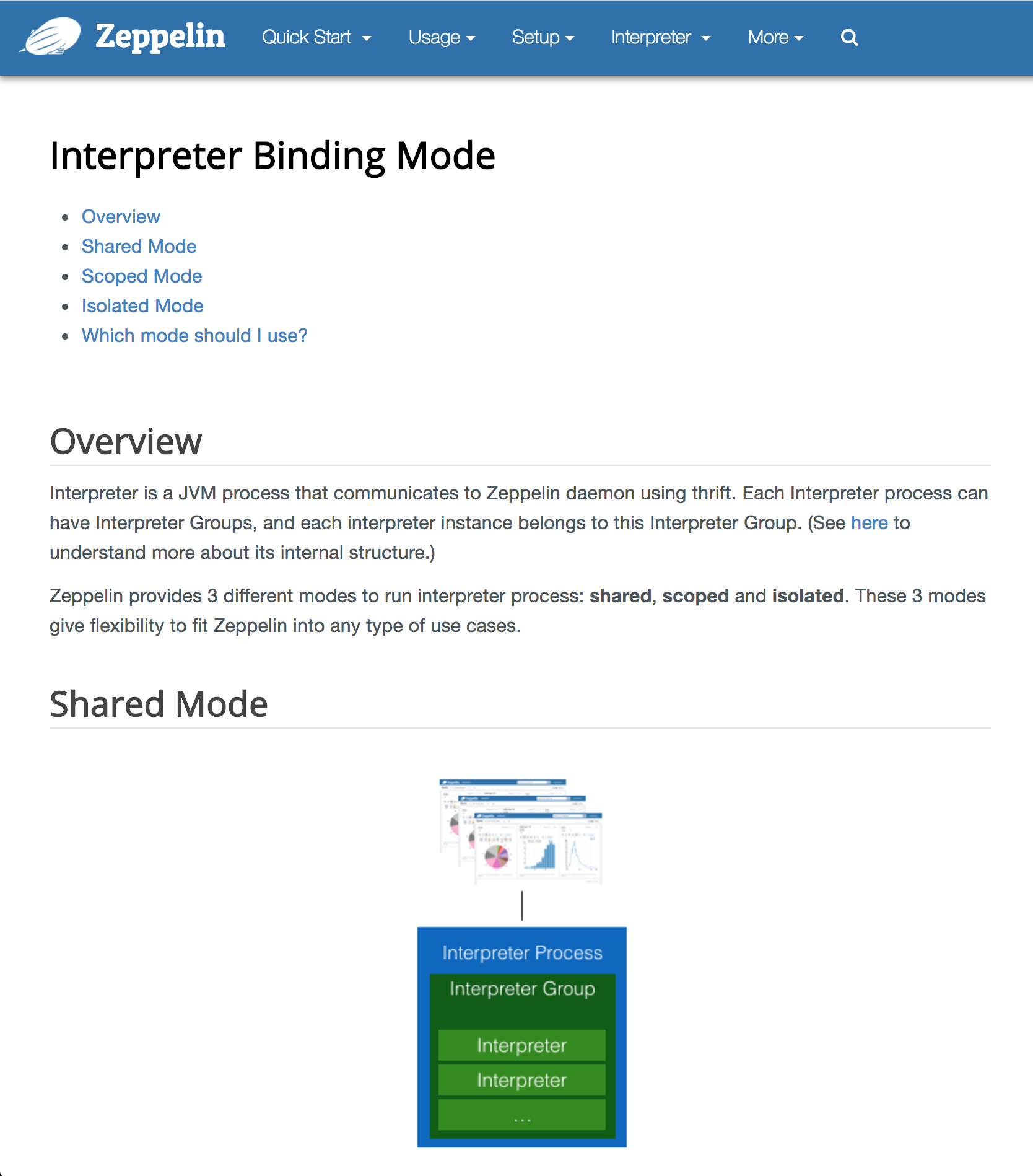   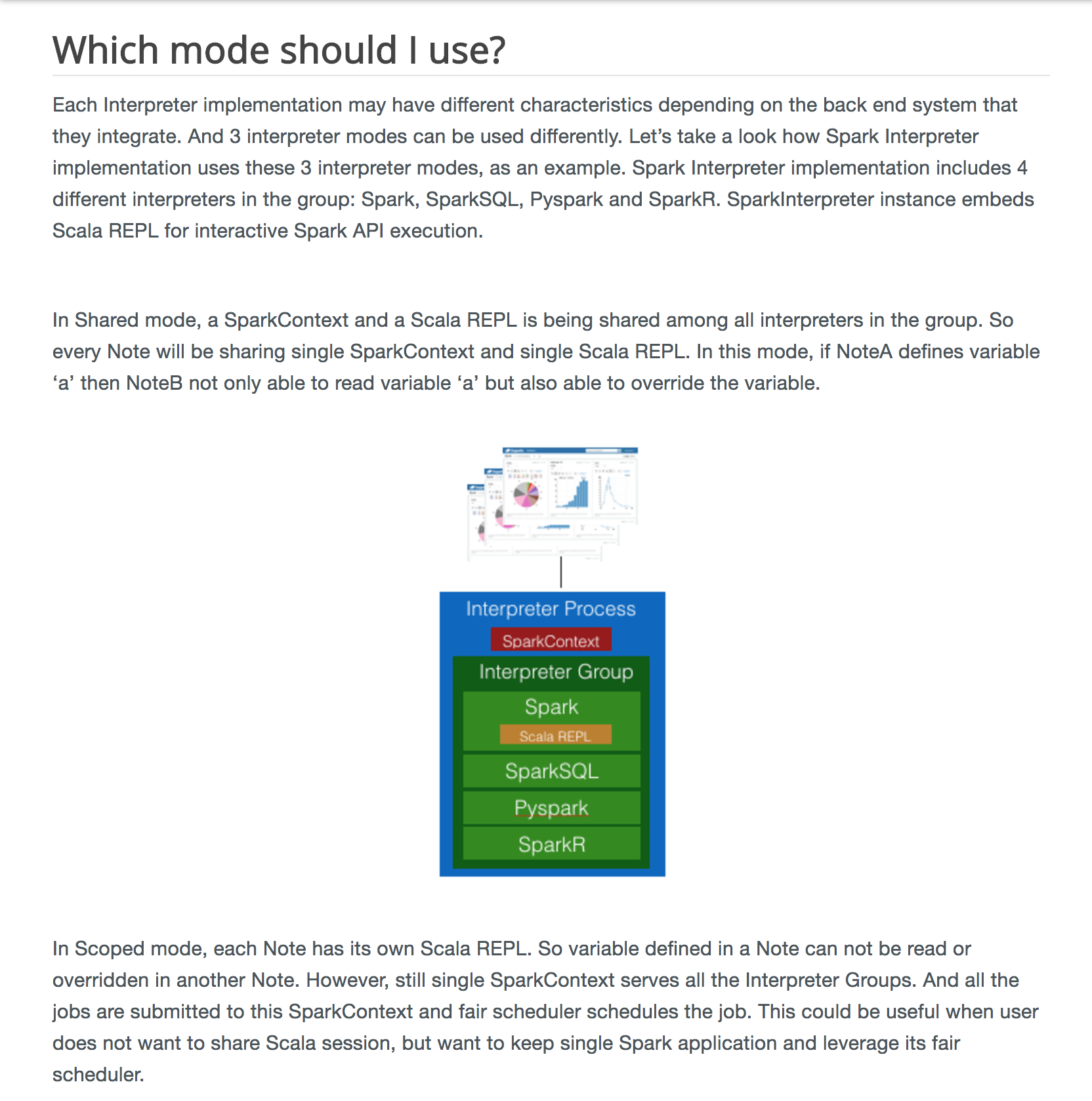 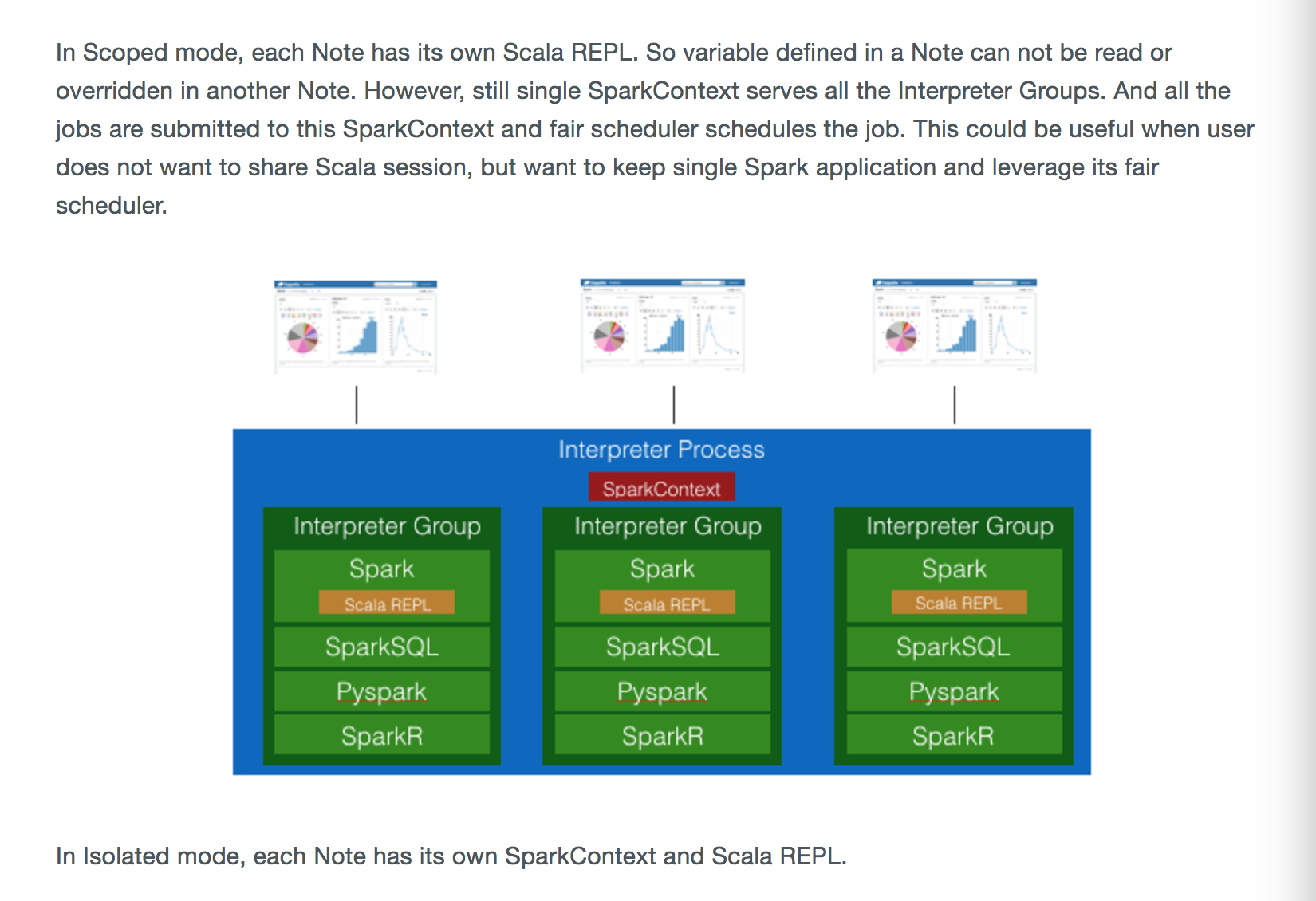  ### Questions: * Does the licenses files need update? - NO * Is there breaking changes for older versions? - NO * Does this needs documentation? - This PR is about docs. Author: 1ambda <1amb4a@gmail.com> Closes #2437 from 1ambda/ZEPPELIN-2582/docs-for-interpreter-modes and squashes the following commits:e0bcf26c[1ambda] fix: Docsa60fdbf2[1ambda] fix: Correct sentencescdeb7e8a[1ambda] docs: Update imgsd60c48ea[1ambda] fix: clarify descriptionc2317d92[1ambda] fix: Use basepath53411350[1ambda] docs: Remove multiple spark context boxes in scoped mode image07c4b02a[1ambda] fix: Provide more specific example for per user modee385ecf5[1ambda] docs: Use new imagesfc69bc60[1ambda] docs: Add UI images56f1a68b[1ambda] docs: Add description for per-user963f9ce7[1ambda] docs: Add column to explain sharing objects33b0736e[1ambda] fix: typo316c5634[1ambda] docs: Fix incorrect info for scoped mode, isolated mode729b56a2[1ambda] fix: Remove code perspectiveaf442263[1ambda] docs: Use lowercase for word note9ae9552a[1ambda] docs: emphasize per note mode in sopced, iolsated66d02ba7[1ambda] docs: Enhance description for ioslated mode83eb2e5f[1ambda] docs: enhance desc for scoped mode1eafb647[1ambda] docs: Add descroptoin for per user, per note43e8b023[1ambda] docs: Add summary table of @cacti77b43a4daf[1ambda] docs: Update interpreter binding mode page56836205[1ambda] feat: Add images






6.1 KiB
| layout | title | description | group |
|---|---|---|---|
| page | Interpreter Binding Mode | usage/interpreter |
{% include JB/setup %}
Interpreter Binding Mode
Overview


Interpreter Process is a JVM process that communicates with Zeppelin daemon using thrift. Each interpreter process has a single interpreter group, and this interpreter group can have one or more instances of an interpreter. (See here to understand more about its internal structure.)
Zeppelin provides 3 different modes to run interpreter process: shared, scoped and isolated.
Also, the user can specify the scope of these modes: per user or per note.
These 3 modes give flexibility to fit Zeppelin into any type of use cases.
In this documentation, we mainly discuss the per note scope in combination with the shared, scoped and isolated modes.
Shared Mode

In Shared mode, single JVM process and a single session serves all notes. As a result, note A can access variables (e.g python, scala, ..) directly created from other notes..
Scoped Mode

In Scoped mode, Zeppelin still runs a single interpreter JVM process but, in the case of per note scope, each note runs in its own dedicated session. (Note it is still possible to share objects between these notes via ResourcePool)
Isolated Mode

Isolated mode runs a separate interpreter process for each note in the case of per note scope. So, each note has an absolutely isolated session. (But it is still possible to share objects via ResourcePool)
Which mode should I use?
| Mode | Each notebook... | Benefits | Disadvantages | Sharing objects |
|---|---|---|---|---|
| shared | Shares a single session in a single interpreter process (JVM) | Low resource utilization and it's easy to share data between notebooks | All notebooks are affected if the interpreter process dies | Can share directly |
| scoped | Has its own session in the same interpreter process (JVM) | Less resource utilization than isolated mode | All notebooks are affected if the interpreter process dies | Can't share directly, but it's possible to share objects via ResourcePool) |
| isolated | Has its own Interpreter Process | One notebook is not affected directly by other notebooks (per note) | Can't share data between notebooks easily (per note) | Can't share directly, but it's possible to share objects via ResourcePool) |
In the case of the per user scope (available in a multi-user environment), Zeppelin manages interpreter sessions on a per user basis rather than a per note basis. For example:
- In scoped + per user mode,
User A's notes might be affected byUser B's notes. (e.g JVM dies, ...) Because all notes are running on the same JVM - On the other hand, isolated + per user mode,
User A's notes will not be affected by others' notes which running on separated JVMs
Each Interpreter implementation may have different characteristics depending on the back end system that they integrate. And 3 interpreter modes can be used differently. Let’s take a look how Spark Interpreter implementation uses these 3 interpreter modes with per note scope, as an example. Spark Interpreter implementation includes 4 different interpreters in the group: Spark, SparkSQL, Pyspark and SparkR. SparkInterpreter instance embeds Scala REPL for interactive Spark API execution.

In Shared mode, a SparkContext and a Scala REPL is being shared among all interpreters in the group.
So every note will be sharing single SparkContext and single Scala REPL.
In this mode, if Note A defines variable ‘a’ then Note B not only able to read variable ‘a’ but also able to override the variable.

In Scoped mode, each note has its own Scala REPL. So variable defined in a note can not be read or overridden in another note. However, a single SparkContext still serves all the sessions. And all the jobs are submitted to this SparkContext and the fair scheduler schedules the jobs. This could be useful when user does not want to share Scala session, but want to keep single Spark application and leverage its fair scheduler.
In Isolated mode, each note has its own SparkContext and Scala REPL.
