mirror of
https://github.com/apache/zeppelin
synced 2026-05-24 09:38:26 +00:00
 1c23f21388
### What is this PR for?
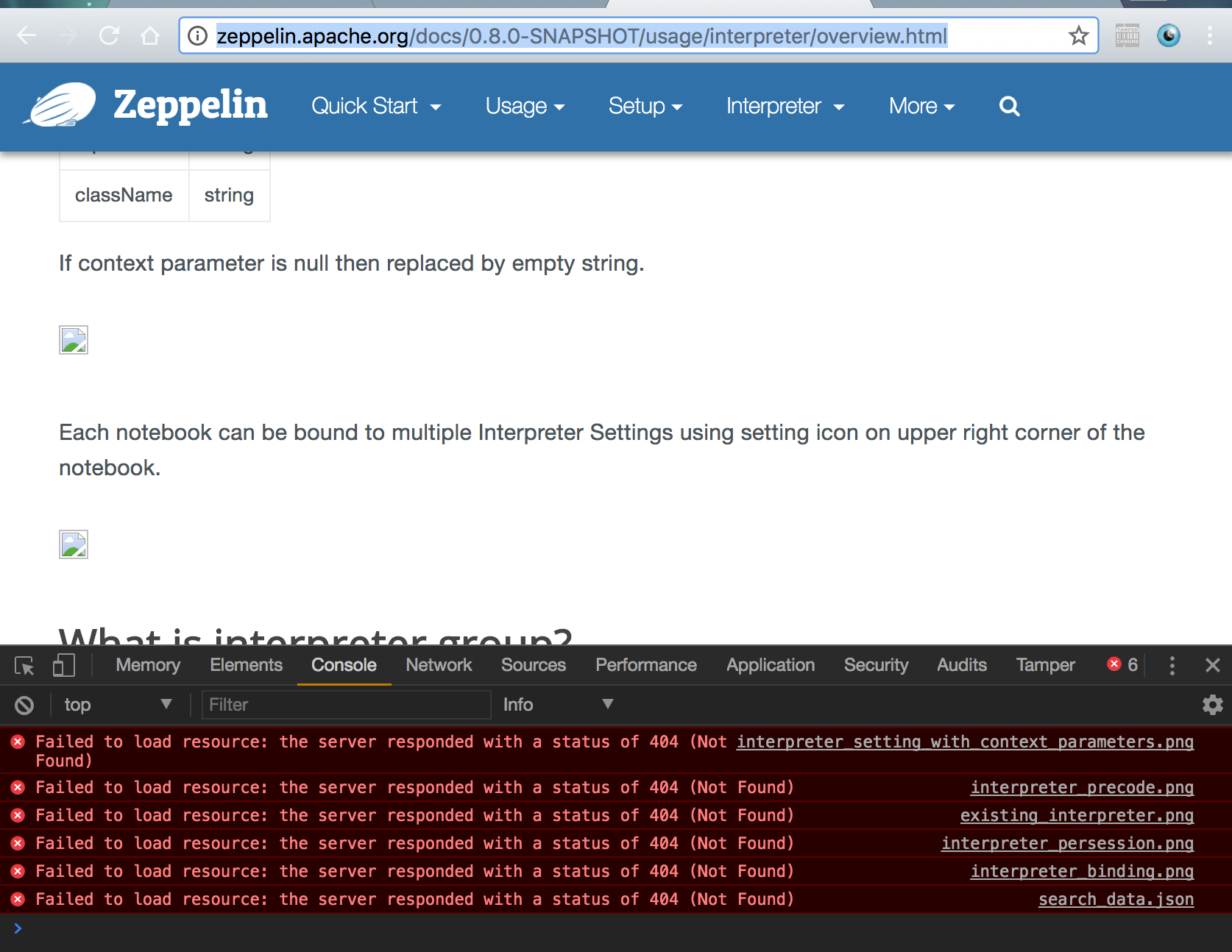
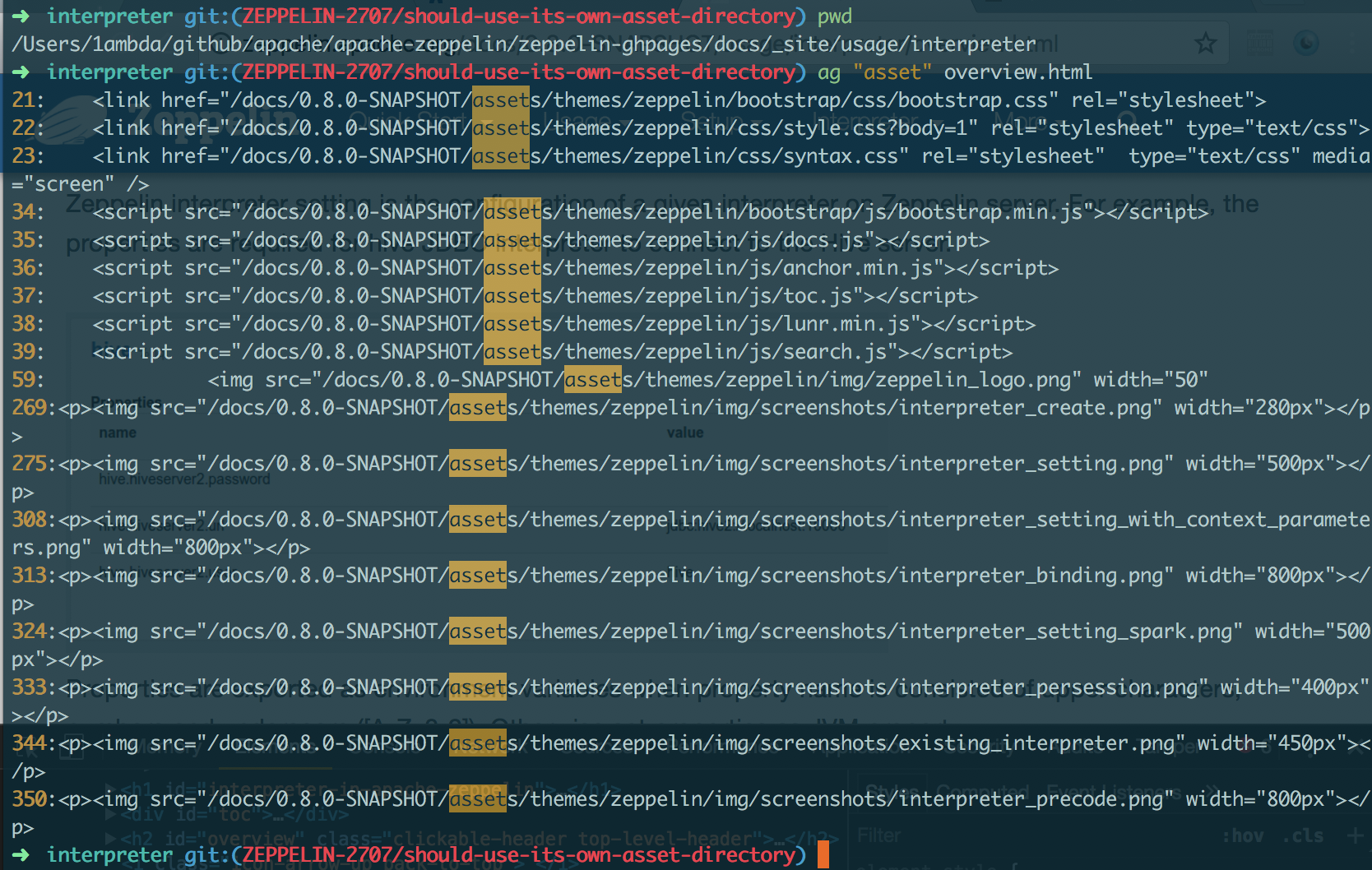
fix: broken image URLs in 0.8.0-SNAPSHOT doc
using the path `/asset` (the absolute path) for image URLs is actually invalid. That's because each version has its own image directory. So they should use the relative path. `{{BASE_PATH}}`
```
➜ asf-zeppelin tree site | grep asset
├── assets # root asset, we shouldn't use it in versioned doc.
│ │ ├── assets
│ │ ├── assets
│ │ ├── assets
│ │ ├── assets
│ │ ├── assets
│ │ ├── assets
│ │ ├── assets
│ │ ├── assets
│ │ ├── assets
│ ├── assets
```
### What type of PR is it?
[Bug Fix]
### Todos
DONE
### What is the Jira issue?
[ZEPPELIN-2707](https://issues.apache.org/jira/browse/ZEPPELIN-2707)
### How should this be tested?
1. cd `docs/`
2. build: `bundle exec jekyll build --safe`
3. check whether links in `_site` include `/docs/0.8.0-SNAPSHOT` as prefix or not
### Screenshots (if appropriate)
#### Current
http://zeppelin.apache.org/docs/0.8.0-SNAPSHOT/usage/interpreter/overview.html
#### After
### Questions:
* Does the licenses files need update? - NO
* Is there breaking changes for older versions? - NO
* Does this needs documentation? - NO
Author: 1ambda <1amb4a@gmail.com>
Closes #2450 from 1ambda/ZEPPELIN-2707/should-use-its-own-asset-directory and squashes the following commits:
fb70214a [1ambda] fix: Use its own asset dir


247 lines
7.6 KiB
Markdown
247 lines
7.6 KiB
Markdown
---
|
|
layout: page
|
|
title: "Python 2 & 3 Interpreter for Apache Zeppelin"
|
|
description: "Python is a programming language that lets you work quickly and integrate systems more effectively."
|
|
group: interpreter
|
|
---
|
|
<!--
|
|
Licensed under the Apache License, Version 2.0 (the "License");
|
|
you may not use this file except in compliance with the License.
|
|
You may obtain a copy of the License at
|
|
|
|
http://www.apache.org/licenses/LICENSE-2.0
|
|
|
|
Unless required by applicable law or agreed to in writing, software
|
|
distributed under the License is distributed on an "AS IS" BASIS,
|
|
WITHOUT WARRANTIES OR CONDITIONS OF ANY KIND, either express or implied.
|
|
See the License for the specific language governing permissions and
|
|
limitations under the License.
|
|
-->
|
|
{% include JB/setup %}
|
|
|
|
# Python 2 & 3 Interpreter for Apache Zeppelin
|
|
|
|
<div id="toc"></div>
|
|
|
|
## Configuration
|
|
<table class="table-configuration">
|
|
<tr>
|
|
<th>Property</th>
|
|
<th>Default</th>
|
|
<th>Description</th>
|
|
</tr>
|
|
<tr>
|
|
<td>zeppelin.python</td>
|
|
<td>python</td>
|
|
<td>Path of the already installed Python binary (could be python2 or python3).
|
|
If python is not in your $PATH you can set the absolute directory (example : /usr/bin/python)
|
|
</td>
|
|
</tr>
|
|
<tr>
|
|
<td>zeppelin.python.maxResult</td>
|
|
<td>1000</td>
|
|
<td>Max number of dataframe rows to display.</td>
|
|
</tr>
|
|
</table>
|
|
|
|
## Enabling Python Interpreter
|
|
|
|
In a notebook, to enable the **Python** interpreter, click on the **Gear** icon and select **Python**
|
|
|
|
## Using the Python Interpreter
|
|
|
|
In a paragraph, use **_%python_** to select the **Python** interpreter and then input all commands.
|
|
|
|
The interpreter can only work if you already have python installed (the interpreter doesn't bring it own python binaries).
|
|
|
|
To access the help, type **help()**
|
|
|
|
## Python environments
|
|
|
|
### Default
|
|
By default, PythonInterpreter will use python command defined in `zeppelin.python` property to run python process.
|
|
The interpreter can use all modules already installed (with pip, easy_install...)
|
|
|
|
### Conda
|
|
[Conda](http://conda.pydata.org/) is an package management system and environment management system for python.
|
|
`%python.conda` interpreter lets you change between environments.
|
|
|
|
#### Usage
|
|
|
|
- get the Conda Infomation:
|
|
|
|
```%python.conda info```
|
|
|
|
- list the Conda environments:
|
|
|
|
```%python.conda env list```
|
|
|
|
- create a conda enviornment:
|
|
```%python.conda create --name [ENV NAME]```
|
|
|
|
- activate an environment (python interpreter will be restarted):
|
|
|
|
```%python.conda activate [ENV NAME]```
|
|
|
|
- deactivate
|
|
|
|
```%python.conda deactivate```
|
|
|
|
- get installed package list inside the current environment
|
|
|
|
```%python.conda list```
|
|
|
|
- install package
|
|
|
|
```%python.conda install [PACKAGE NAME]```
|
|
|
|
- uninstall package
|
|
|
|
```%python.conda uninstall [PACKAGE NAME]```
|
|
|
|
### Docker
|
|
|
|
`%python.docker` interpreter allows PythonInterpreter creates python process in a specified docker container.
|
|
|
|
#### Usage
|
|
|
|
- activate an environment
|
|
|
|
```
|
|
%python.docker activate [Repository]
|
|
%python.docker activate [Repository:Tag]
|
|
%python.docker activate [Image Id]
|
|
```
|
|
|
|
- deactivate
|
|
|
|
```
|
|
%python.docker deactivate
|
|
```
|
|
|
|
<br/>
|
|
Here is an example
|
|
|
|
```
|
|
# activate latest tensorflow image as a python environment
|
|
%python.docker activate gcr.io/tensorflow/tensorflow:latest
|
|
```
|
|
|
|
## Using Zeppelin Dynamic Forms
|
|
You can leverage [Zeppelin Dynamic Form]({{BASE_PATH}}/usage/dynamic_form/intro.html) inside your Python code.
|
|
|
|
**Zeppelin Dynamic Form can only be used if py4j Python library is installed in your system. If not, you can install it with `pip install py4j`.**
|
|
|
|
Example :
|
|
|
|
```python
|
|
%python
|
|
### Input form
|
|
print (z.input("f1","defaultValue"))
|
|
|
|
### Select form
|
|
print (z.select("f1",[("o1","1"),("o2","2")],"2"))
|
|
|
|
### Checkbox form
|
|
print("".join(z.checkbox("f3", [("o1","1"), ("o2","2")],["1"])))
|
|
```
|
|
|
|
## Matplotlib integration
|
|
|
|
The python interpreter can display matplotlib figures inline automatically using the `pyplot` module:
|
|
|
|
```python
|
|
%python
|
|
import matplotlib.pyplot as plt
|
|
plt.plot([1, 2, 3])
|
|
```
|
|
This is the recommended method for using matplotlib from within a Zeppelin notebook. The output of this command will by default be converted to HTML by implicitly making use of the `%html` magic. Additional configuration can be achieved using the builtin `z.configure_mpl()` method. For example,
|
|
|
|
```python
|
|
z.configure_mpl(width=400, height=300, fmt='svg')
|
|
plt.plot([1, 2, 3])
|
|
```
|
|
|
|
Will produce a 400x300 image in SVG format, which by default are normally 600x400 and PNG respectively.
|
|
In the future, another option called `angular` can be used to make it possible to update a plot produced from one paragraph directly from another
|
|
(the output will be `%angular` instead of `%html`). However, this feature is already available in the `pyspark` interpreter.
|
|
More details can be found in the included "Zeppelin Tutorial: Python - matplotlib basic" tutorial notebook.
|
|
|
|
If Zeppelin cannot find the matplotlib backend files (which should usually be found in `$ZEPPELIN_HOME/interpreter/lib/python`) in your `PYTHONPATH`,
|
|
then the backend will automatically be set to agg, and the (otherwise deprecated) instructions below can be used for more limited inline plotting.
|
|
|
|
If you are unable to load the inline backend, use `z.show(plt)`:
|
|
```python
|
|
%python
|
|
import matplotlib.pyplot as plt
|
|
plt.figure()
|
|
(.. ..)
|
|
z.show(plt)
|
|
plt.close()
|
|
```
|
|
The `z.show()` function can take optional parameters to adapt graph dimensions (width and height) as well as output format (png or optionally svg).
|
|
|
|
```python
|
|
%python
|
|
z.show(plt, width='50px')
|
|
z.show(plt, height='150px', fmt='svg')
|
|
```
|
|
<img class="img-responsive" src="{{BASE_PATH}}/assets/themes/zeppelin/img/docs-img/pythonMatplotlib.png" />
|
|
|
|
|
|
## Pandas integration
|
|
Apache Zeppelin [Table Display System](../usage/display_system/basic.html#table) provides built-in data visualization capabilities.
|
|
Python interpreter leverages it to visualize Pandas DataFrames though similar `z.show()` API,
|
|
same as with [Matplotlib integration](#matplotlib-integration).
|
|
|
|
Example:
|
|
|
|
```python
|
|
import pandas as pd
|
|
rates = pd.read_csv("bank.csv", sep=";")
|
|
z.show(rates)
|
|
```
|
|
|
|
## SQL over Pandas DataFrames
|
|
|
|
There is a convenience `%python.sql` interpreter that matches Apache Spark experience in Zeppelin and
|
|
enables usage of SQL language to query [Pandas DataFrames](http://pandas.pydata.org/pandas-docs/stable/generated/pandas.DataFrame.html) and
|
|
visualization of results though built-in [Table Display System](../usage/display_system/basic.html#table).
|
|
|
|
**Pre-requests**
|
|
|
|
- Pandas `pip install pandas`
|
|
- PandaSQL `pip install -U pandasql`
|
|
|
|
In case default binded interpreter is Python (first in the interpreter list, under the _Gear Icon_), you can just use it as `%sql` i.e
|
|
|
|
- first paragraph
|
|
|
|
```python
|
|
import pandas as pd
|
|
rates = pd.read_csv("bank.csv", sep=";")
|
|
```
|
|
|
|
- next paragraph
|
|
|
|
```sql
|
|
%sql
|
|
SELECT * FROM rates WHERE age < 40
|
|
```
|
|
|
|
Otherwise it can be referred to as `%python.sql`
|
|
|
|
|
|
## Technical description
|
|
|
|
For in-depth technical details on current implementation please refer to [python/README.md](https://github.com/apache/zeppelin/blob/master/python/README.md).
|
|
|
|
|
|
### Some features not yet implemented in the Python Interpreter
|
|
|
|
* Interrupt a paragraph execution (`cancel()` method) is currently only supported in Linux and MacOs.
|
|
If interpreter runs in another operating system (for instance MS Windows) , interrupt a paragraph will close the whole interpreter.
|
|
A JIRA ticket ([ZEPPELIN-893](https://issues.apache.org/jira/browse/ZEPPELIN-893)) is opened to implement this feature in a next release of the interpreter.
|
|
* Progression bar in webUI (`getProgress()` method) is currently not implemented.
|
|
* Code-completion is currently not implemented.
|
|
|