mirror of
https://github.com/lobehub/lobehub
synced 2026-04-21 17:47:27 +00:00
 c131fa68f0
* 📝 docs: add package.json

* 🔧 chore: update config

* 🔧 chore: update config

* 📝 docs: update docs

* 📝 docs: add en-US docs

* 📝 docs: update docs

* 📝 docs: fix docs url

* 🔧 chore: add docs rewrites

* 🔧 chore: add docs rewrites

* 🔧 chore: fix docs rewrites

* 💄 style: update docs link

* 🚚 chore: move to contributing docs

* 🔧 chore: update contributing ci workflow

* 💄 style: update docs link
39 lines
1.3 KiB
Text
39 lines
1.3 KiB
Text
# 插件使用
|
|
|
|
插件体系是 LobeChat 中扩展助理的能力的关键要素,你可以通过为助手启用各式各样的插件来增强助手的各项能力。
|
|
|
|
查看以下视频,快速上手使用 LobeChat 插件:
|
|
|
|
<video
|
|
muted
|
|
controls
|
|
loop
|
|
autoPlay
|
|
src="https://github.com/lobehub/lobe-chat/assets/28616219/94d4c312-1699-4e24-8782-138883678c9e"
|
|
></video>
|
|
|
|
## 插件商店
|
|
|
|
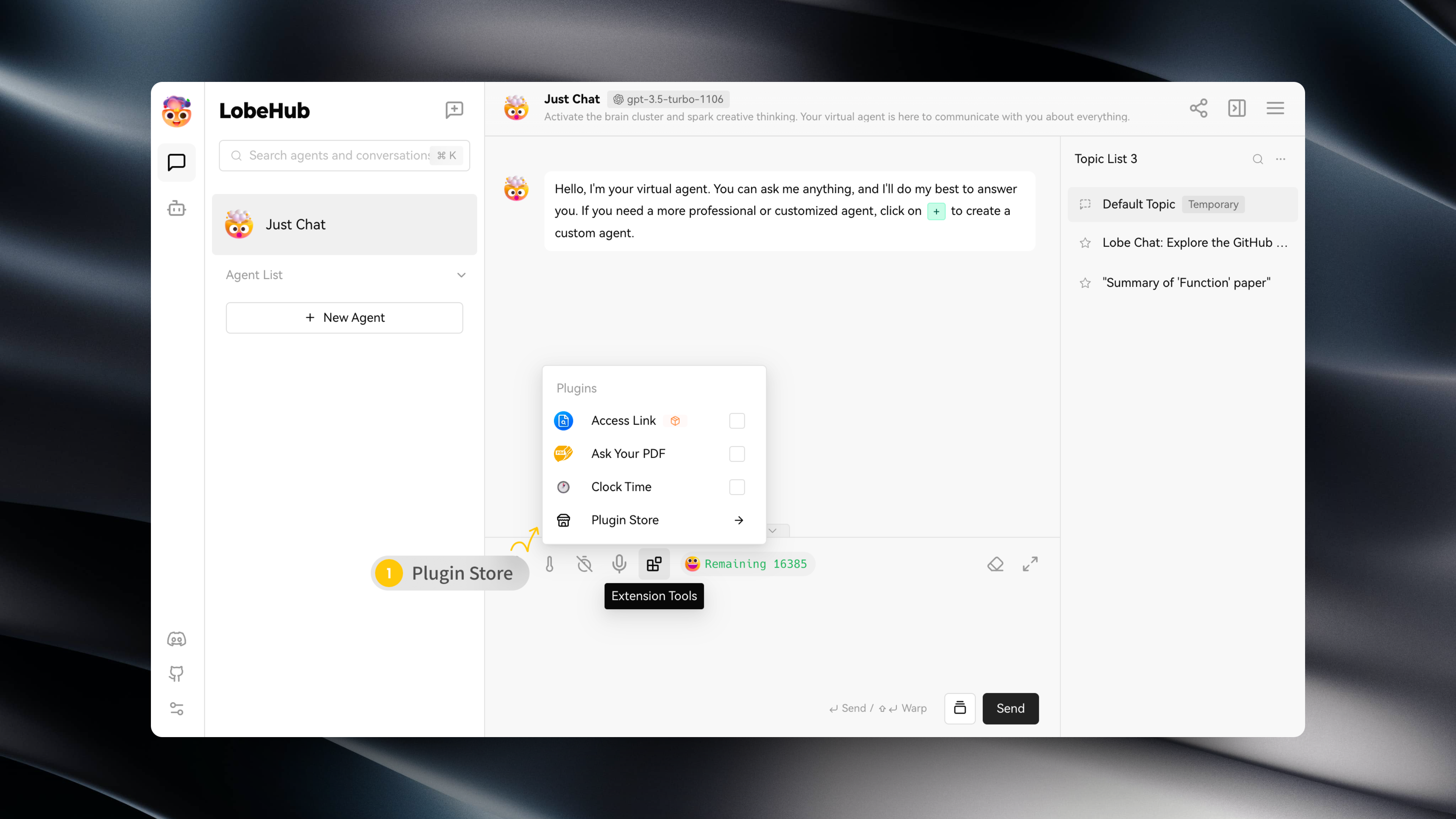
你可以在会话工具条中的 「扩展工具」 -> 「插件商店」,进入插件商店。
|
|
|
|
|
|
|
|
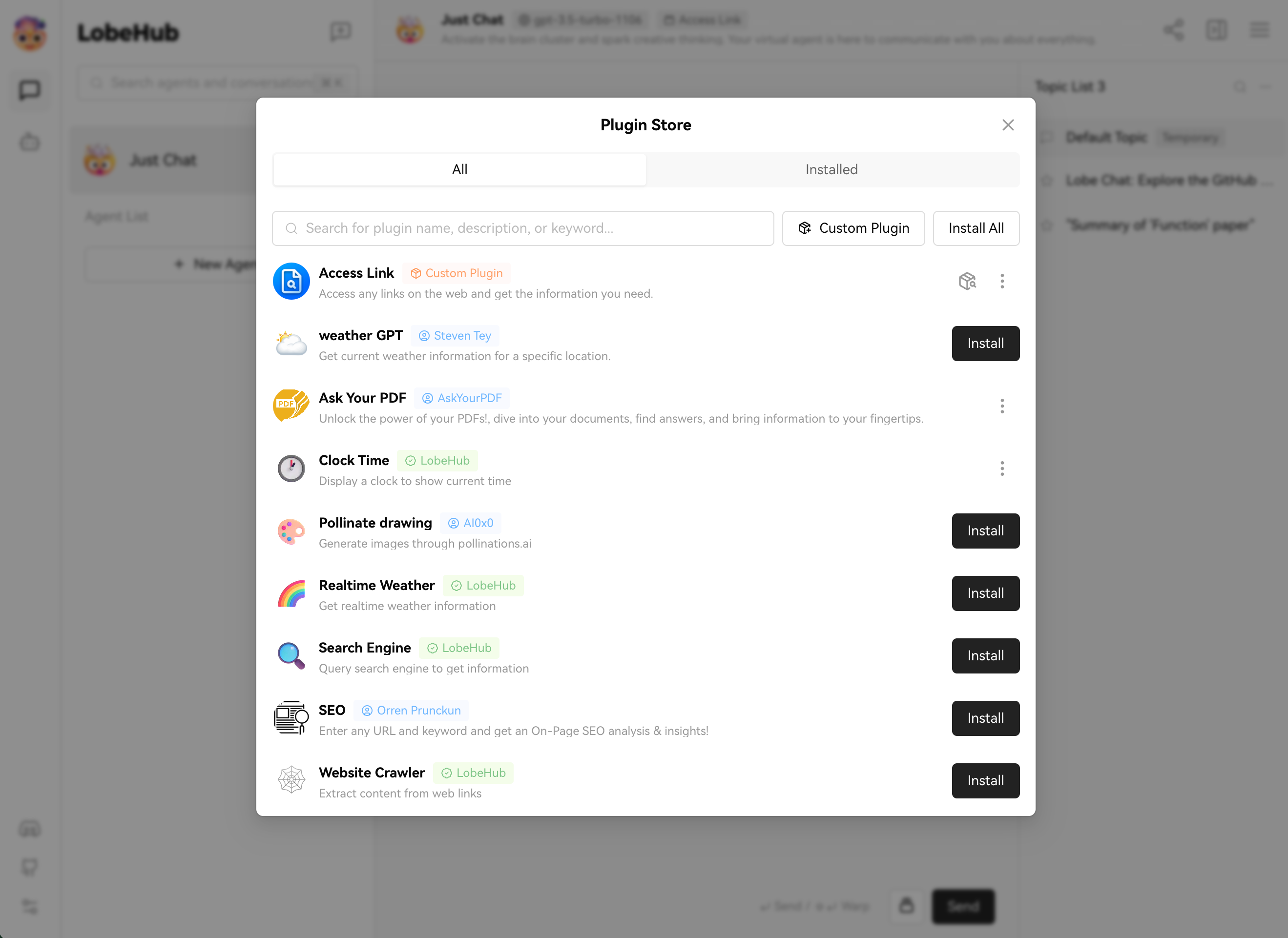
插件商店中会在 LobeChat 中可以直接安装并使用的插件。
|
|
|
|
|
|
|
|
## 使用插件
|
|
|
|
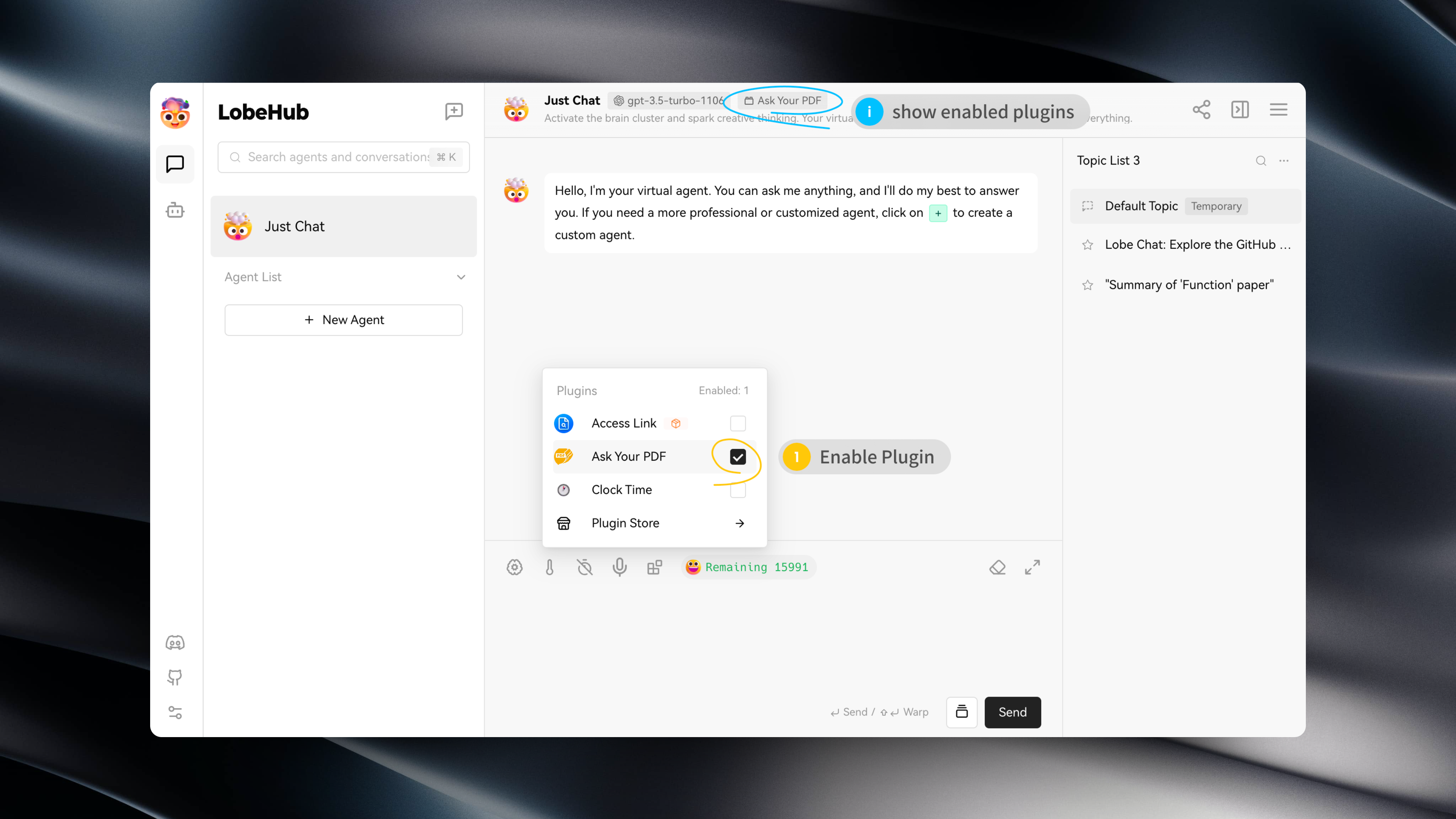
安装完毕插件后,只需在当前助手下开启插件即可使用。
|
|
|
|
|
|
|
|
## 插件配置
|
|
|
|
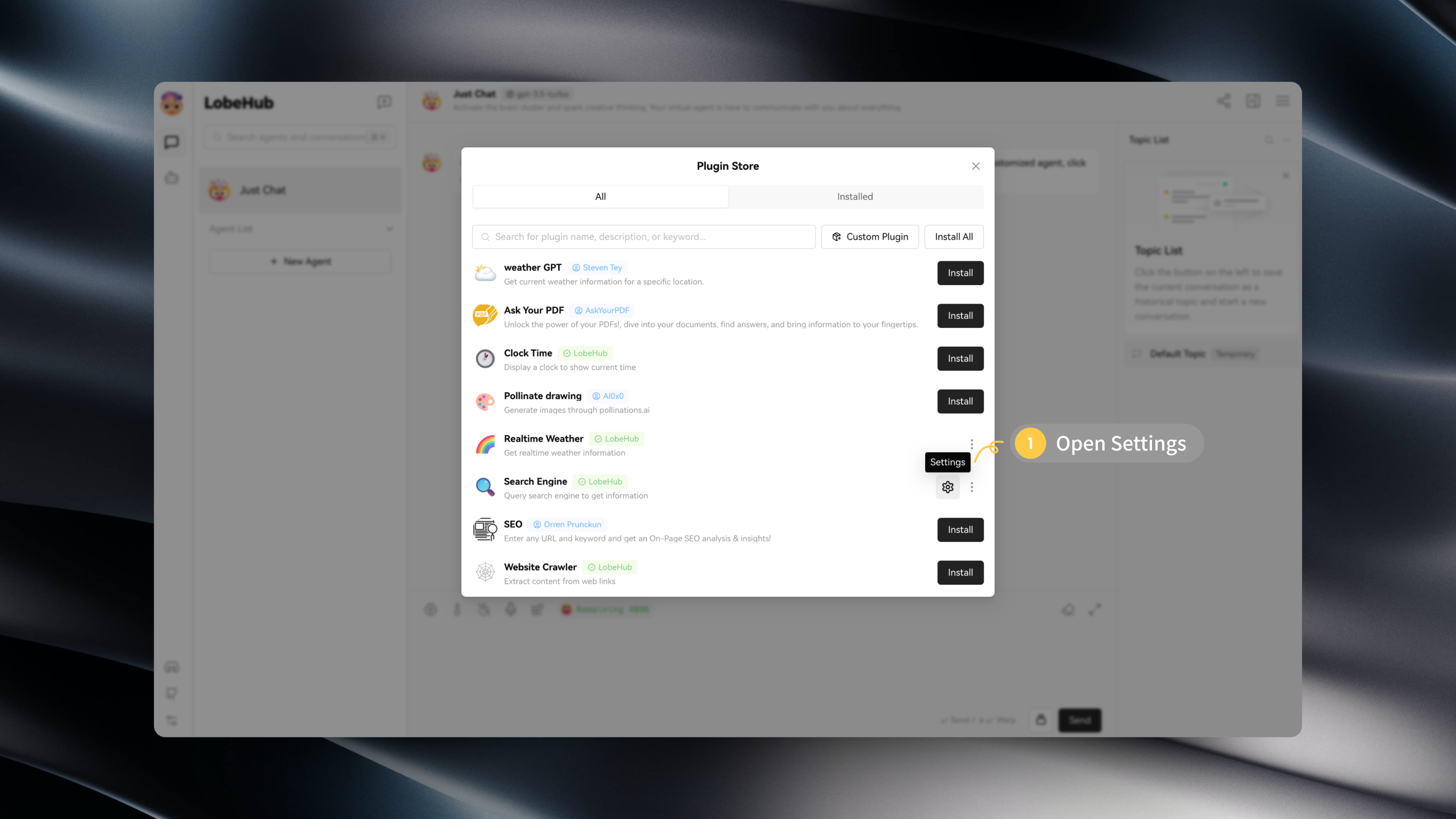
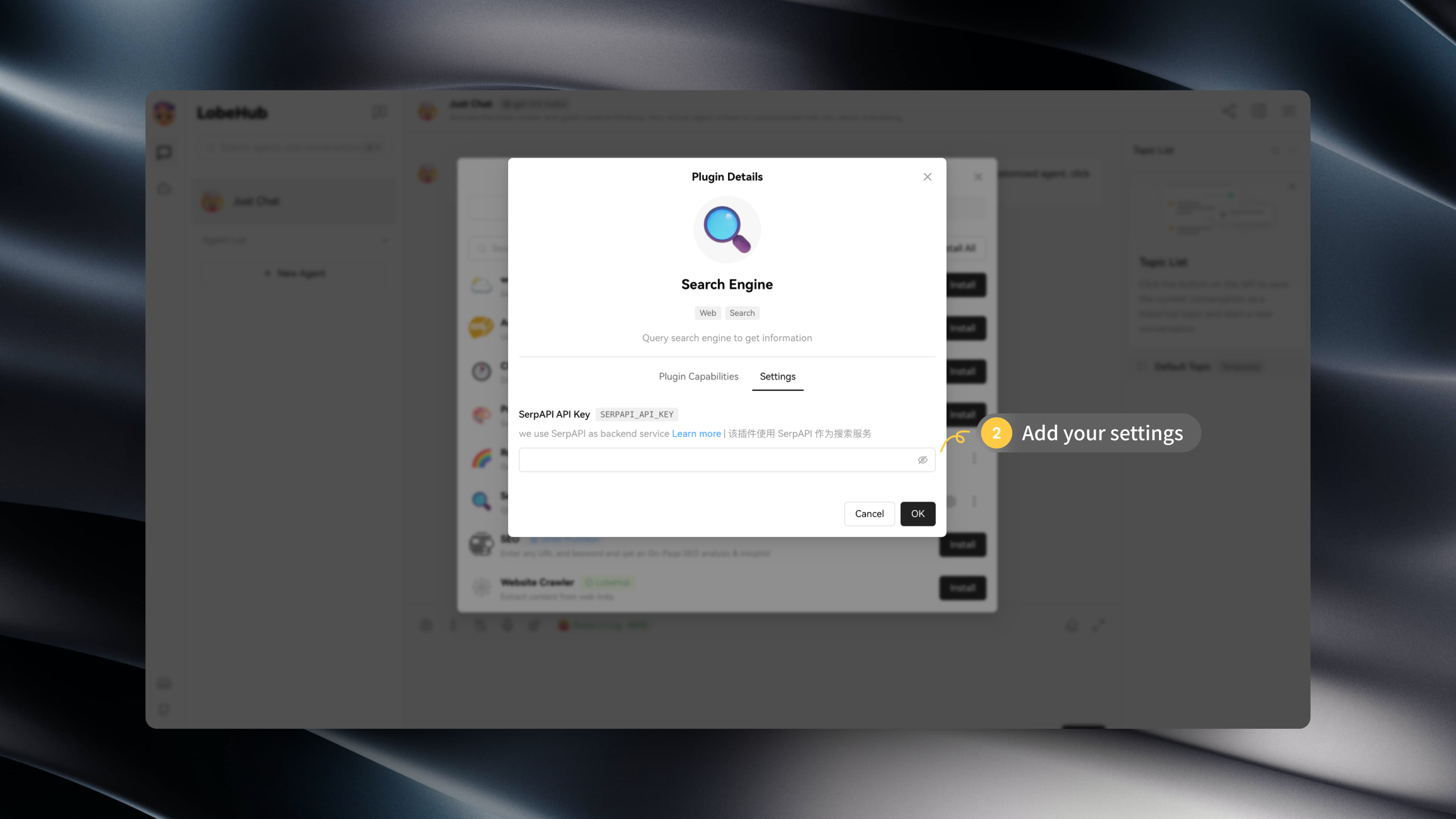
部分插件可能需要你进行相应的配置,例如 API Key 等。
|
|
|
|
你可以在安装插件后,点击设置进入插件的设置填写配置:
|
|
|
|
|
|
|
|
|