mirror of
https://github.com/fleetdm/fleet
synced 2026-05-24 09:28:54 +00:00
 dbfee02f78
Doc changes for the "OS updates for iOS/iPadOS" story
(https://github.com/fleetdm/fleet/issues/19852)
61 lines
3.1 KiB
Markdown
61 lines
3.1 KiB
Markdown
# OS updates
|
||
|
||
_Available in Fleet Premium_
|
||
|
||
In Fleet you can enforce OS updates on your macOS, Windows, iOS, and iPadOS hosts remotely.
|
||
|
||
## Enforce OS updates
|
||
|
||
You can enforce OS updates using the Fleet UI, Fleet API, or [Fleet's GitOps workflow](https://github.com/fleetdm/fleet-gitops).
|
||
|
||
Fleet UI:
|
||
|
||
1. Head to the **Controls** > **OS updates** tab.
|
||
|
||
2. To enforce OS updates for macOS, iOS, or iPadOS, select the platform and set a **Minimum version** and **Deadline**.
|
||
|
||
3. For Windows, select **Windows** and set a **Deadline** and **Grace period**.
|
||
|
||
Fleet API: API documentation is [here](https://fleetdm.com/docs/rest-api/rest-api#modify-team).
|
||
|
||
## End user experience
|
||
|
||
### macOS
|
||
|
||
When a minimum version is enforced, the end users see a native macOS notification (DDM) once per day. Users can choose to update ahead of the deadline or schedule it for that night. 24 hours before the deadline, the notification appears hourly and ignores Do Not Disturb. One hour before the deadline, the notification appears every 30 minutes, and then every 10 minutes.
|
||
|
||
If the host was turned off when the deadline passed, the update will be scheduled an hour after it’s turned on.
|
||
|
||
### macOS (below version 14.0)
|
||
|
||
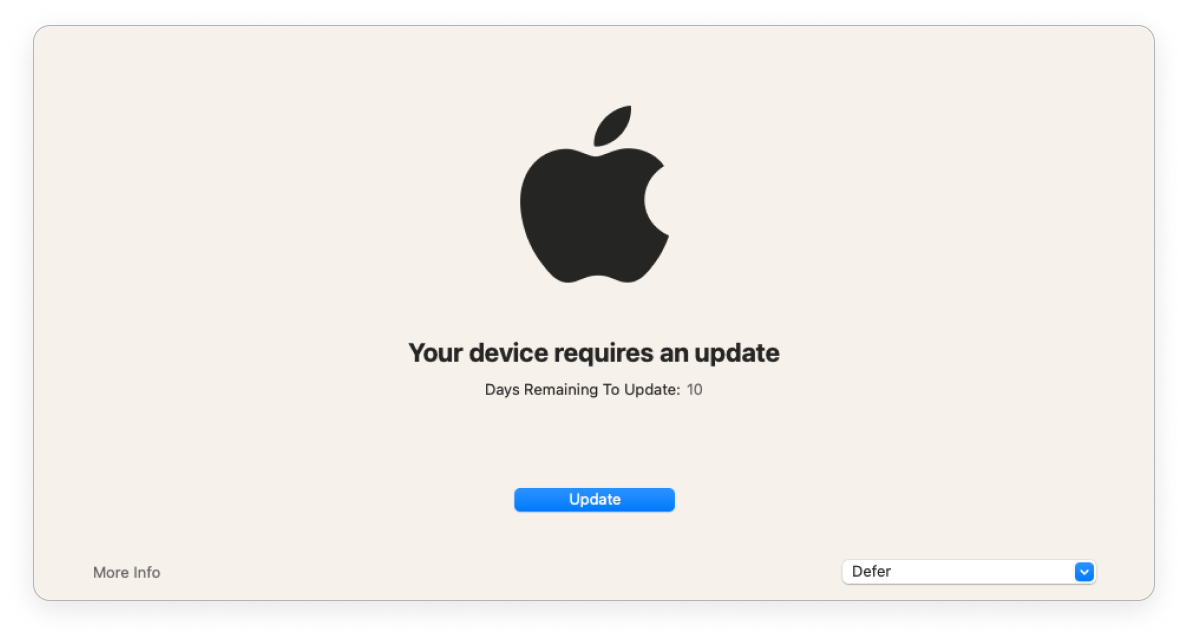
End users are encouraged to update macOS (via [Nudge](https://github.com/macadmins/nudge)).
|
||
|
||
|
||
|
||
| | > 1 day before deadline | < 1 day before deadline | Past deadline |
|
||
| ------------------------------------ | ----------------------- | ----------------------- | --------------------- |
|
||
| Nudge window frequency | Once a day at 8pm GMT | Once every 2 hours | Immediately on login |
|
||
| End user can defer | ✅ | ✅ | ❌ |
|
||
| Nudge window is dismissible | ✅ | ✅ | ❌ |
|
||
|
||
### Windows
|
||
|
||
End users are encouraged to update Windows via the native Windows dialog.
|
||
|
||
| | Before deadline | Past deadline |
|
||
| ----------------------------------------- | ----------------| ------------- |
|
||
| End user can defer automatic restart | ✅ | ❌ |
|
||
|
||
If an end user was on vacation when the deadline passed, the end user is given a grace period (configured) before the host automatically restarts.
|
||
|
||
Fleet enforces OS updates for quality and feature updates. Read more about the types of Windows OS updates in the Microsoft documentation [here](https://learn.microsoft.com/en-us/windows/deployment/update/get-started-updates-channels-tools#types-of-updates).
|
||
|
||
### iOS and iPadOS
|
||
|
||
When a minimum version is enforced, end users will see a notification in their Notification Center after the deadline. They can’t use their iPhone or iPad until the OS update is installed.
|
||
|
||
<meta name="pageOrderInSection" value="1503">
|
||
<meta name="title" value="OS updates">
|
||
<meta name="description" value="Learn how to manage OS updates on macOS, Windows, iOS, and iPadOS devices.">
|
||
<meta name="navSection" value="Device management">
|
||
|