mirror of
https://github.com/fleetdm/fleet
synced 2026-05-24 09:28:54 +00:00
 f59ffc235d
#21998

While looking through this I noticed a few other issues:

1. We seem to be inconsistent about what time we pick for OS update
deadlines. For profiles [it's noon local
time](2e5bf75b6d/ee/server/service/mdm.go (L1096)),
while for Nudge [it appears to be 4am...server time or
UTC](2e5bf75b6d/server/fleet/nudge.go (L53-L57))?
#9013 also mentions "noon UTC-8/Pacific Standard Time", which is neither
of the above (and means that, if implemented as spec'd, the deadline
would shift by an hour during DST), while docs prior to this PR
mentioned 4am UTC-8. Maybe we don't care enough to fix the Nudge
behavior since macOS 14 (which no longer requires Nudge) came out over a
year ago, but we should at least agree on desired behavior for DDM and
document that (which is what I've done for iOS/iPad OS since they don't
use Nudge).
2. The [REST API
docs](2e5bf75b6d/docs/REST%20API/rest-api.md (L1720-L1757))
don't seem to match the description of macOS behavior in the article;
the former indicates that OS updates pop up with increasing frequency
post-deadline, rather than having an impassible dialog. This may be
because behavior changed from Nudge to DDM, but iOS/iPadOS got
copy-pasted from the macOS REST docs and they never used Nudge. My guess
is that we should describe DDM behavior here.

Tagging in @mna as he looks to have implemented DDM OS updates so should
have some context here, and @noahtalerman to confirm desired behavior,
particularly on the deadline side.

---------

Co-authored-by: Rachael Shaw <r@rachael.wtf>
83 lines
4.8 KiB
Markdown
83 lines
4.8 KiB
Markdown
# Enforce OS updates
|
||
|
||
_Available in Fleet Premium_
|
||
|
||
In Fleet, you can enforce OS updates on your macOS, Windows, iOS, and iPadOS hosts remotely using the Fleet UI, Fleet API, or Fleet's GitOps workflow.
|
||
|
||
## Turning on enforcement
|
||
|
||
### Fleet UI
|
||
|
||
1. Head to the **Controls** > **OS updates** tab.
|
||
|
||
2. To enforce OS updates for macOS, iOS, or iPadOS, select the platform and set a **Minimum version** and **Deadline**.
|
||
|
||
3. For Windows, select **Windows** and set a **Deadline** and **Grace period**.
|
||
|
||
### Fleet API
|
||
|
||
Use the [modify team endpoint](https://fleetdm.com/docs/rest-api/rest-api#modify-team) to turn on minimum OS version enforcement. The relevant payload keys in the `mdm` object are:
|
||
+ `macos_updates`
|
||
+ `ios_updates`
|
||
+ `ipados_updates`
|
||
+ `windows_updates`
|
||
|
||
### GitOps
|
||
|
||
OS version enforcement options are declared within the [controls](https://fleetdm.com/docs/configuration/yaml-files#controls) section of a Fleet GitOps YAML file, using the following keys:
|
||
+ [macos_updates](https://fleetdm.com/docs/configuration/yaml-files#macos-updates)
|
||
+ [ios_updates](https://fleetdm.com/docs/configuration/yaml-files#ios-updates)
|
||
+ [ipados_updates](https://fleetdm.com/docs/configuration/yaml-files#ipados-updates)
|
||
+ [windows_updates](https://fleetdm.com/docs/configuration/yaml-files#windows-updates)
|
||
|
||
## End user experience
|
||
|
||
### macOS
|
||
|
||
When a minimum version is enforced, end users see a native macOS notification (DDM) once per day. Users can choose to update ahead of the deadline or schedule it for that night. 24 hours before the deadline, the notification appears hourly and ignores Do Not Disturb. One hour before the deadline, the notification appears every 30 minutes and then every 10 minutes.
|
||
|
||
If the host was turned off when the deadline passed, the update will be scheduled an hour after it’s turned on.
|
||
|
||
For macOS devices that use Automated Device Enrollment (ADE), if the device is below the specified minimum version, it will be required to update to the latest [available version](#available-macos-ios-and-ipados-versions) during ADE before device setup and enrollment can proceed.
|
||
|
||
### iOS and iPadOS
|
||
|
||
End users will see a notification in their Notification Center after the deadline when a minimum version is enforced. They can’t use their iPhone or iPad until the OS update is installed.
|
||
|
||
For iOS and iPadOS devices that use Automated Device Enrollment (ADE), if the device is below the specified
|
||
minimum version, it will be required to update to the latest [available version](#available-macos-ios-and-ipados-versions) during ADE before device setup and enrollment can proceed.
|
||
|
||
### Available macOS, iOS, and iPadOS versions
|
||
|
||
The Apple Software Lookup Service (available at [https://gdmf.apple.com/v2/pmv](https://gdmf.apple.com/v2/pmv)) is the official resource for obtaining a list of publicly available updates, upgrades, and Rapid Security Responses. Make sure to use versions available in GDMF; otherwise, the update will not be scheduled.
|
||
|
||
### Windows
|
||
|
||
End users are encouraged to update Windows via the native Windows dialog.
|
||
|
||
| | Before deadline | Past deadline |
|
||
| ----------------------------------------- | ----------------| ------------- |
|
||
| End user can defer automatic restart | ✅ | ❌ |
|
||
|
||
If an end user was on vacation when the deadline passed, the end user is given a grace period (configured) before the host automatically restarts.
|
||
|
||
Fleet enforces OS updates for quality and feature updates. Read more about the types of Windows OS updates in the Microsoft documentation [here](https://learn.microsoft.com/en-us/windows/deployment/update/get-started-updates-channels-tools#types-of-updates).
|
||
|
||
### macOS (below version 14.0)
|
||
|
||
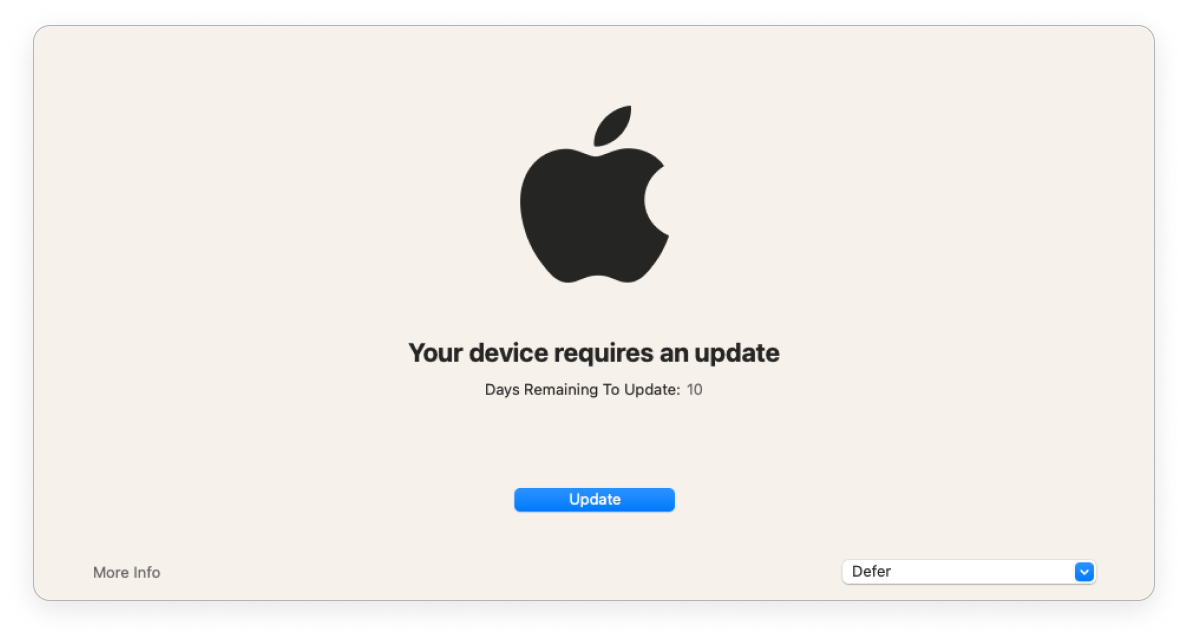
End users are encouraged to update macOS (via [Nudge](https://github.com/macadmins/nudge)).
|
||
|
||
|
||
|
||
| | > 1 day before deadline | < 1 day before deadline | Past deadline |
|
||
| ------------------------------------ | ----------------------- | ----------------------- | --------------------- |
|
||
| Nudge window frequency | Once a day at 8pm GMT | Once every 2 hours | Immediately on login |
|
||
| End user can defer | ✅ | ✅ | ❌ |
|
||
| Nudge window is dismissible | ✅ | ✅ | ❌ |
|
||
|
||
<meta name="category" value="guides">
|
||
<meta name="authorGitHubUsername" value="noahtalerman">
|
||
<meta name="authorFullName" value="Noah Talerman">
|
||
<meta name="publishedOn" value="2024-08-10">
|
||
<meta name="articleTitle" value="Enforce OS updates">
|
||
<meta name="description" value="Learn how to manage OS updates on macOS, Windows, iOS, and iPadOS devices.">
|