 2171544ad1
This PR closes https://github.com/fleetdm/fleet/issues/21108

@noahtalerman, I double-checked all redirects, and they are working.
Clicking through the URLs in [this
spreadsheet](https://docs.google.com/spreadsheets/d/1djVynIMuJK4pT5ziJW12CluVqcaoxxnCLaBO3VXfAt4/edit?usp=sharing)
is a pretty quick way to go through them all. Note that "Audit logs" and
"Understanding host vitals" redirect to the contributor docs on GitHub,
so they will throw a 404 until this is merged.

Some new guides benefitted from a name change, so they make more sense
as stand-alone guides, and also so that we don't have to mess around
with more redirects later. Those name changes followed [this
convention](https://fleetdm.com/handbook/company/communications#headings-and-titles),
which was recently documented in the handbook.

Have fun!

---------

Co-authored-by: Eric <eashaw@sailsjs.com>
Co-authored-by: Noah Talerman <noahtal@umich.edu>
3.2 KiB
Enforce OS updates
Available in Fleet Premium
In Fleet you can enforce OS updates on your macOS, Windows, iOS, and iPadOS hosts remotely using the Fleet UI, Fleet API, or Fleet's GitOps workflow.
Fleet UI:
-
Head to the Controls > OS updates tab.
-
To enforce OS updates for macOS, iOS, or iPadOS, select the platform and set a Minimum version and Deadline.
-
For Windows, select Windows and set a Deadline and Grace period.
Fleet API: API documentation is here.
End user experience
macOS
When a minimum version is enforced, the end users see a native macOS notification (DDM) once per day. Users can choose to update ahead of the deadline or schedule it for that night. 24 hours before the deadline, the notification appears hourly and ignores Do Not Disturb. One hour before the deadline, the notification appears every 30 minutes, and then every 10 minutes.
If the host was turned off when the deadline passed, the update will be scheduled an hour after it’s turned on.
macOS (below version 14.0)
End users are encouraged to update macOS (via Nudge).
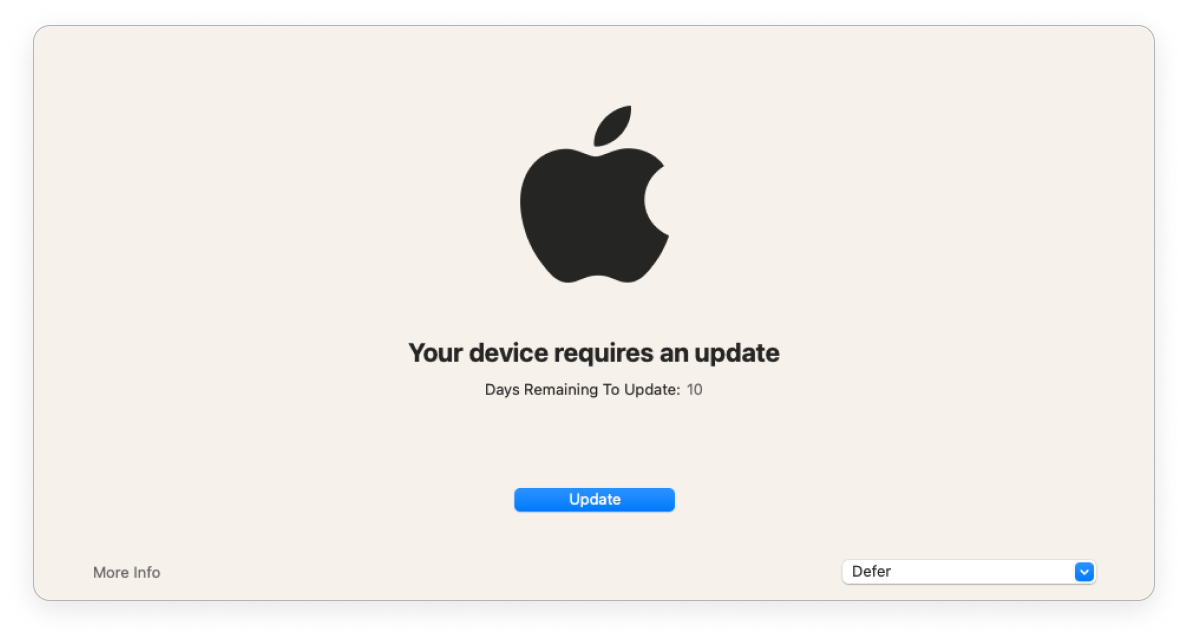
| > 1 day before deadline | < 1 day before deadline | Past deadline | |
|---|---|---|---|
| Nudge window frequency | Once a day at 8pm GMT | Once every 2 hours | Immediately on login |
| End user can defer | ✅ | ✅ | ❌ |
| Nudge window is dismissible | ✅ | ✅ | ❌ |
Windows
End users are encouraged to update Windows via the native Windows dialog.
| Before deadline | Past deadline | |
|---|---|---|
| End user can defer automatic restart | ✅ | ❌ |
If an end user was on vacation when the deadline passed, the end user is given a grace period (configured) before the host automatically restarts.
Fleet enforces OS updates for quality and feature updates. Read more about the types of Windows OS updates in the Microsoft documentation here.
iOS and iPadOS
When a minimum version is enforced, end users will see a notification in their Notification Center after the deadline. They can’t use their iPhone or iPad until the OS update is installed.