mirror of
https://github.com/lobehub/lobehub
synced 2026-04-21 09:37:28 +00:00

97 lines
5.3 KiB
Text
97 lines
5.3 KiB
Text
---
|
||
title: Deploy LobeHub Database Version on Sealos
|
||
description: >-
|
||
Learn how to deploy LobeHub on Sealos with ease. Follow the provided steps to
|
||
set up LobeHub and start using it efficiently.
|
||
tags:
|
||
- Deploy LobeHub
|
||
- Sealos Deployment
|
||
- OpenAI API Key
|
||
- Custom Domain Binding
|
||
---
|
||
|
||
# Deploying LobeHub Database Version on Sealos
|
||
|
||
<Callout type="info">
|
||
This article assumes that you are familiar with the basic principles and processes of deploying
|
||
the LobeHub server database version, so it only includes content related to core environment
|
||
variable configuration. If you are not familiar with the deployment principles of the LobeHub
|
||
server database version, please refer to [Deploying Server
|
||
Database](/docs/self-hosting/server-database) first.
|
||
</Callout>
|
||
|
||
The application on Sealos includes 4 services:
|
||
|
||
- Logto for authrization(need to deploy separately).
|
||
- PostgreSQL with Vector plugin for data storage and indexing.
|
||
- One object storage Bucket.
|
||
- LobeHub database version.
|
||
|
||
Here is the process for deploying the LobeHub server database version on Sealos:
|
||
|
||
## Pre-Deployment Setup
|
||
|
||
**Step 1**:Click the button below to deploy a Logto service:
|
||
|
||
[](https://template.usw.sealos.io/deploy?templateName=logto)
|
||
|
||
> Logto is an open-source identity and access management (IAM) platform, an open-source alternative to Auth0, designed to help developers quickly build secure and scalable login and registration systems and user identity systems.
|
||
|
||
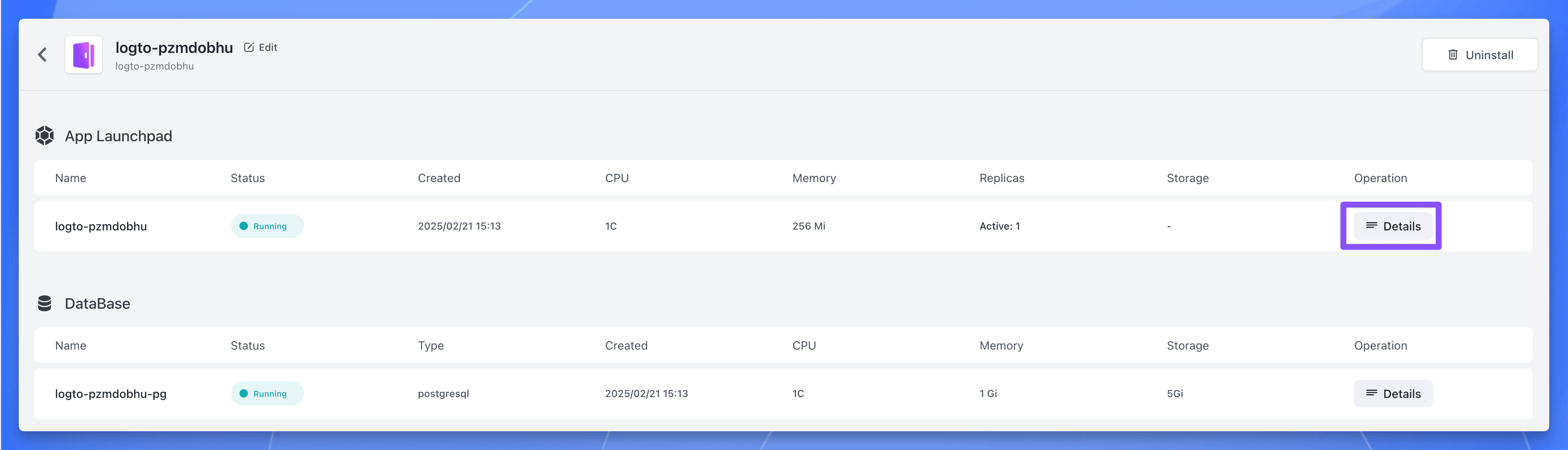
**Step 2**:After the deployment is complete, wait for all the components of the application to be in the "Running" state, click the application's "Details" button to enter the application details page.
|
||
|
||
|
||
|
||
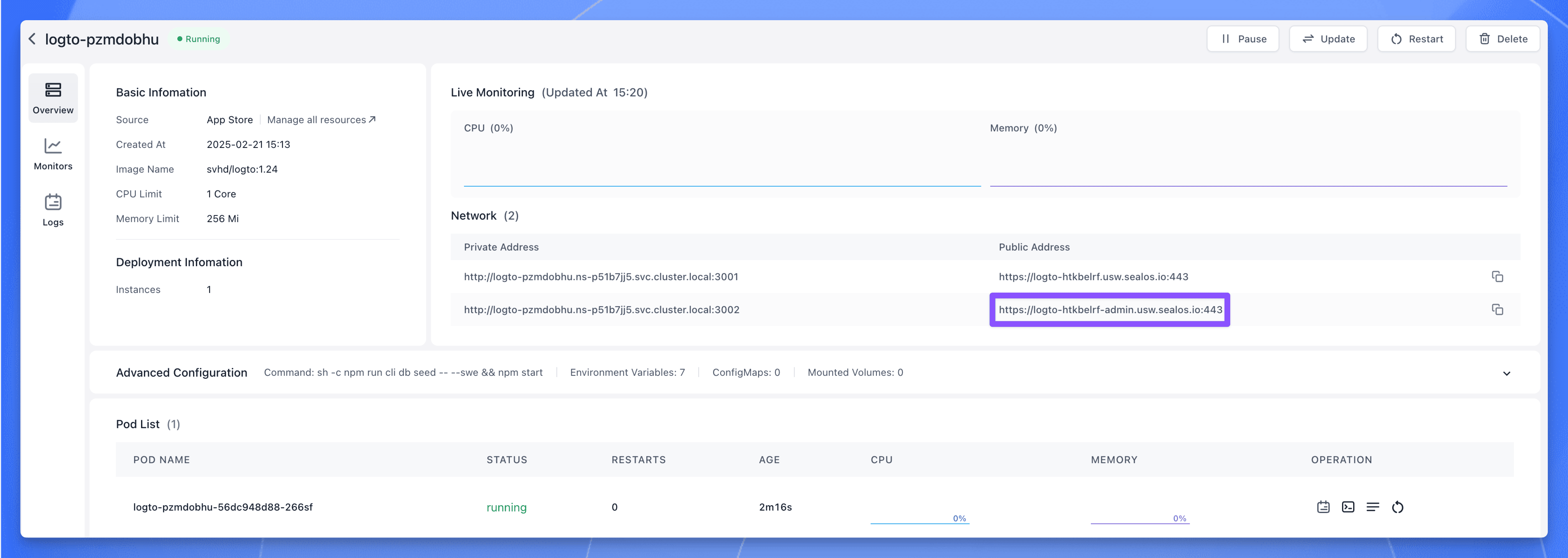
Click the public address corresponding to port 3002, you can use the public address to access the Logto service.
|
||
|
||
|
||
|
||
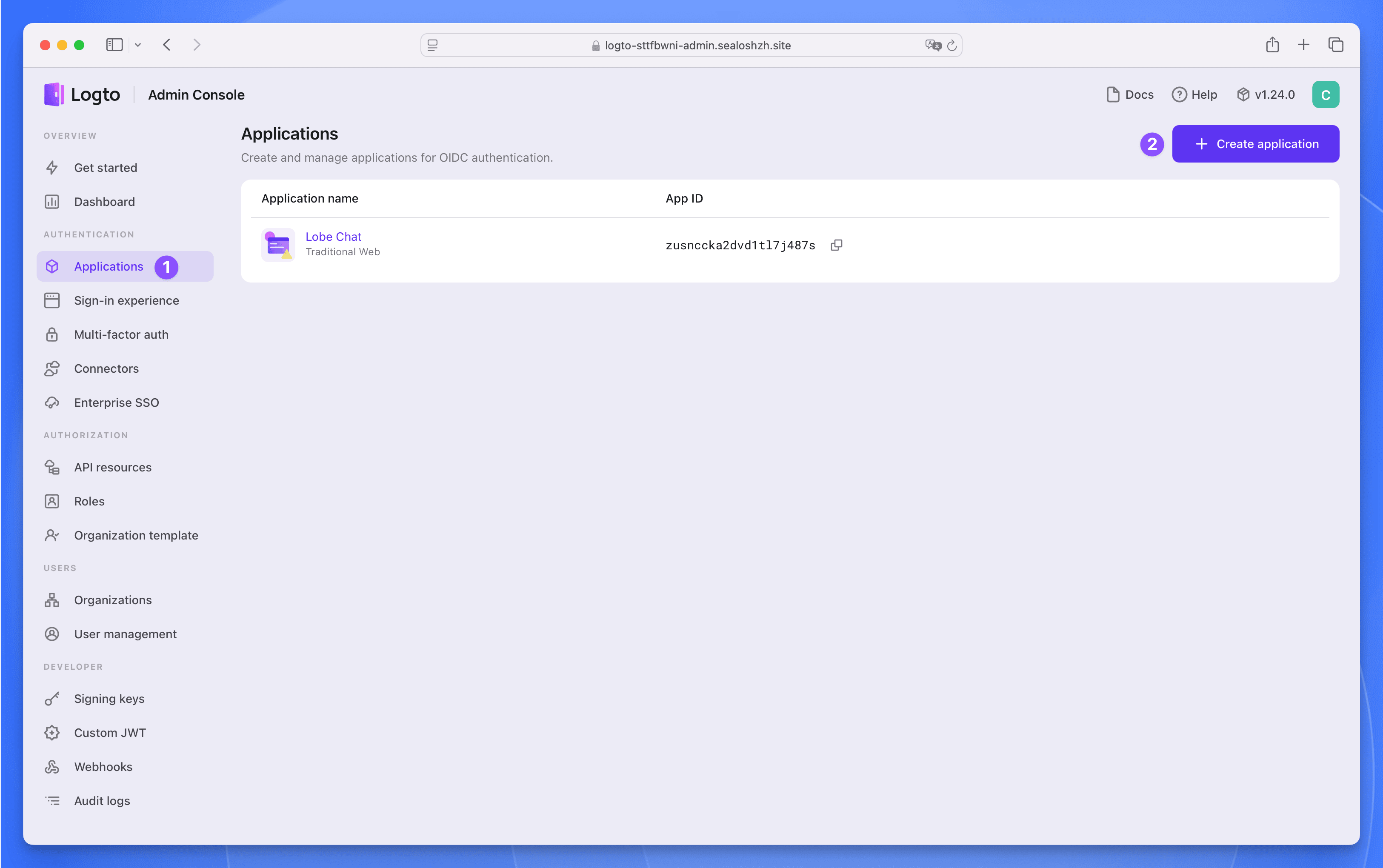
**Step 3**:Register a management account, then click the `Applications` menu on the left, enter the application list page. Click the `Create application` button in the upper right corner to create an application.
|
||
|
||
|
||
|
||
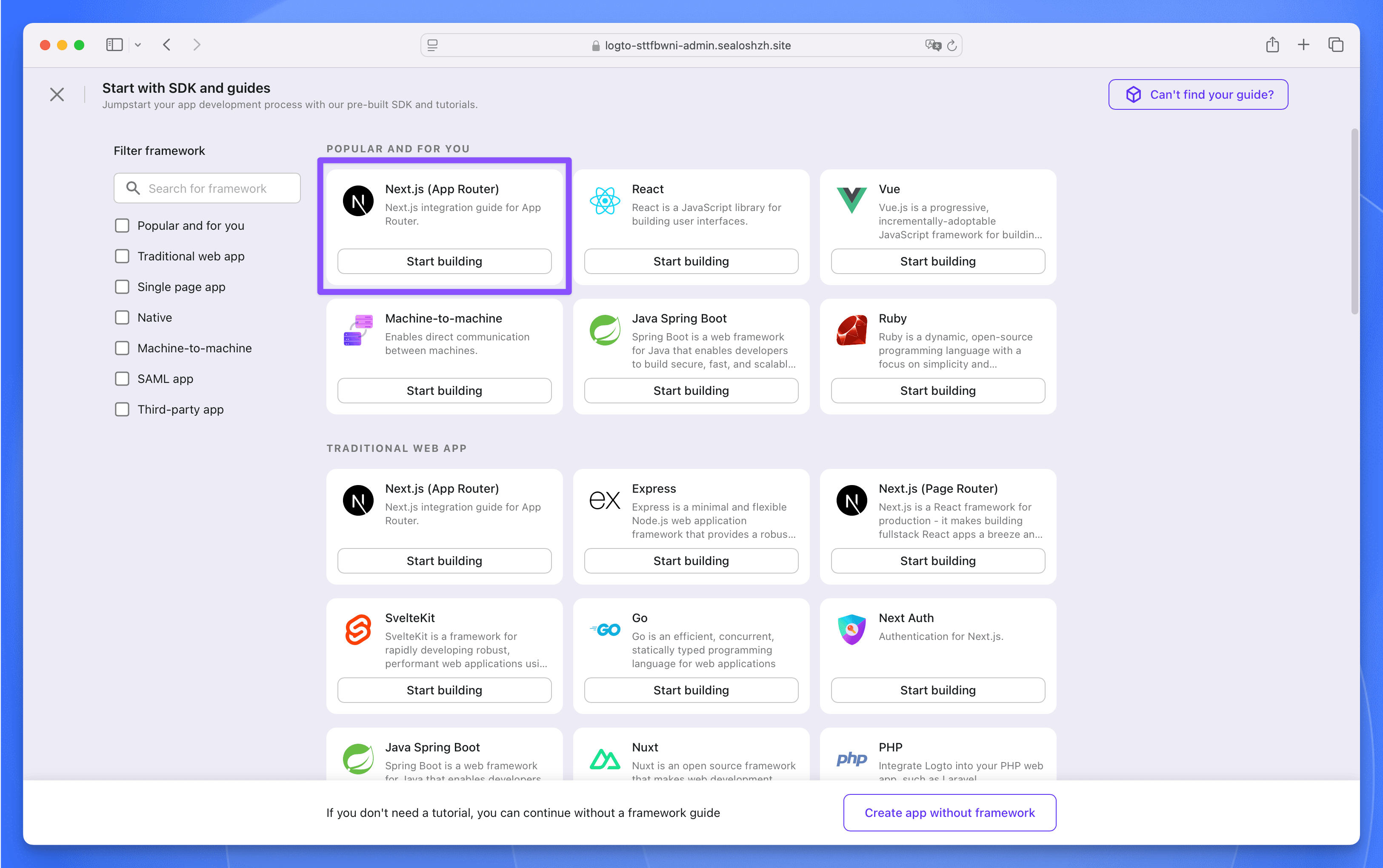
Select `Next.js (App Router)` as the framework, then click the `Start building` button.
|
||
|
||
|
||
|
||
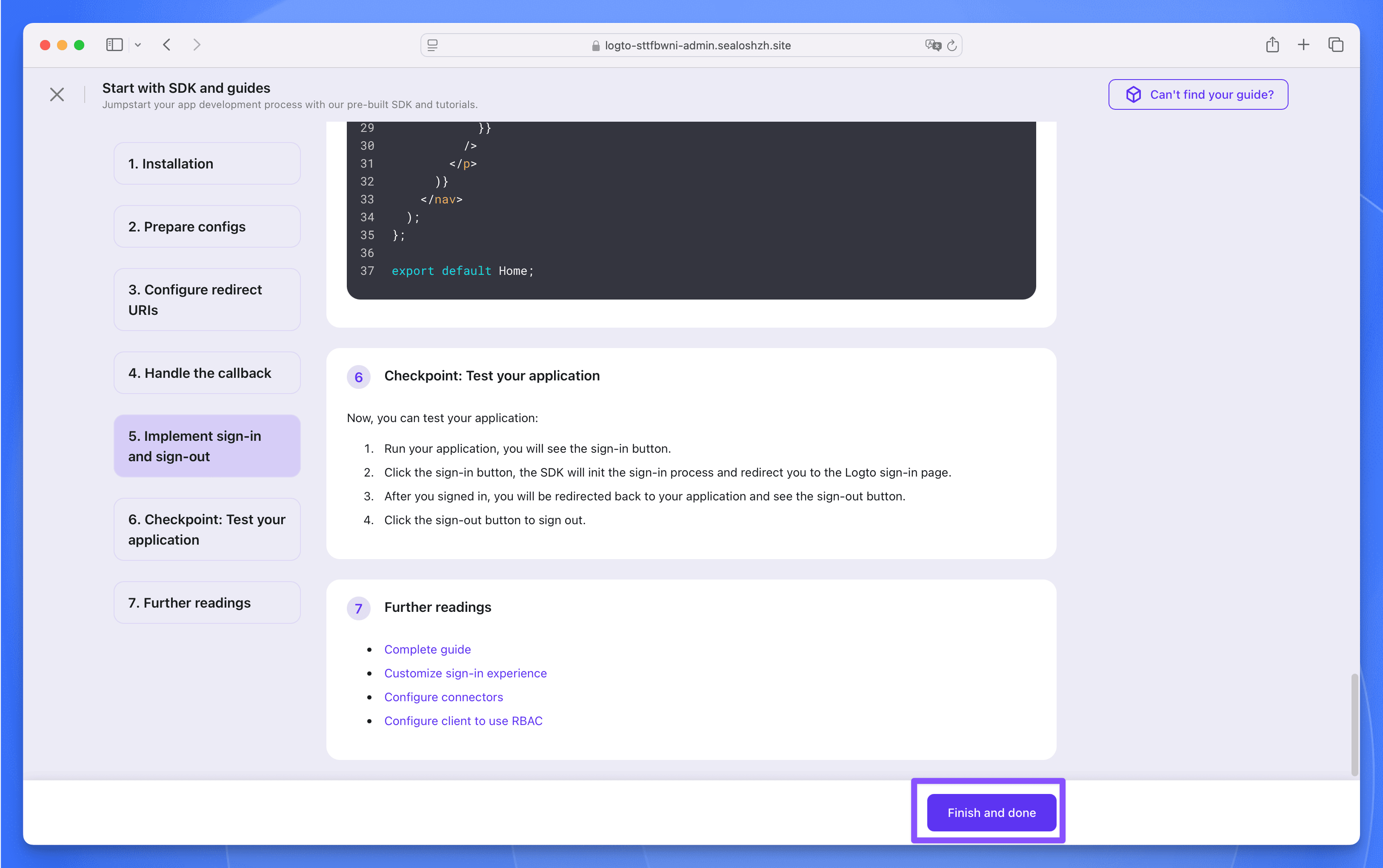
**Step 4**:In the pop-up window, fill in the application name as `LobeHub`, then click the `Create application` button. Next, do not fill in anything, just click the bottom `Finish and done` button to create it.
|
||
|
||
|
||
|
||
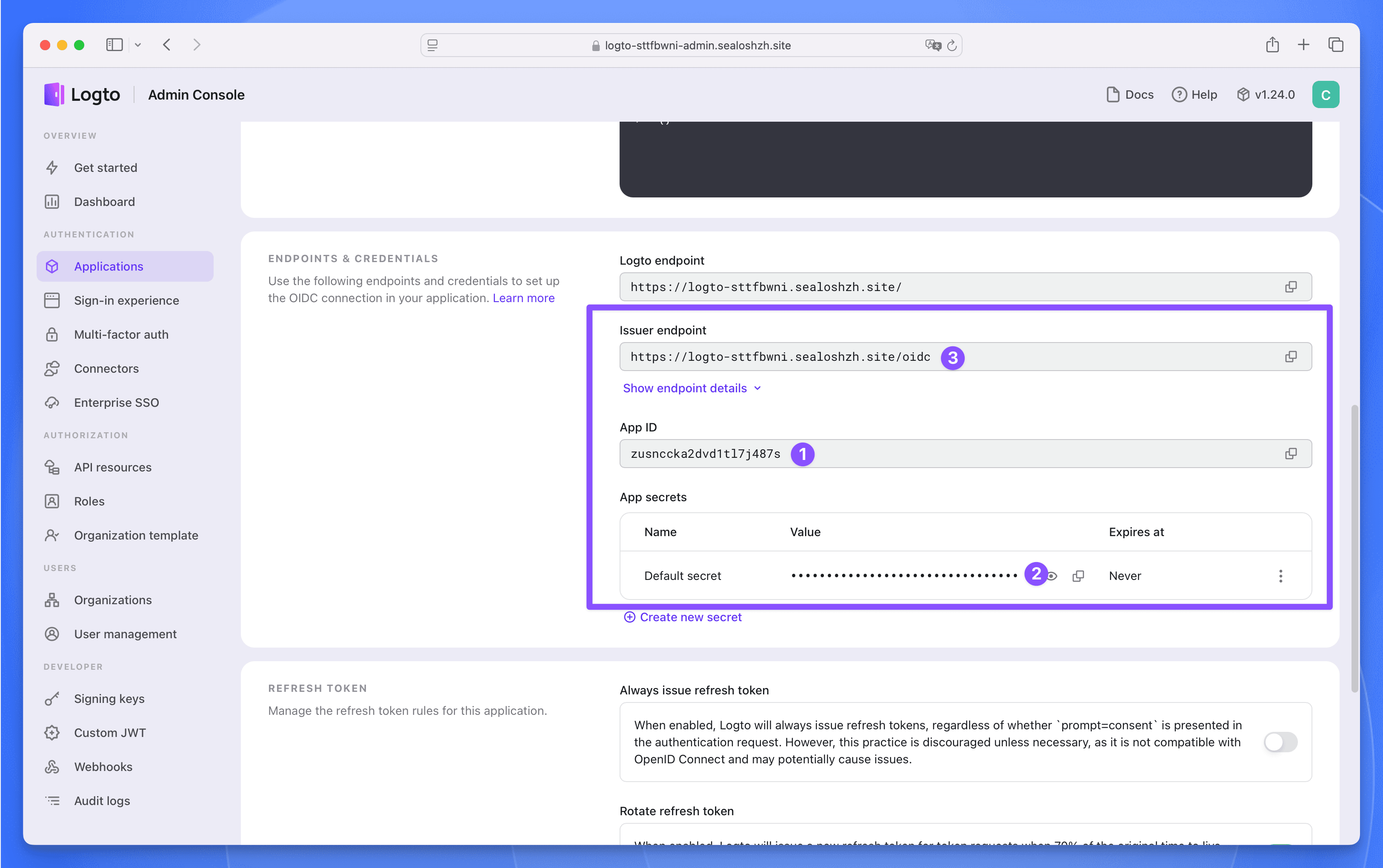
**Step 5**:In the `LobeHub` application, find the following three parameters, which will be used later when deploying the LobeHub database version.
|
||
|
||
|
||
|
||
## Deploy LobeHub Database Version
|
||
|
||
**Step 1**:Click the button below to visit the LobeHub database version application deployment page:
|
||
|
||
[](https://template.usw.sealos.io/deploy?templateName=lobe-chat-db)
|
||
|
||
Fill in the following three required parameters:
|
||
|
||
- `AUTH_LOGTO_ID`:The App ID of the Logto application
|
||
- `AUTH_LOGTO_SECRET`:The App Secret of the Logto application
|
||
- `AUTH_LOGTO_ISSUER`:The Issuer endpoint of the Logto application
|
||
|
||
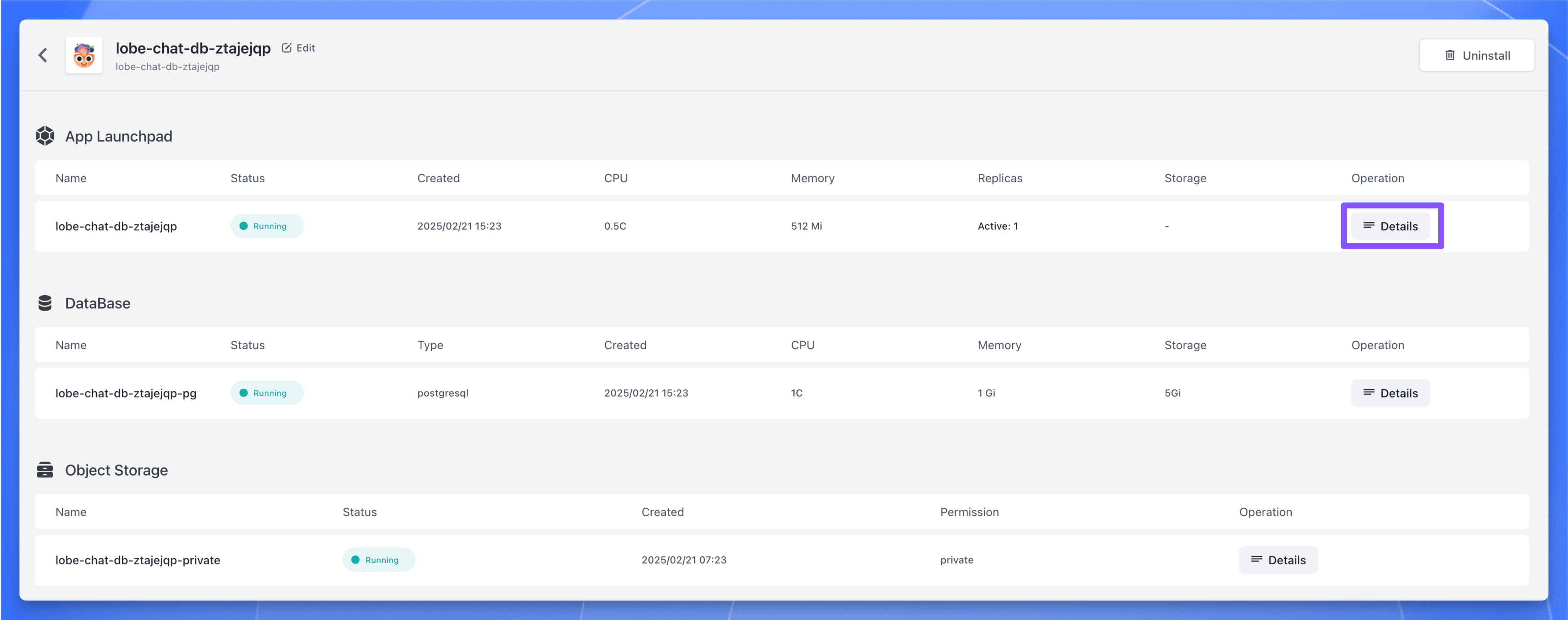
**Step 2**:Click the `Deploy App` button, after the deployment is complete, wait for all the components of the application to be in the "Running" state, click the application's "Details" button to enter the application details page.
|
||
|
||
|
||
|
||
**Step 3**:Find the public address, copy it, and use it later.
|
||
|
||
## Post-Deployment Configuration
|
||
|
||
**Step 1**:Enter the `Applications` page of Logto, find the `LobeHub` application, click to enter the application details page.
|
||
|
||
**Step 2**:In the `Settings` page, find the `Redirect URI` and `Post sign-out redirect URI` parameters, fill in the following values:
|
||
|
||
- Redirect URI: `https://<lobehub-db-public-address>/api/auth/callback/logto`
|
||
- Post sign-out redirect URI: `https://<lobehub-db-public-address>`
|
||
|
||
**Step 3**:Click the `Save changes` button to save the configuration.
|
||
|
||
**Step 4**:Now, access the LobeHub database version through `https://<lobehub-db-public-address>`, click the avatar in the upper left corner, and then click the \[Log in / Sign up] button.
|
||
|
||
**Step 5**:Next, you will be redirected to the Logto login page, click the \[Create account] button to register an account.
|
||
|
||
**Step 6**:After registration, you can use Logto to login to the LobeHub database version.
|