mirror of
https://github.com/fleetdm/fleet
synced 2026-05-20 07:29:08 +00:00
 698e9e80fe
#22810 # Demo [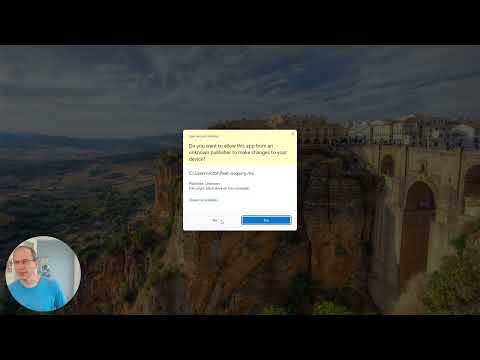](http://www.youtube.com/watch?v=le71QQ92suc) # Checklist for submitter - [x] Changes file added for user-visible changes in `changes/`, `orbit/changes/` or `ee/fleetd-chrome/changes`. See [Changes files](https://github.com/fleetdm/fleet/blob/main/docs/Contributing/Committing-Changes.md#changes-files) for more information. - [x] Added support on fleet's osquery simulator `cmd/osquery-perf` for new osquery data ingestion features. - [x] Added/updated tests - [x] Manual QA for all new/changed functionality - For Orbit and Fleet Desktop changes: - [x] Orbit runs on macOS, Linux and Windows. Check if the orbit feature/bugfix should only apply to one platform (`runtime.GOOS`). - [x] Manual QA must be performed in the three main OSs, macOS, Windows and Linux. - [x] Auto-update manual QA, from released version of component to new version (see [tools/tuf/test](../tools/tuf/test/README.md)). |
||
|---|---|---|
| .. | ||
| research/mdm | ||
| Adding-new-endpoints.md | ||
| API-for-contributors.md | ||
| API-Versioning.md | ||
| Audit-logs.md | ||
| Automatically-generating-UI-component-boilerplate.md | ||
| Building-Fleet.md | ||
| Committing-Changes.md | ||
| Configuration-for-contributors.md | ||
| Deploying-chrome-test-ext.md | ||
| Enroll-hosts-with-plain-osquery.md | ||
| FAQ.md | ||
| File-carving.md | ||
| Fleet-UI-Testing.md | ||
| fleetctl-apply.md | ||
| fleetd-development-and-release-strategy.md | ||
| high-level-architecture.md | ||
| Infrastructure.md | ||
| MDM-custom-configuration-web-url | ||
| MDM.md | ||
| Migrations.md | ||
| README.md | ||
| Releasing-Fleet.md | ||
| Run-Locally-Built-Fleetd.md | ||
| Seeding-Data.md | ||
| set-up-custom-end-user-email.md | ||
| Simulate-slow-network.md | ||
| Testing-and-local-development.md | ||
| Troubleshooting-live-queries.md | ||
| Understanding-host-vitals.md | ||
| Vulnerability-processing.md | ||
| windows-mdm-glossary-and-protocol.md | ||

Contributing
Building Fleet
Learn about building the code, development infrastructure, and database migrations.
Build and run Fleetd from local code
Building and running your modified code.
Testing
Look at Fleet's full test suite and integration tests.
Migrations
Learn about creating and updating database migrations.
Committing changes
Learn how to merge changes into the codebase.
Releasing Fleet
Learn the process for how to release Fleet.
Seeding data
Learn how to add fake data to your development instance.
API for contributors
Get to grips with Fleet API routes. This documentation is helpful for developing or contributing to Fleet.
Deploying ChromeOS test extensions
Learn how to deploy a test version of the fleetd Chrome extension for debug purposes.
FAQ
Find commonly asked questions and answers about contributing to Fleet as part of our community.