# OS updates
_Available in Fleet Premium_
In Fleet you can enforce OS updates on your macOS and Windows hosts remotely.
## Enforce OS updates
You can enforce OS updates using the Fleet UI, Fleet API, or [Fleet's GitOps workflow](https://github.com/fleetdm/fleet-gitops).
Fleet UI:
1. Head to the **Controls** > **OS updates** tab.
2. To enforce OS updates for macOS, select **macOS** and set a **Minimum version** and **Deadline**.
3. For Windows, select **Windows** and set a **Deadline** and **Grace period**.
Fleet API: API documentation is [here](https://fleetdm.com/docs/rest-api/rest-api#modify-team).
## End user experience
### macOS
End users are encouraged to update macOS (via [Nudge](https://github.com/macadmins/nudge)).
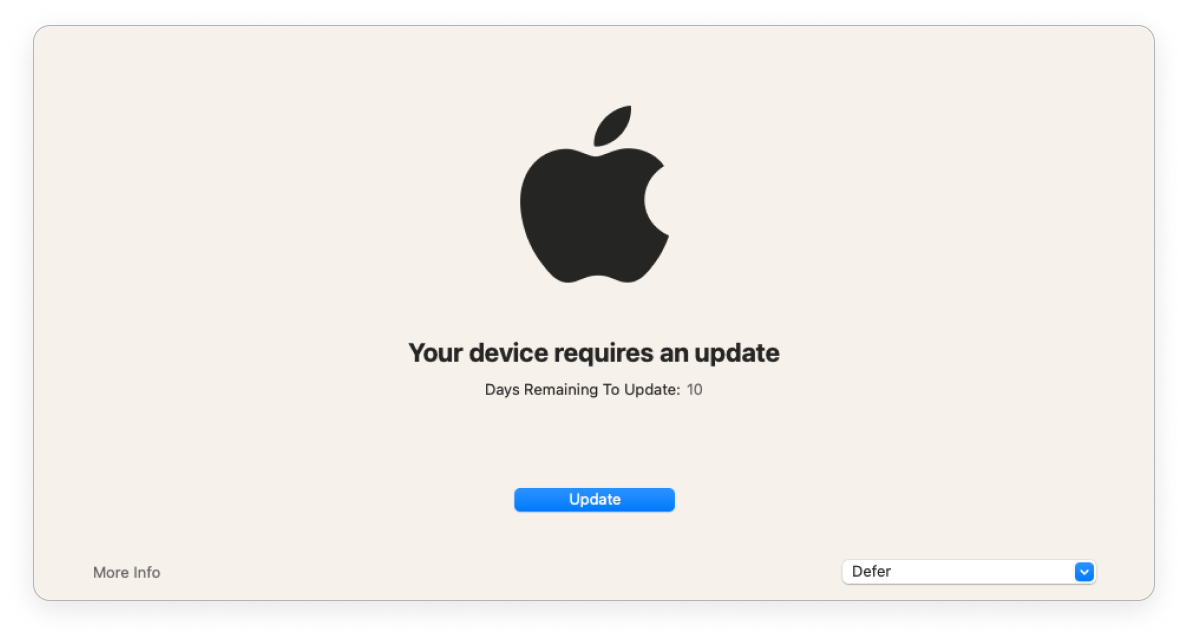
| | > 1 day before deadline | < 1 day before deadline | Past deadline |
| ------------------------------------ | ----------------------- | ----------------------- | --------------------- |
| Nudge window frequency | Once a day at 8pm GMT | Once every 2 hours | Immediately on login |
| End user can defer | ✅ | ✅ | ❌ |
| Nudge window is dismissible | ✅ | ✅ | ❌ |
### Windows
End users are encouraged to update Windows via the native Windows dialog.
| | Before deadline | Past deadline |
| ----------------------------------------- | ----------------| ------------- |
| End user can defer automatic restart | ✅ | ❌ |
If an end user was on vacation when the deadline passed, the end user is given a grace period (configured) before the host automatically restarts.
Fleet enforces OS updates for quality and feature updates. Read more about the types of Windows OS updates in the Microsoft documentation [here](https://learn.microsoft.com/en-us/windows/deployment/update/get-started-updates-channels-tools#types-of-updates).