 5b95ddb260
* feat(web): add blog with MDX support and sitemap integration - Add blog infrastructure using next-mdx-remote for MDX rendering - Create blog listing page at /blog with terminal-inspired design - Add dynamic blog post pages at /blog/[slug] - Convert existing notes to blog posts (AI assistant, performance analyzer) - Update sitemap to dynamically include blog posts - Add Blog link to header and footer navigation - Style blog content with terminal-themed code blocks and typography * chore: update a few design changes. * feat: introduce terminal-style headers for blog post cards and update MDX code block circle colors * feat: Remove two blog posts and an AI implementation note, update blog infrastructure, and add a reading progress component. * fix: escape MDX-incompatible characters in blog post Replace `<1000` and `>10000` with plain text to avoid MDX interpreting them as JSX tags. |
||
|---|---|---|
| .github | ||
| apps | ||
| notes | ||
| packages/shared | ||
| seeds | ||
| .gitignore | ||
| .npmrc | ||
| CLAUDE.md | ||
| CONTRIBUTING.md | ||
| LICENSE | ||
| package.json | ||
| pnpm-lock.yaml | ||
| pnpm-workspace.yaml | ||
| README.md | ||
| turbo.json | ||
data-peek

A minimal, fast SQL client desktop application with AI-powered querying. Built for developers who want to quickly peek at their data without the bloat. Supports PostgreSQL, MySQL, Microsoft SQL Server, and SQLite.
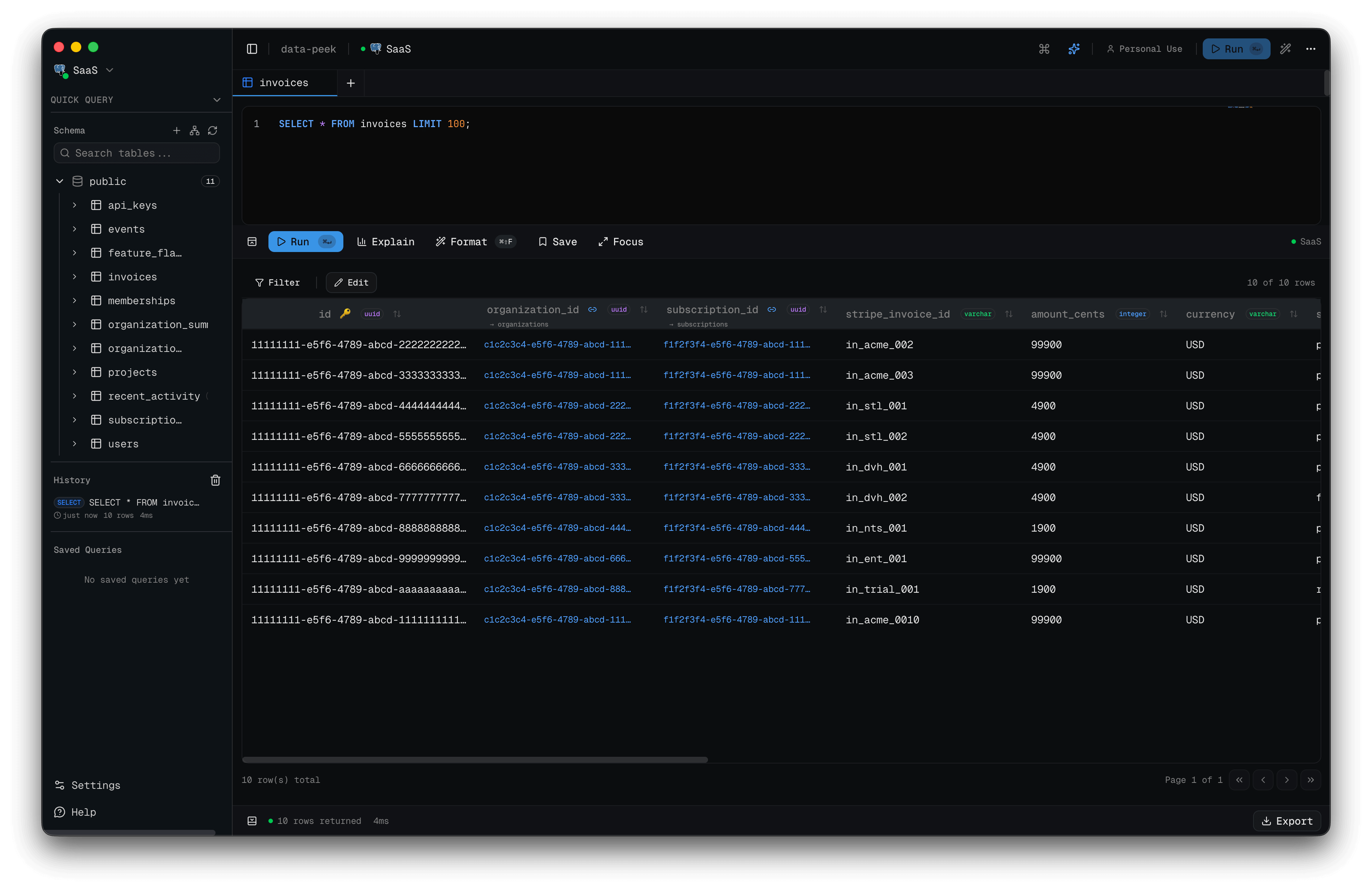
Screenshots
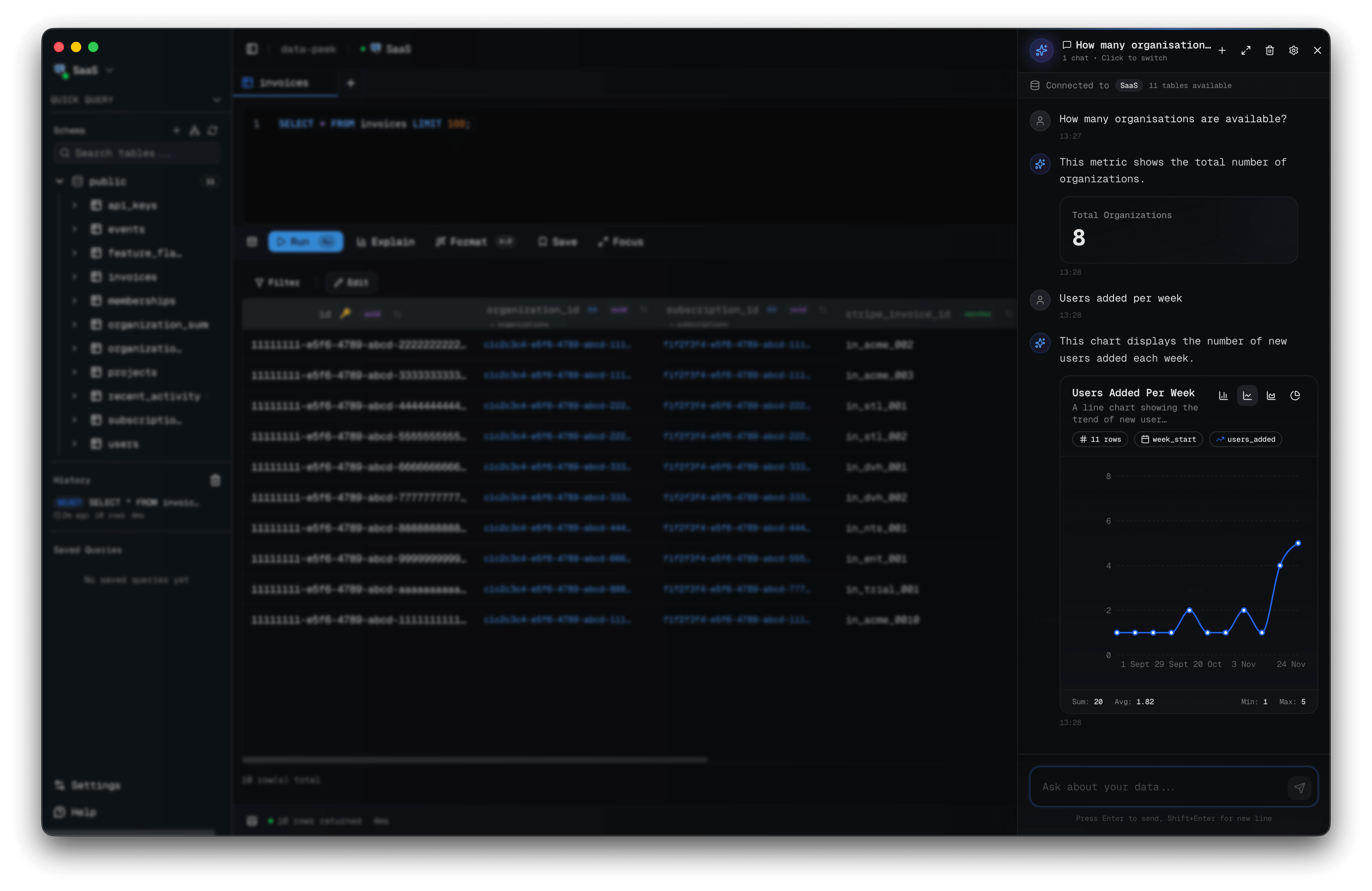
AI Assistant - Generate charts and insights
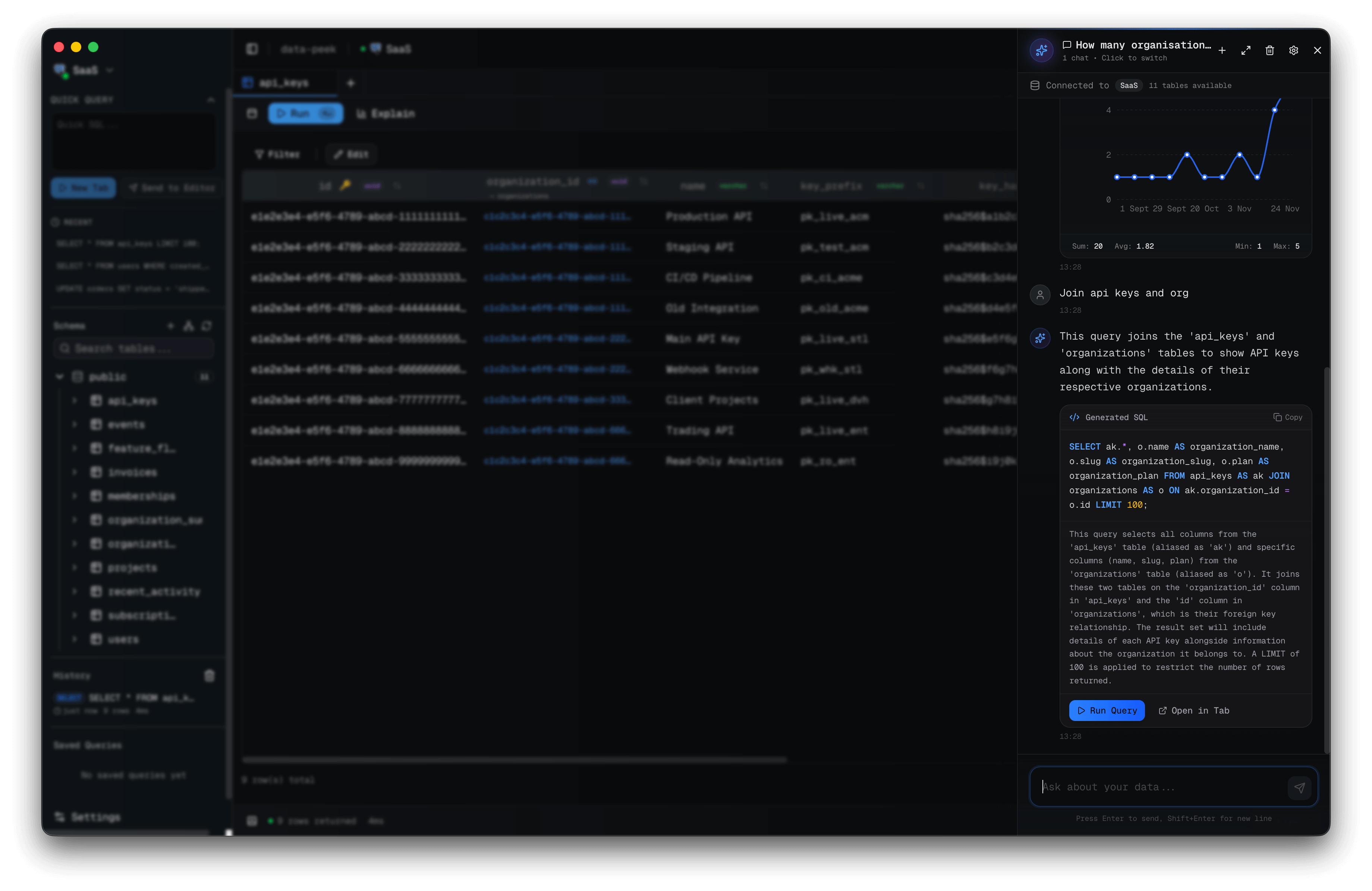
AI Assistant - Natural language to SQL
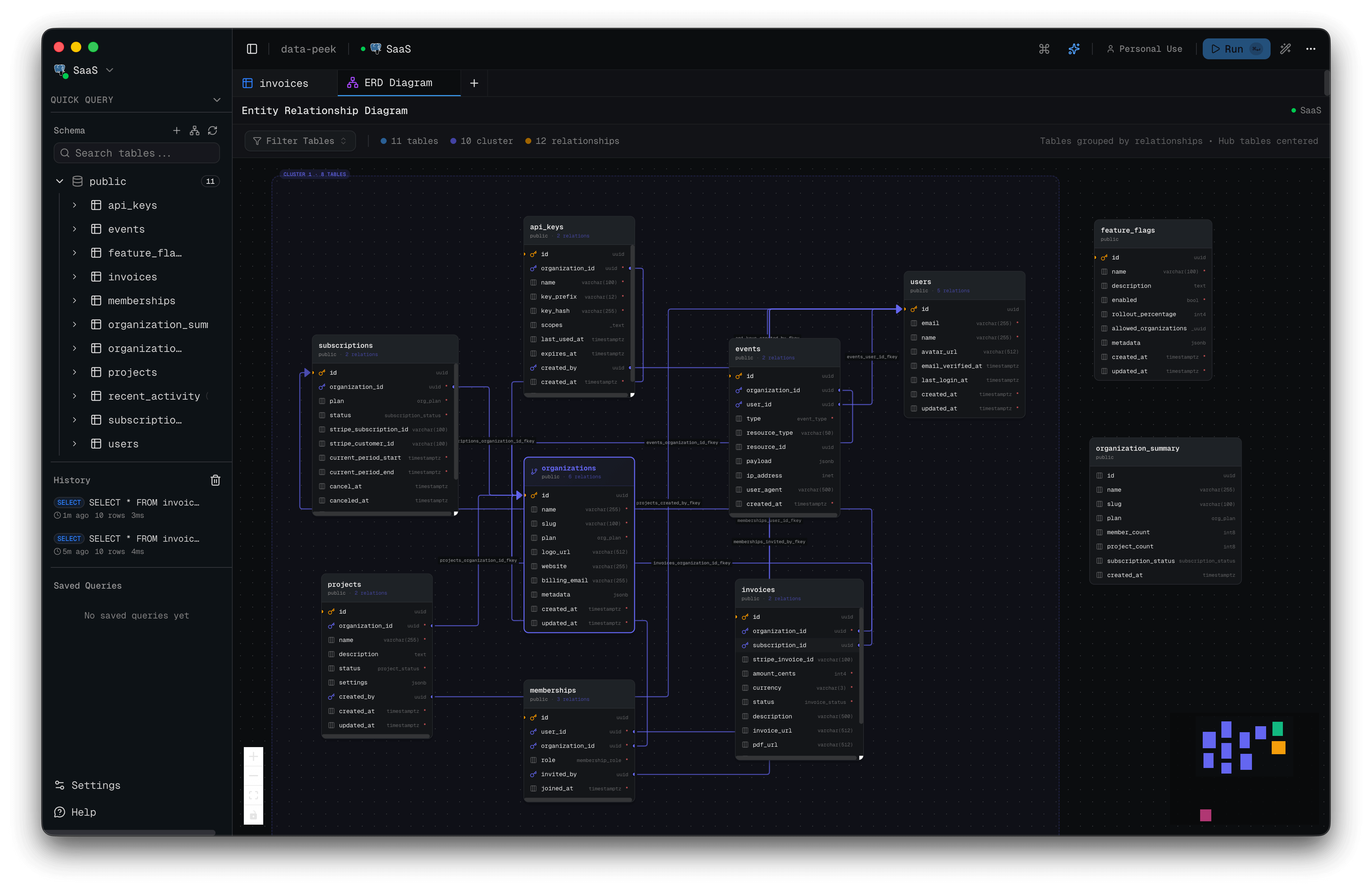
ER Diagrams - Visualize relationships
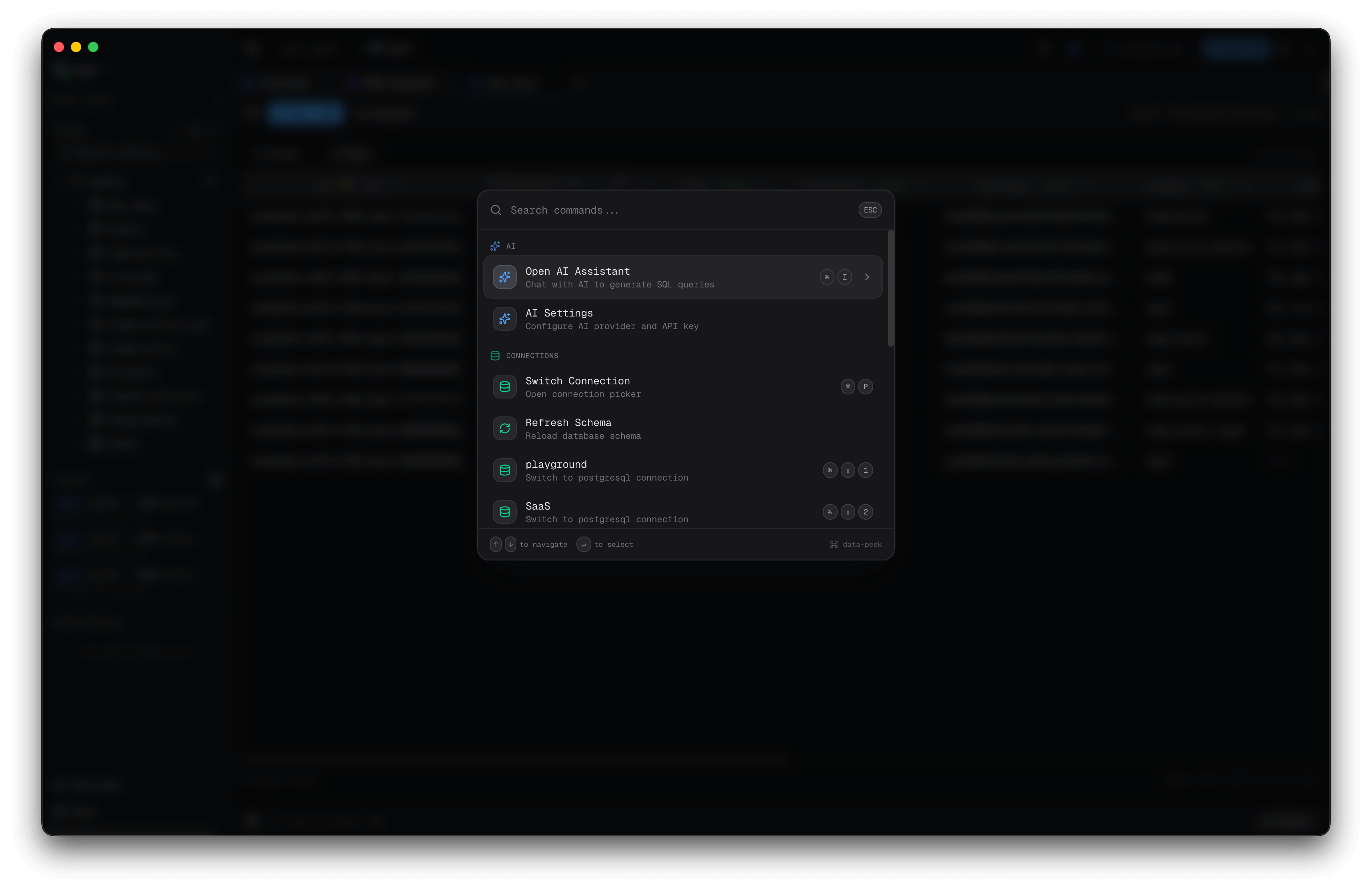
Command Palette - Quick actions
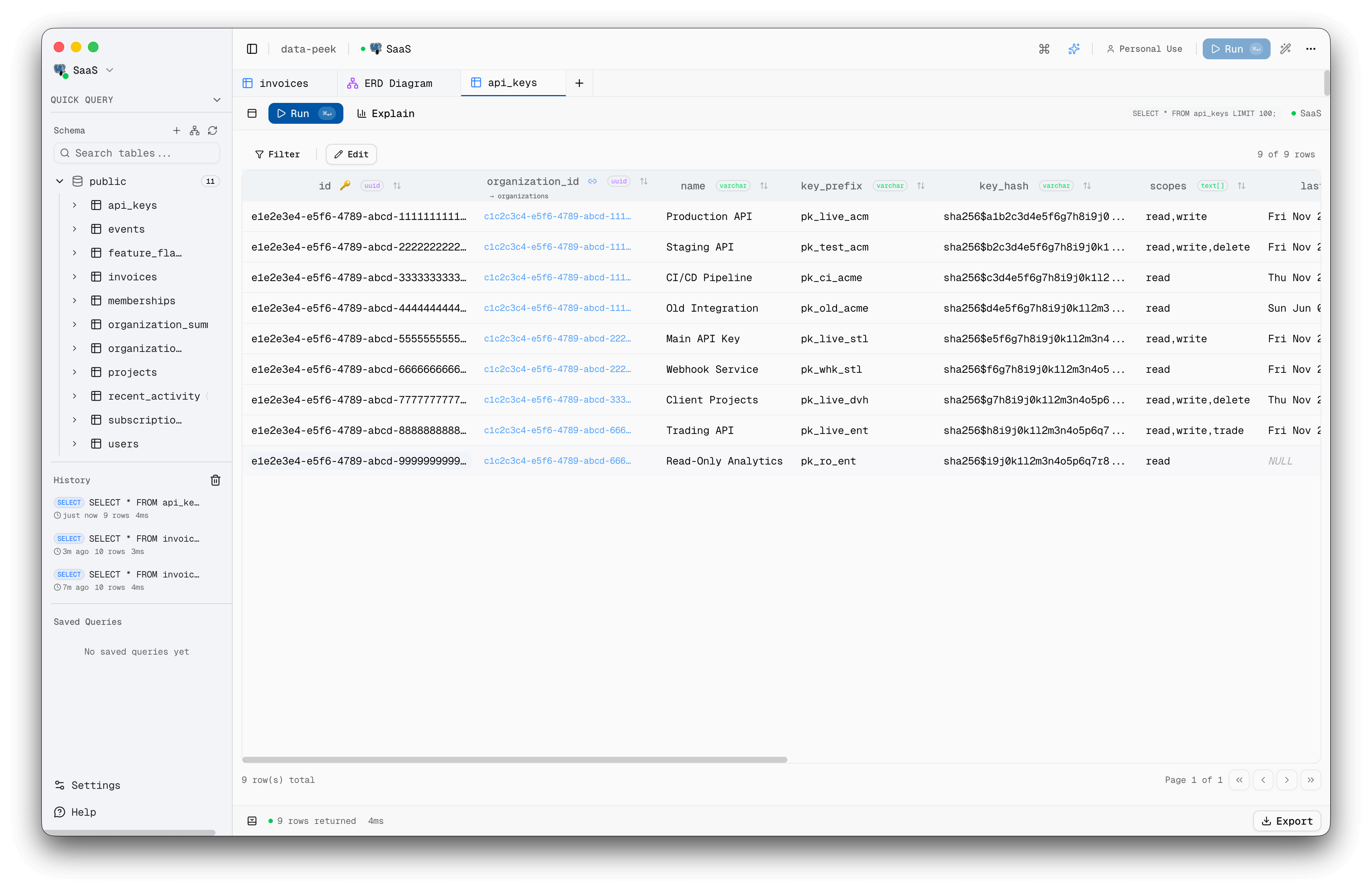
Light Mode
Features
Core
- Fast - Opens in under 2 seconds, low memory footprint
- Multi-Database - PostgreSQL, MySQL, Microsoft SQL Server, SQLite
- SSH Tunnels - Connect securely through bastion hosts with password or key auth
- Secure - Connection credentials encrypted locally using OS keychain, no telemetry
AI Assistant
- Natural Language Queries - Ask questions in plain English, get SQL
- Multi-Provider - OpenAI, Anthropic, Google, Groq, and local Ollama models (BYOK)
- Charts & Insights - Generate visualizations and metrics from query results
- Schema-Aware - AI understands your database structure for accurate queries
Query Editor
- Monaco Editor - SQL syntax highlighting with smart autocomplete
- Table Aliases - Autocomplete understands aliases for complex queries
- Multi-tab & Multi-window - Work with multiple queries and databases simultaneously
- Saved Queries - Bookmark and organize queries with folders and tags
- Command Palette -
Cmd+Kto access everything instantly
Performance Analysis
- Query Telemetry - Detailed timing breakdown with waterfall visualization
- Benchmark Mode - Run queries multiple times, get p50/p90/p99 statistics
- EXPLAIN Viewer - Analyze query plans with interactive node breakdown
- Performance Indicator - Detect missing indexes, N+1 patterns, and slow queries with auto-generated fix suggestions
- Cancel Queries - Stop long-running queries mid-execution
Data Management
- Schema Explorer - Browse tables, views, stored procedures, and functions
- Inline Editing - Edit table data directly with INSERT/UPDATE/DELETE
- Table Designer - Create and alter tables with full DDL support (columns, indexes, constraints, partitions)
- JSON Editor - Dedicated editor for JSON/JSONB columns
- Export - Export results to CSV, JSON, or Excel
Visualization
- ERD Diagrams - See table relationships with interactive entity-relationship diagrams
- Foreign Key Navigation - Jump to related records with one click
User Experience
- Dark/Light Mode - Easy on the eyes, follows system preference
- Keyboard-First - Power users shouldn't need a mouse
- Auto-Updates - Automatic updates with toast notifications
Installation
Download
Download the latest release for your platform from Releases.
- macOS:
.dmg(Intel & Apple Silicon) - Windows:
.exeinstaller - Linux:
.AppImage,.deb, or.tar.gz(Arch)
macOS: Code Signing
Starting from v0.4.0, data-peek is code signed and notarized for macOS. You should be able to open it directly without any warnings.
If you're using an older version and see an "App is damaged" warning:
Option 1: Terminal command
xattr -cr /Applications/data-peek.app
Option 2: Right-click to open
- Right-click (or Control+click) on data-peek.app
- Select "Open" from the menu
- Click "Open" in the dialog
Linux: Auto-Updates
Auto-updates only work with the AppImage format. If you installed via .deb or .tar.gz, you'll need to manually download new releases from the Releases page.
| Format | Auto-Update |
|---|---|
| AppImage | Yes |
| .deb | No (manual update) |
| .tar.gz | No (manual update) |
For the best experience with automatic updates, we recommend using the AppImage.
Build from Source
# Clone the repository
git clone https://github.com/Rohithgilla12/data-peek.git
cd data-peek

# Install dependencies
pnpm install

# Run in development mode
pnpm dev

# Build for your platform
pnpm build:mac    # macOS
pnpm build:win    # Windows
pnpm build:linux  # Linux
Troubleshooting: Electron not found
If you get errors about Electron not being found after pnpm install:
# Option 1: Run the setup script
pnpm setup:electron

# Option 2: Rebuild native modules
pnpm rebuild

# Option 3: Clean install (nuclear option)
pnpm clean:install
This can happen when pnpm's cache skips Electron's postinstall script that downloads platform-specific binaries.
Tech Stack
| Layer | Technology |
|---|---|
| Desktop | Electron |
| Frontend | React 19 + TypeScript |
| UI | shadcn/ui + Tailwind CSS |
| State | Zustand |
| Query Editor | Monaco |
| Database | pg (PostgreSQL), mysql2 (MySQL), mssql (SQL Server), better-sqlite3 (SQLite) |
Project Structure
apps/
  desktop/     # Electron desktop application
  web/         # Marketing website + licensing
packages/
  shared/      # Shared types for IPC
Development
# Install dependencies
pnpm install

# Start desktop app with hot reload
pnpm dev

# Start web app
pnpm dev:web

# Lint all workspaces
pnpm lint

# Build desktop app
pnpm build
Star History
License
MIT License - see LICENSE for details.
Pre-built binaries require a license for commercial use. See the license file for details on free vs. commercial use.
Contributing
Contributions are welcome! Please see CONTRIBUTING.md for guidelines.
Support
- GitHub Issues - Bug reports and feature requests
- GitHub Sponsors - Support development
- Twitter/X: @gillarohith