 e1d7fbb2bb
* feat: jsonb datatype support in tooljet database inprogress

* feat: jsonb support added for tooljet database column operations as well as create and edit table

* feat: added support to query JSONB values in JOIN operation

* added dto validation for join operation

* Added json data type in tjdb

* single line editor bug fixed

* Basic UI implementation for create table drawer for jsonb column type

* removed the console

* Added the sanitization for json default value in the dto

* Added jsonb svg for jsonb column type

* Updated UI for created column form

* Updated UI for edit column form

* Change the UI for create row

* Updated UI for edit row form

* Show dummy {...} value on table cell

* Setting up the codehinter in tjdb dashboard

* Created codehinter wrapper for tjdb table celljsonb data type

* Codehineter for tjdb cell

* Made changes in tjdb column and row drawers

* removed unwanted code

* Added maximum height for codehinter wrapper in each drawers

Avoided keydown event in create column drawer

* Set max height to codehinter for tjdb table cell

* Added jsonb path option for list row operation [rebase]

* Added filtering out column with json datatype in udpate rows operation

* Added filter option with jsonpath in delete row operation

* Made changes for join tables

* added json path in jon filter condition

* fix: parsing the jsonb default values in view table api

* Made on change and initial value value changes for all tjdb dashboard changes

* updated intial value and component name for codehinter in all drawers for tooljetdb

* Table cell edit codehinter initial value

* Updated codehinter onchange and initial value

* Added json path field for join sort section

* TJDB query manager updates for jsonb column type

* Tjdb dashboard bug fixes

* fix: joins jsonbpath expression can be sent without single quotes

* Added error validation for JSON in codehinter

* Removed console

* Added codehinter wrapper for tjdb cell

* Made default functional

* Made set to null functionality working

* Toggle functionality for default value

* Toggle null functionality

* Clean code

* create row form added handle disable input click

* cutom-footer css and add new data css

* Fixed tooltip

* Updated tooltip for join codehinters in query manager

* fix: jsonb column values validation in server side

* Made the initial value empty string if value is undefined

* active tab in edit row form bug

* Error state in tjdb hinter inside cell

* code mirror breaks, on the initial render

* Added placeholder and adjusted icon size in dropdown

* Fixed: Opening the cell with keyboard nav shows ‘enter to save’.

* bug fixed

* json icon alignment in the dropdown fixed

* In create and edit table, codehinter text is vertcially centered aligned

* Create row and update row info message for jsonb column type fixed

* SHowing popover when clicked on the jsonb cell

* Showing unique constraint in disable state for jsonb

* bugfix: bulkupload in tjdb for jsonb datatype should accept different json format

* Bug fixed for cellhinter and row form

* Avoided flickering in column form

* removed console

* zindex issue for codehinter in react portal for table cell

* Single line editor file changes removed

* row form bug fixed

* single quotes string escaped as it needs to be inserted as default value in JSONB column

* Bug fixed

* Edit and create row active tab bug fixed

* If value is empty, then dont show error in the codehinter

* fix: error handling for invalid jsonpath in join expression

* Handled null and Null edge cases for edit and create row

* Removed console

* Bug fix for save chages button in edit and create row drawer

* Error toast message for invalid syntax

* removed debounce time

* Copied all query manager and codehinter changes from editor to appbuilder directory

* Updated imports of codehinter in tjdb forms inside dashboard

* Discarded all changes made to editor directory

* Removed console

* Fixed flickering effect in the edit and create row drawer in TJDB dashboard

* Added focused state to codehinter in tjdb drawer, updated font size for the same

* Updated error message

* bug fixed : Pop up icon not visible inside codehinter

* Fixed : border issue in tjdb codehinter

* bugfix: array is not allowed to insert in JSONB column (#2734)

* Error message in tjdb drawers

* Error state for table schema

* Error message for cell hinter wrapper

* fixed : space between {} and table name in popup

* Spacing issue in create and update column UI in query manager fixed

* Show tooltip in fk column dropdown

* Bug fixed: edit drawer on first render cutom value is always empty

* Bug fixed

* Reverting react portal changes

* bug fixed for error copyright

* z index issue fixed for tableschema

* reverting back the changes for table form from last commit

* Bug fix: Flickering issue in table schema for codehinter input

* Bug fixed : toggle bwtween null and default value

* Handled spacing between the component name in react portal

* added new schema definition as we have introduced jsonb datatype default values can have Object and Array

* fix: removed the support for error code mapping for undefined function error  because database has different error text for it based on the scenario like jsonb aggregates etc

---------

Co-authored-by: Ganesh Kumar <ganesh8056234@gmail.com>
Co-authored-by: Ganesh Kumar <40178541+ganesh8056@users.noreply.github.com>
Co-authored-by: Akshay <akshaysasidharan93@gmail.com>
|
||
|---|---|---|
| .do | ||
| .github | ||
| .husky | ||
| .vscode | ||
| cli | ||
| cypress-tests | ||
| deploy | ||
| docker | ||
| docs | ||
| frontend | ||
| marketplace | ||
| plugins | ||
| release-scripts | ||
| server | ||
| .dockerignore | ||
| .env.example | ||
| .eslintignore | ||
| .gitattributes | ||
| .gitignore | ||
| .nvmrc | ||
| .slugignore | ||
| .version | ||
| app.json | ||
| Aptfile | ||
| CODE_OF_CONDUCT.md | ||
| CODEOWNERS | ||
| CONTRIBUTING.md | ||
| dependabot.yml | ||
| docker-compose-debug.yaml | ||
| docker-compose.yaml | ||
| heroku-postbuild.sh | ||
| LICENSE | ||
| netlify.toml | ||
| package-lock.json | ||
| package.json | ||
| Procfile | ||
| README.md | ||
| render.yaml | ||
| SECURITY.md | ||
| update-version.js | ||
ToolJet is an open-source low-code framework to build and deploy internal tools with minimal engineering effort. ToolJet's drag-and-drop frontend builder allows you to create complex, responsive frontends within minutes. Additionally, you can integrate various data sources, including databases like PostgreSQL, MongoDB, and Elasticsearch; API endpoints with OpenAPI spec and OAuth2 support; SaaS tools such as Stripe, Slack, Google Sheets, Airtable, and Notion; as well as object storage services like S3, GCS, and Minio, to fetch and write data.
⭐ If you find ToolJet useful, please consider giving us a star on GitHub! Your support helps us continue to innovate and deliver exciting features.










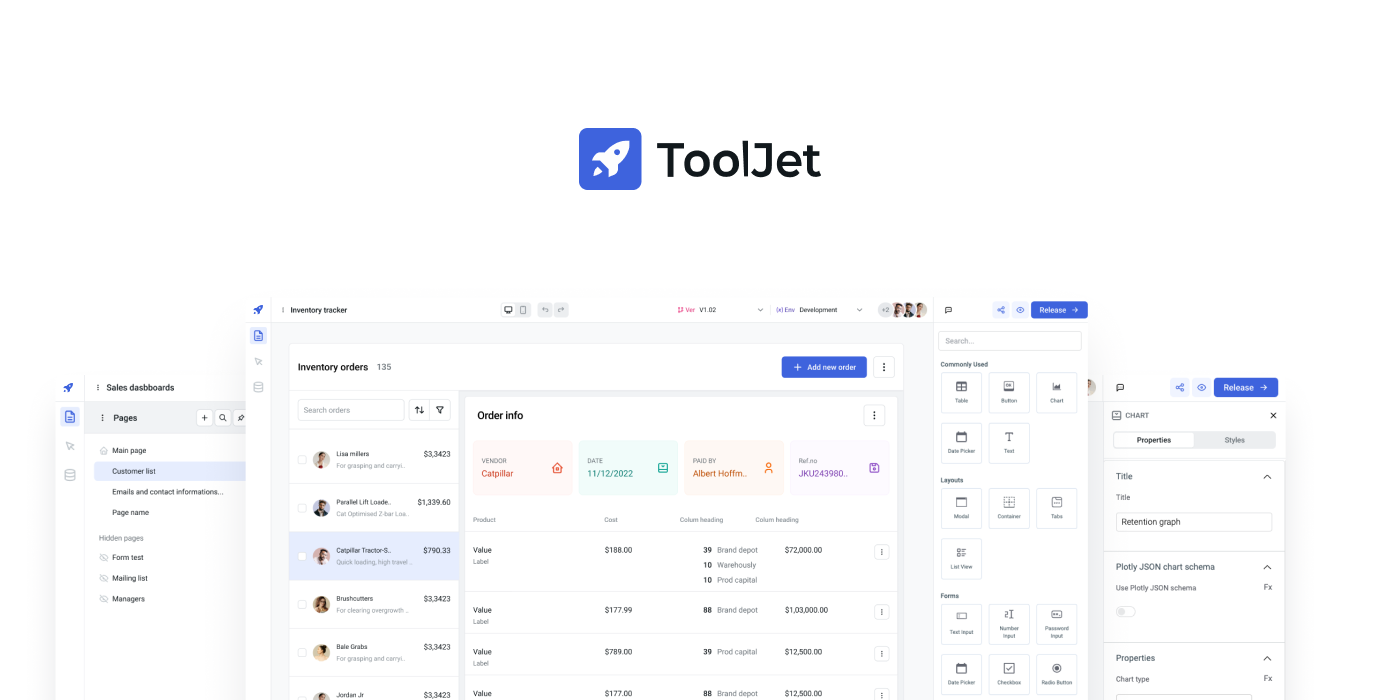
All features
- Visual App Builder: 45+ built-in responsive components, including Tables, Charts, Lists, Forms, and Progress Bars.
- ToolJet Database: Built-in no-code database.
- Multi-Page: Build an application with multiple pages.
- Multiplayer editing: Allows simultaneous app building by multiple developers.
- 50+ data sources: Integrate with external databases, cloud storage, and APIs.
- Desktop & mobile: Customize layout widths to fit various screen sizes.
- Self-host: Supports Docker, Kubernetes, AWS EC2, Google Cloud Run, and more.
- Collaborate: Add comments anywhere on the canvas and tag your team members.
- Extend with plugins: Use our command-line tool to easily bootstrap new connectors.
- Version control: Manage multiple application versions with a structured release cycle.
- Run JS & Python code: Execute custom JavaScript and Python snippets.
- Granular access control: Set permissions at both group and app levels.
- Low-code: Use JS code almost anywhere within the builder, such as setting text color based on status with
status === 'success' ? 'green' : 'red'. - No-code query editors: Query Editors are available for all supported data sources.
- Join and transform data: Transform query results using JavaScript or Python code.
- Secure: All the credentials are securely encrypted using
aes-256-gcm. - Data Privacy: ToolJet serves solely as a proxy and does not store data.
- SSO: Supports multiple Single Sign-On providers.
Quickstart
The easiest way to get started with ToolJet is by creating a ToolJet Cloud account. ToolJet Cloud offers a hosted solution of ToolJet. If you want to self-host ToolJet, kindly proceed to deployment documentation.
You can deploy ToolJet on DigitalOcean using one-click-deployment.

Try using Docker
Want to give ToolJet a quick spin on your local machine? You can run the following command from your terminal to have ToolJet up and running right away.
docker run \
  --name tooljet \
  --restart unless-stopped \
  -p 80:80 \
  --platform linux/amd64 \
  -v tooljet_data:/var/lib/postgresql/13/main \
  tooljet/try:EE-LTS-latest
For users upgrading their ToolJet version, we recommend choosing the LTS version over the latest version. The LTS version ensures stability with production bug fixes, security patches, and performance enhancements.
Tutorials and examples
Time Tracker Application
Build your own CMS using low-code
AWS S3 Browser
Documentation
Documentation is available at https://docs.tooljet.com.
Self-hosted
You can use ToolJet Cloud for a fully managed solution. If you want to self-host ToolJet, we have guides on deploying ToolJet on Kubernetes, AWS EC2, Docker, and more.
| Provider | Documentation |
|---|---|
| Digital Ocean | Link |
| Docker | Link |
| AWS EC2 | Link |
| AWS ECS | Link |
| OpenShift | Link |
| Helm | Link |
| AWS EKS (Kubernetes) | Link |
| GCP GKE (Kubernetes) | Link |
| Azure AKS (Kubernetes) | Link |
| Azure Container | Link |
| Google Cloud Run | Link |
| Deploying ToolJet client | Link |
| Deploying ToolJet on a Subpath | Link |
Marketplace
ToolJet can now be found on both AWS and Azure Marketplaces, making it simpler than ever to access and deploy our app-building platform.
Find ToolJet on AWS Marketplace here and explore seamless integration on Azure Marketplace here.
Community support
For general help using ToolJet, please refer to the official documentation. For additional help, you can use one of these channels to ask a question:
- Slack - Discussions with the community and the team.
- GitHub - For bug reports and feature requests.
- 𝕏 (Twitter) - Get the product updates quickly.
Roadmap
Check out our roadmap to stay updated on recently released features and learn about what's coming next.
Branching model
We use the git-flow branching model. The base branch is develop. If you are looking for a stable version, please use the main branch or tags labeled as v1.x.x.
Contributing
Kindly read our Contributing Guide to familiarize yourself with ToolJet's development process, how to suggest bug fixes and improvements, and the steps for building and testing your changes.
Contributors
License
ToolJet © 2023, ToolJet Solutions Inc - Released under the GNU Affero General Public License v3.0.