 5f180c91c3
* feat: add QuickBooks Online marketplace plugin Add a QuickBooks Online Accounting API plugin with OAuth2 authentication, 86 API operations via OpenAPI spec, and @spec/ convention for DB-stored spec files. Includes server-side spec hosting infrastructure and a fix for duplicate footer rendering on marketplace OAuth2 datasource config pages. * chore: update submodule pointers * fix: use parent transaction for spec file DB operations storeSpecFiles and updateSpecFilesForReload were wrapping each file insert/update in a separate dbTransactionWrap call, creating independent transactions instead of participating in the outer install/upgrade transaction. This could leave orphan File entities if the plugin save failed. Now uses the parent manager directly. * fix: use sandbox API URL, remove testConnection, add state param - Default to sandbox-quickbooks.api.intuit.com (development apps require it) - Remove testConnection and customTesting (OAuth flow validates connection) - Add state parameter to auth URL (required by QuickBooks) - Add access_token validation guard in run() - Preserve existing refresh_token if provider doesn't reissue - Remove environment dropdown and company_id from manifest - Add debug logging for OAuth flow tracing * feat: add Intercom marketplace plugin and fix path-level param rendering Add Intercom API v2.15 marketplace plugin with 162 endpoints across 30 resource groups using react-component-api-endpoint with @spec/ convention. Fix ApiEndpointInput widget to merge path-level OpenAPI parameters into each operation's parameters per the OpenAPI 3.0 inheritance rule. This ensures path params declared at the path-item level (used by Intercom, AWS, Stripe, and many others) are rendered as input fields. * fix: set customTesting to false so framework renders Test Connection button customTesting: false tells the framework to render its standard Test Connection button which calls testConnection() on the backend. customTesting: true (counterintuitively) hides the standard button, expecting the plugin to provide custom testing UI. * Chore: Migrate all OpenAPI plugins from external URLs to @spec/ convention (#15904) * chore: migrate all OpenAPI plugins from external URLs to @spec/ convention Downloads 78 OpenAPI spec files from external URLs (7 plugins from adishM98/base-repo-testing personal repo, 2 from official provider repos, 1 from S3) and stores them locally in openapi-specs/ directories. Updates all operations.json files to use @spec/<kind>/<name> references, which are resolved to DB-stored specs at install time. Eliminates runtime dependency on external GitHub repos for spec rendering. * chore: remove one-time spec migration script * chore: update package-locks for intercom plugin Adds @tooljet-marketplace/intercom workspace links and dependency entries that were missing from the prior commits. Co-Authored-By: Claude Opus 4.7 (1M context) <noreply@anthropic.com> * chore: update intercom plugin description Co-Authored-By: Claude Opus 4.7 (1M context) <noreply@anthropic.com> --------- Co-authored-by: Claude Opus 4.7 (1M context) <noreply@anthropic.com> |
||
|---|---|---|
| .do | ||
| .github | ||
| .husky | ||
| .vscode | ||
| cli | ||
| cypress-tests | ||
| deploy | ||
| docker | ||
| docs | ||
| frontend | ||
| marketplace | ||
| plugins | ||
| queryPanel | ||
| release-scripts | ||
| server | ||
| .dockerignore | ||
| .env.example | ||
| .gitattributes | ||
| .gitconfig | ||
| .gitignore | ||
| .gitmodules | ||
| .node-version | ||
| .nvmrc | ||
| .slugignore | ||
| .version | ||
| CODE_OF_CONDUCT.md | ||
| CODEOWNERS | ||
| CONTRIBUTING.md | ||
| dependabot.yml | ||
| docker-compose-debug.yaml | ||
| docker-compose.yaml | ||
| eslint.config.mjs | ||
| LICENSE | ||
| netlify.toml | ||
| package-lock.json | ||
| package.json | ||
| README.md | ||
| render.yaml | ||
| SECURITY.md | ||
| THIRD-PARTY-NOTICES | ||
| update-version.js | ||
ToolJet is an open-source low-code framework to build and deploy internal tools with minimal engineering effort. ToolJet's drag-and-drop frontend builder allows you to create complex, responsive frontends within minutes. Additionally, you can integrate various data sources, including databases like PostgreSQL, MongoDB, and Elasticsearch; API endpoints with OpenAPI spec and OAuth2 support; SaaS tools such as Stripe, Slack, Google Sheets, Airtable, and Notion; as well as object storage services like S3, GCS, and Minio, to fetch and write data.
⭐ If you find ToolJet useful, please consider giving us a star on GitHub! Your support helps us continue to innovate and deliver exciting features.










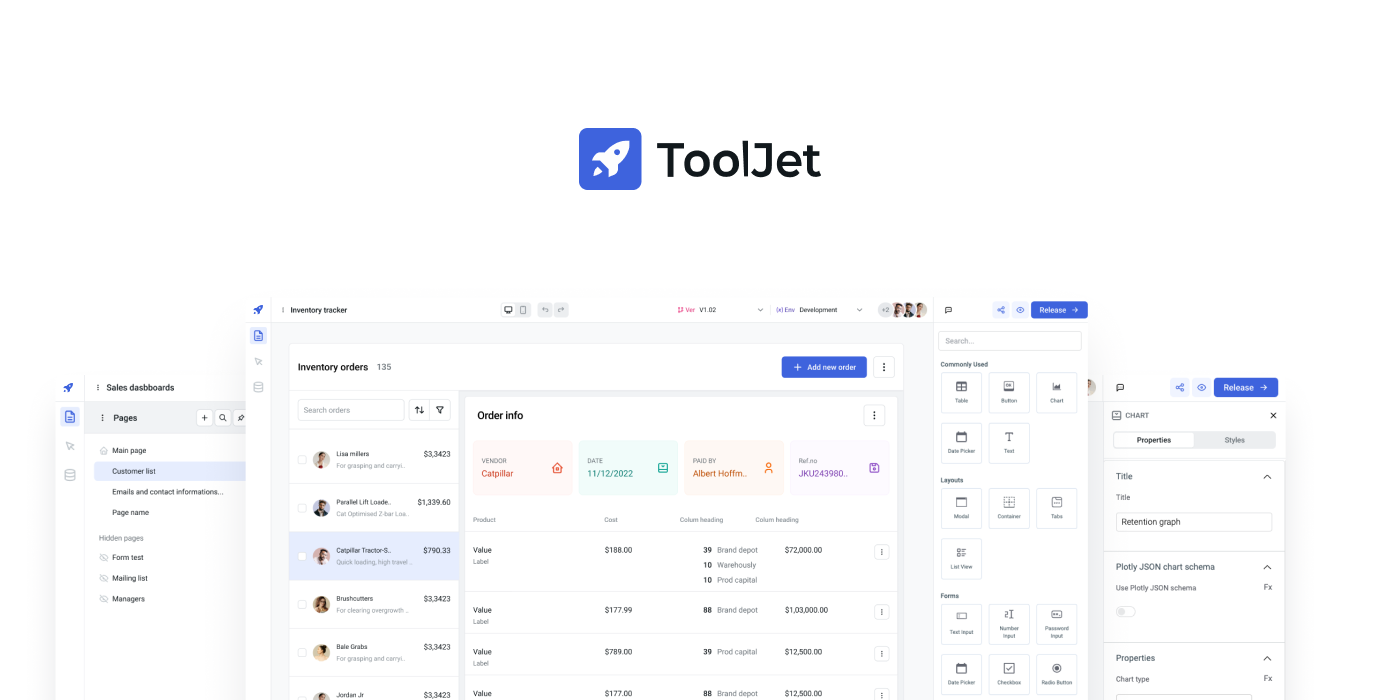
All features
- Visual App Builder: 45+ built-in responsive components, including Tables, Charts, Lists, Forms, and Progress Bars.
- ToolJet Database: Built-in no-code database.
- Multi-Page: Build an application with multiple pages.
- Multiplayer editing: Allows simultaneous app building by multiple developers.
- 50+ data sources: Integrate with external databases, cloud storage, and APIs.
- Desktop & mobile: Customize layout widths to fit various screen sizes.
- Self-host: Supports Docker, Kubernetes, AWS EC2, Google Cloud Run, and more.
- Collaborate: Add comments anywhere on the canvas and tag your team members.
- Extend with plugins: Use our command-line tool to easily bootstrap new connectors.
- Version control: Manage multiple application versions with a structured release cycle.
- Run JS & Python code: Execute custom JavaScript and Python snippets.
- Granular access control: Set permissions at both group and app levels.
- Low-code: Use JS code almost anywhere within the builder, such as setting text color based on status with
status === 'success' ? 'green' : 'red'. - No-code query editors: Query Editors are available for all supported data sources.
- Join and transform data: Transform query results using JavaScript or Python code.
- Secure: All the credentials are securely encrypted using
aes-256-gcm. - Data Privacy: ToolJet serves solely as a proxy and does not store data.
- SSO: Supports multiple Single Sign-On providers.
Quickstart
The easiest way to get started with ToolJet is by creating a ToolJet Cloud account. ToolJet Cloud offers a hosted solution of ToolJet. If you want to self-host ToolJet, kindly proceed to deployment documentation.
Try using Docker
Want to give ToolJet a quick spin on your local machine? You can run the following command from your terminal to have ToolJet up and running right away.
docker run \
  --name tooljet \
  --restart unless-stopped \
  -p 80:80 \
  --platform linux/amd64 \
  -v tooljet_data:/var/lib/postgresql/13/main \
  tooljet/try:ee-lts-latest
For users upgrading their ToolJet version, we recommend choosing the LTS version over the latest version. The LTS version ensures stability with production bug fixes, security patches, and performance enhancements.
Tutorials and examples
Time Tracker Application
Build your own CMS using low-code
AWS S3 Browser
Documentation
Documentation is available at https://docs.tooljet.com.
Self-hosted
You can use ToolJet Cloud for a fully managed solution. If you want to self-host ToolJet, we have guides on deploying ToolJet on Kubernetes, AWS EC2, Docker, and more.
| Provider | Documentation |
|---|---|
| Digital Ocean | Link |
| Docker | Link |
| AWS EC2 | Link |
| AWS ECS | Link |
| OpenShift | Link |
| Helm | Link |
| AWS EKS (Kubernetes) | Link |
| GCP GKE (Kubernetes) | Link |
| Azure AKS (Kubernetes) | Link |
| Azure Container | Link |
| Google Cloud Run | Link |
| Deploying ToolJet client | Link |
| Deploying ToolJet on a Subpath | Link |
Marketplace
ToolJet can now be found on both AWS and Azure Marketplaces, making it simpler than ever to access and deploy our app-building platform.
Find ToolJet on AWS Marketplace here and explore seamless integration on Azure Marketplace here.
Community support
For general help using ToolJet, please refer to the official documentation. For additional help, you can use one of these channels to ask a question:
- Slack - Discussions with the community and the team.
- GitHub - For bug reports and feature requests.
- 𝕏 (Twitter) - Get the product updates quickly.
Roadmap
Check out our roadmap to stay updated on recently released features and learn about what's coming next.
Branching model
We use the git-flow branching model. The base branch is develop. If you are looking for a stable version, please use the main branch or tags labeled as v1.x.x.
Contributing
Kindly read our Contributing Guide to familiarize yourself with ToolJet's development process, how to suggest bug fixes and improvements, and the steps for building and testing your changes.
Contributors
License
ToolJet © 2023, ToolJet Solutions Inc - Released under the GNU Affero General Public License v3.0.